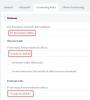
I understand what you are saying but in many businesses they use other communication methods to chat and talk without the presence feature in the phone system. Many business clients use slack or other communication methods. Having a button on the phone to hit as you are walking away to forward your phone is pretty basic. The question was, can the yealink phones change this via the web gui or any easy way to make this work for this client via the 3cx phone system.
Answer: Yealink phone model T46s and T48s do not have the ability to change this option via the web interface. It seems you must create a custom template and send/provision it to the phones changing this option from 1 to 0. I do not allow the phones to re-provision every day. Since this is a site with about 30 phones it has been very easy to manage without this and I do not like the way that 3cx pushes dsskey to phones, not to mention they have the pro version and to add a custom logo/background provisioned they need to spend hundreds more on the enterprise version. I was just trying to find a solution that allows them to hit a button on the phone that forwards to another office, extension, cell etc. So, I am re-provisioning with the new template (changing the 1 to 0), then re-setting up the phone how I like them and removing the auto-provision link in the phones. This works for this company as they use slack and zoom across their company and external customers for chatting and communication/meetings.
If anyone has any other suggestions please let me know. But this seems to be the easiest way to add a forward button to the phones for easy user management when they are away from desk. - hit a button that forwards to another user or cell.