Yealink SIP-W60B disable call waiting

Status
Not open for further replies.

bleepingmachines

Joined
Aug 13, 2018
Messages
5
Reaction score
0
I have a Yealink SIP-W60B cordless phone added as a DECT phone. I need to disable call waiting but I do not see any options. How can I modify the settings?
 
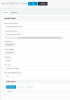
Log into the base, goto "Features" > "General Information" and set "Call Waiting" to Disabled.
That's all.
 
Won't that get reset if the device pulls a new provision (i thought they reprovision after firmware updates)?
 
Edit the next parameter in the template
Code:
#Enable or disable the call waiting feature; 0-Disabled, 1-Enabled (default);
call_waiting.enable = 0
 
Where do you edit the template?
 
With a DECT phone, where do you apply this custom template?
 

Attachments

  • yealink.png
    yealink.png
    39.8 KB · Views: 3
Status
Not open for further replies.

Latest Posts

Forum statistics

Threads
111,893
Messages
589,598
Members
164,760
Latest member
SaschaA_