





Choose OpenAI, Gemini or Grok and run the conversation where the call already lives.
3CX now has ready-made call script samples for OpenAI Realtime, Google Gemini Live and xAI Grok, giving system admins more choice over the AI provider behind their voice agent.
Bring your preferred provider into existing 3CX call flows while keeping routing, directory access, transfers, voicemail, chat and fallback handling within the PBX. Choose the provider, model and voice that fit your business, while 3CX controls where the call goes and what the agent can access.
Read on to see how the three AI voice samples work, what they can do inside 3CX and how to get started.
Choose Your AI Voice Provider
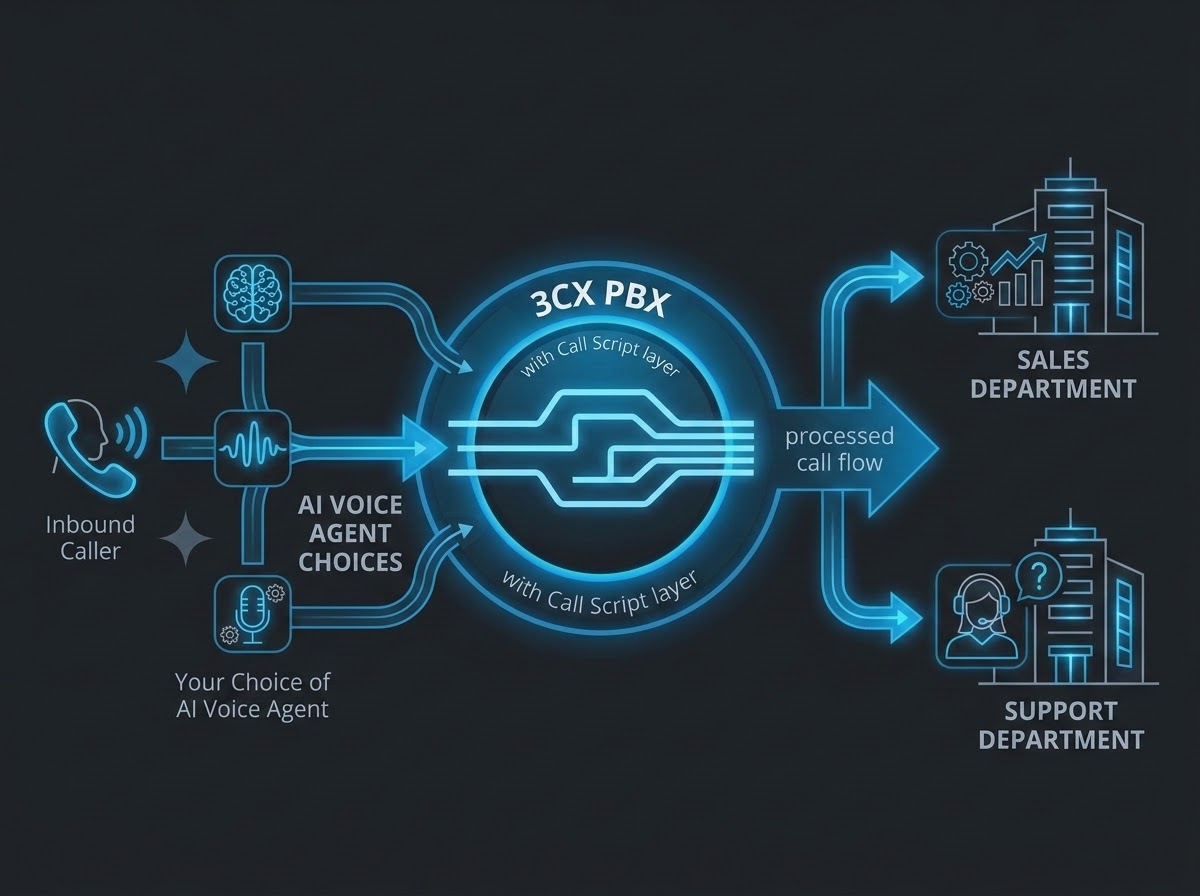
The three samples are available from the 3CX Call Script store:
- OpenAI Realtime uses openaivoiceagent.cs.
- Google Gemini Live uses geminivoiceagent.cs.
- xAI Grok real-time voice uses grokvoiceagent.cs.
Each path requires a 3CX AI Edition on V20 Update 10 and an API account with the chosen provider. Beyond that, the decision is yours: use the ecosystem, commercial relationship, supported model and voice options that fit your business.
Keep the AI Agent Inside the 3CX Call Flow
A voice agent is most useful when it can do more than hold a conversation. Running it as a 3CX Call Script places the AI inside the live call flow, where 3CX already knows how the call arrived, which department owns it and where it can go next.
This creates practical synergy between the AI conversation and PBX actions:
- Route a dedicated DID, selected inbound trunk calls or an internal destination directly to the script.
- Expose only approved extensions, queues, ring groups, departments or roles to the agent.
- Execute transfers through 3CX tools instead of merely telling the caller that a transfer will happen.
- Offer voicemail or chat when a user is unavailable and save useful caller context when enabled.
- Send the caller to a normal 3CX fallback destination if the media or provider session fails.
With media handling, routing and call actions close to the conversation, administrators have fewer separate integration layers to coordinate. Provider credentials can stay in protected PBX parameters, while the Call Script contains the instructions, visibility rules and behavior that make the agent useful.
A Simple Use Case: One AI Front Desk, Multiple Actions
Consider a customer calling the main number during a busy period. The AI front desk greets the caller, answers a general question and asks where they need to go. It searches only the directory entries approved for the script and then connects the caller to Sales or Support.
If the matched user is unavailable, the agent can offer voicemail or chat. If the provider cannot start or the media channel fails, 3CX routes the call to the configured fallback. The business outcome stays the same whether the conversation is powered by OpenAI, Gemini or Grok.
This is the value of provider freedom inside a common PBX workflow: you can test or standardize on the AI service you prefer without redesigning the customer journey around a different telephony integration.
Start With a Ready-Made Call Script
The setup follows the same short path for all three providers:
- In the 3CX Admin Console, go to Admin > Integrations > Call Scripts and select +Add from Store.
- Choose the OpenAI, Gemini or Grok sample, enter a lowercase script name without spaces, select how it will run and assign its department.
- Add the matching API key and realtime model as PBX parameters, leaving ApiKeyOverride and ModelOverride empty for centrally managed values.
- Set the fallback destination, voice, agent name and instructions, then define the numbers, departments and roles the agent may searchSave the script, confirm successful compilation and test the assigned route before sending live traffic to it.
Your test should cover the greeting and selected voice, allowed and hidden directory entries, a confirmed transfer, unavailable-user voicemail or chat, a natural goodbye and provider-failure fallback. The optional get_department_hours example should also be connected to a trusted data source before it handles real customer information.
Ready to build? Follow the OpenAI, Gemini or Grok setup guides for provider-specific parameters, testing and troubleshooting.
Join the Discussion
Join the 3CX discussion in our dedicated Partner or Customer Forums. Follow us on X and LinkedIn to stay-up-to date on latest news and feature releases.









 Copyright © 2026