





The new SBC for v18 has been released. Get it now for increased reliability with the new reconnect feature, as well as the ability to bulk update SBCs via the Instance Manager. Reconnect: Instant recovery from internet failure When the internet connection goes down, the call is no longer dropped. The 3CX Tunnel keeps media ports intact, allowing continued media transmission in [...]

A hotfix is available for V18 Beta 1 which includes several bug fixes, including the known audio issues addressed in the V18 Beta release. In this Hotfix Fixed audio problems in cases where an extension has “Recording” enabled for external calls. Fixed audio recording problems in the case of an IVR or Queue. Fixed audio issues in case invite sent does not contain SDP. Fixed iss [...]

V18 is feature complete! The latest and possibly last beta has an improved web client / Windows app as well as Microsoft Teams integration. New web client interface with BLF support We’ve consolidated the menu options on the left-hand side of the web client and desktop app, adding labels to make the functionality of each item clearer. Contacts, Voicemail, Recordings and Settin [...]
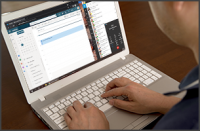
Alpha 5 is available now with an all new Windows Desktop App, eliminating the need for the Browser Extension (for Chrome or Edge). We’ve packaged the web client as a native Windows app using the same Electron framework used by Teams and Whatsapp, to give you a more reliable user experience on the desktop. Easily accessible, you can choose to keep the desktop app visible on the [...]
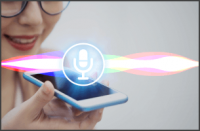
Our newest Beta release prepares your iOS device for V18 (soon to be released) with an exciting feature: Siri integration. You can now tell Siri to make calls using 3CX. How to use it First and foremost, your device should already have Siri enabled. After installing the 3CX app with an active account, all you have to do is to ask Siri something like “Siri, call 123456 using 3CX [...]

We recently made it possible for installations running on V16 Update 8 to upgrade to V18 Alpha 4. This also means having your Linux Operating System upgraded from Debian 9 to Debian 10 Buster. As you can understand, this is a major upgrade of your base operating system and bears its risks. Therefore we optimized, safeguarded and reviewed the process on the following platforms, [...]

Installations running on V16 Update 8 may upgrade to V18 Alpha 4, and also upgrade their Linux Operating System from Debian 9 to Debian 10. Only Recommended for Testing This is an alpha version, not suitable for production systems. If you want to use it for testing purposes, ensure you take a full backup of your system and store it in a separate location (not on the host). If y [...]

This latest update brings faster and more reliable connectivity, advanced integration with your Android device and a seamless audio quality. Available now on Google Play Store, our latest Android client will prepare your device for soon to be released V18. Optimized for Bluetooth Devices The new 3CX Android App update makes working on the road a breeze. Connect it to a Bluetoot [...]

Fully compatible with iOS 14.5 and iOS 14.6, our latest iOS client is now available on the AppStore. This update prepares your iPhone or iPad for soon to be released Version 18. With this release, we’re introducing: Option to integrate 3CX calls with your device Recents. Ability to schedule a conference call using your device Calendar. Automatic renewal of Push subscription Fas [...]

V18 Alpha 4 is out now! Here’s what you can expect to find: App: Auto set codec depending on Network (WiFi/3G/4G) Set the default codec to use when the App is on the mobile network or WiFi. This allows you to automatically use a better quality codec when on WiFi (G711) and a different codec (G729) when the app is on a mobile data network for reliability and optimal bandwidth us [...]

 Copyright © 2026