




Note: In a VERY HIGH VOLUME scenario, it may be preferable to use the command-line tool shipped with Wireshark, called tshark.exe - this allows capturing traffic without consuming a large amount of system resources needed to maintain the Wireshark GUI. Very often, when you are troubleshooting issues, the 3CX Support team will ask for logs and captures to look at the issue in mo [...]
Version 9 of 3CX PhoneSystem introduces a more powerful control set for Forwarding Rules. Each extension can be in any one of 5 different statuses: Available Away Out of Office Custom #1 Custom #2 Version 9 also allows us to define, for each extension number, the user's mobile number (cell phone number). [...]
[...]A correct Router configuration is a key element in ensuring correct communications between 3CX Phone System and external entities such as external extensions, VoIP Provider services, and other Bridged PBXs. NAT and PAT Why are they necessary? Network Address Translation (NAT) When network host A sends a request to another network host B, network host A will be expecting a reply [...]

Configuring Outbound Rules on 3CX Phone System is a very simple affair if you have a single device or service which you deliver calls with – in most cases a single rule will be enough. But the Outbound Rules in 3CX Phone System allows you to create much more complex rules – allowing you to not only select backup routes which come into effect when other routes fail, but also to [...]
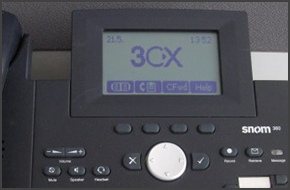
In this example we will demonstrate how to perform a blind and attended (consultative) transfer using a snom 360. This procedure applies to snom 320, 360, 370. Note: A Blind Transfer is a transfer to another extension without actually initiating a call to the end destination. The call is blindly transferred to the destination. By comparison, an attended transfer is a transfer [...]
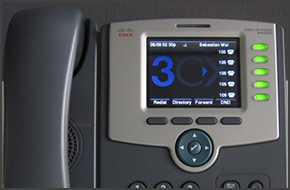
In this example we will demonstrate how to perform a blind and attended (consultative) transfer using a Cisco IP Phone SPA525G. Note: A Blind Transfer is a transfer to another extension without actually initiating a call to the end destination. The call is blindly transferred to the destination. By comparison, an attended transfer is a transfer where before actually transferrin [...]

In this example we will demonstrate how to perform a blind and attended (consultative) transfer using a Polycom Soundpoint IP 650. We will assume that an incoming call will be received on the Polycom phone which is registered to Extension 111. Note: A Blind Transfer is a transfer to another extension without actually initiating a call to the end destination. The call is blindly [...]
This guide gives you hints on how to secure your 3CX Phone System. The 3CX Phone System can receive incoming call requests from the outside to the inside (Inbound Calls), or alternatively outgoing requests from the inside to the outside (Outbound calls). Inbound Calls Inbound Calls can only have an internal entity as a destination with 3CX Phone System. The first of the two ava [...]

ℹ️ Note: The info in this post is no longer valid. It applies to an older version of 3CX. This document will provide an overview of the most common concepts which need to be kept in mind when configuring 3CX Phone System inside your network infrastructure, including the following topics: NAT Configuration. STUN Resolution. DNS Resolution in a VoIP environment. Cus [...]

IMPORTANT This device has been tested for Voice using firmware version of “Wed Jun 10 11:53:59 2009”. The guide and template may not work for earlier or later versions of the firmware! Configuration is a 2 step process. First you need to configure 3CX Phone System for use with the Portech. Then, you need to configure the Portech to register and communicate with 3CX PhoneSyst [...]

 Copyright © 2026