





Recently Nick published an excellent tip regarding direct dialing from 3CX Assistant on supported phones. I have extended this feature proposing a method to call any number shown on any web page. To make a call from web page via Yealink or Snom phone you need to do following: Use Snom or Yealink phone with latest firmware (important!) You must use Mozilla Firefox (I have not fo [...]
Edit 16th September 2015: Please note that 3CX Phone System only works with MS Exchange Server 2013 and 2013 SP1 DTMF (dual tone multi frequency) is the signal to the phone company that you generate when you press an ordinary telephone's touch keys. In the United States, it's known as a "Touchtone" phone. DTMF has generally replaced loop disconnect ("pulse") dialling. With DTMF [...]

This article explains the main fields included in a SIP INVITE, which is sent to set-up a VoIP call. A SIP INVITE message contains typically between 4 and 6 header entries with contact information inside them. Different devices or providers use these headers in different ways and therefore, an understanding of the “normal” scope of these headers, together with a close analysis [...]
All SIP phone calls consist of messaging for call setup and media for the actual audio. SIP Messaging is carried using UDP or TCP (normally UDP) SIP packets – It is used for device registration, call setup/teardown, on-hold notification, call transfers, DTMF signals. Typically the PBX Server is expecting to receive SIP messages on port 5060, so the PBX Server must be able to re [...]
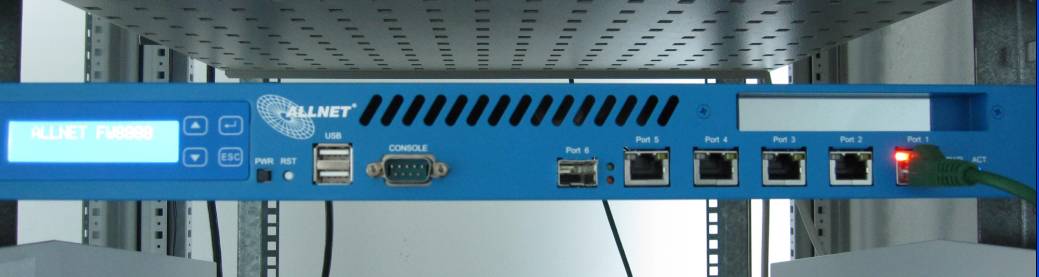
Many businesses who are adopting VoIP Software PBX Systems are always looking for a way to cut down costs. That's where the Intel Atom N270 comes in the picture, which is designed to deliver performance with minimal power usage. In addition many of our partners have requested the ability to put together a low cost dedicated server based on an Intel Atom. The Intel Atom N270 c [...]
Cisco SPA Phones have the ability to look up for phone numbers and contacts in an Active Directory/LDAP. For this a template needs to be created and the Cisco Phones need to be re-provisioned with this template to enable them to access Active Directory and take AD user information from there. Step 1: Locating the Cisco template in the 3CX Management Console Access the 3CX Man [...]
Updated IP phone configuration guides for the most popular phones supported by 3CX

If you are not running the latest version of the firmware, please update your Beronet device firmware to the recommended version as explained below. Update Procedure To update go to http://www.beronet.com/downloads/berofix/ and download the appropriate update. Log on to the beroFix Webinterface, click on Preferences / Update Tool or Management / Update Tool depending on the Fir [...]

Whilst 3CX has a significant number of certified interop partners, in some cases it might be required to work with an untested and/or uncertified VoIP Provider. In these cases you must do a full test run of the VoIP provider to ensure that it will work correctly with the 3CX Phone Sytem. This article explains how. Pre-Requisites You must have at least one (ideally two) external [...]
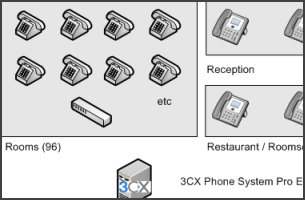
When deploying a new VoIP phone system, especially in larger installs, the cost of new IP phones can be substantial. And for many work stations, the current analog phone might do ‘just fine’. And with 3CX Assistant, a desktop call control utility for Windows, extension users can enjoy all the benefits of an IP phone including presence and call control, whilst using their analog [...]

 Copyright © 2026