Since the start of the covid-19 outbreak, educators around the world have been making incredible efforts to keep their students learning and engaged amidst the disruption. From offering support to parents balancing remote work with homeschooling, live streaming PE lessons and delivering entire classes via web meeting, teachers are having to quickly adapt to their new world of work.
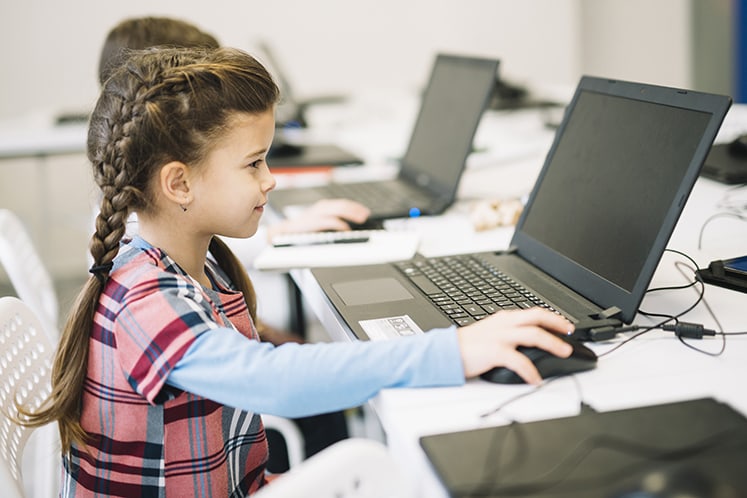
This marks a big change for all of us and it’s throwing up new challenges; how can teachers monitor progress from a distance? Can lessons remain interactive and engaging? Are we safeguarding children in their new online worlds?
At 3CX, we want our partner community to support educators through these challenging times. That’s why we’ve just made our professional licenses completely free to schools and higher education providers for one year! We’re calling on you to support your local schools by setting up their virtual classrooms and teaching the teachers how to use our remote learning tools. If you’ve seen our latest tutorial - you’ll know how to get them started in just 20 minutes!
How can 3CX help?
3CX provides a virtual classroom, combining class webinars, 1-1 meetings, file sharing and chat features into one easy to use, accessible remote learning platform. Our tools can be accessed anywhere; all students and teachers need is an internet connection and their favourite device, be it a mobile, tablet or PC!
What features will they require?
Schools are complex communication engines, with 3 main channels that need to be maintained:
- Learning (Teacher-Student)
- Informing (Parent-Teacher/ Staff)
- Planning (Teacher-Teacher)
In the remainder of this article, we’ll dive into the learning channel in more detail. Watch out for part 2 for more on informing and planning.
Remote Learning with 3CX
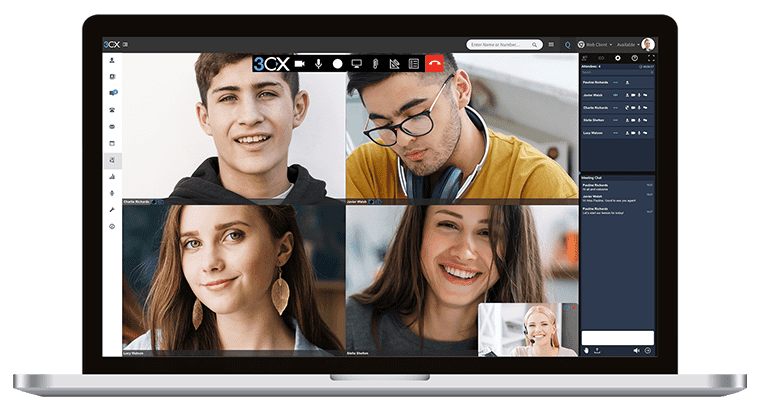
Once the 3CX Professional License has been set up, teachers can maintain their class schedule with our WebRTC classroom webinars. Pupils simply access the class via a URL or email invite, without needing to remember any complex login details. You could even embed the class links in an interactive timetable, so it's simple for students and parents to keep track of when they need to be online.
Essential features:
- Integrated chat: Leave feedback, share documents & ask questions
- Polling: Check understanding or organise class quizzes to keep students engaged
- Class control: Mute, enable video and pass the mic using our presenter tool.
- Record: Allow unavailable students to watch classes on demand
Our top tip: Help kids stay connected
Outside the classroom, school plays an important role in a child's social development. It can be difficult for children to adjust to not seeing their friends every day so help them minimise feelings of isolation by encouraging conversation. Remember 3CX can be used for a lot more than remote learning! Show Teachers how to schedule a virtual lunch or playdate with classmates. If students are unwell or can’t join class because of an appointment, remind them to set a status message so their classmates are also aware.