





 In this example we will demonstrate how to make a conference call using a Snom 870.
Conference Call
- Make or Answer a call.
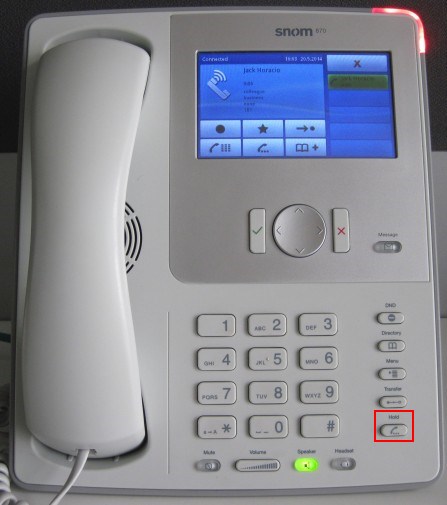
- Press the "Hold" button to place the caller on hold.
- Dial the next caller and put them on hold. Repeat the process for up to four callers.
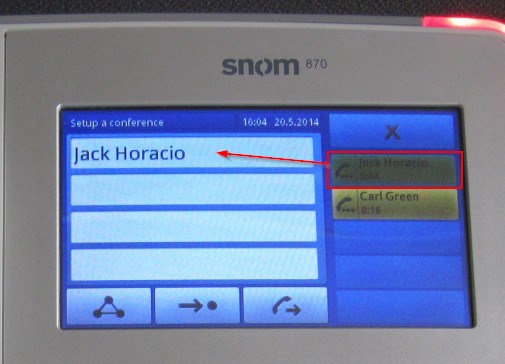
- When all the callers that you wish to conference with are on hold, tap and drag their call for the list on the right to the context area of the left. Repeat for all participants.
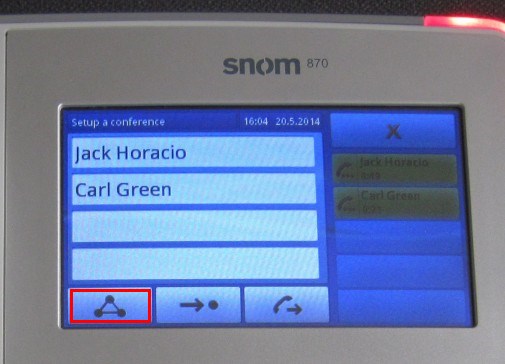
- Tap the "Conference" button on the touchscreen to start the conference call.
A conference with up to five participants (yourself and four others) can be made using this procedure.


 Copyright © 2026