





Translate calls with Apple Intelligence, choose your outbound number and manage queues from your iPhone.
3CX iOS App V5.8 BETA adds more call and queue controls to the mobile app, together with support for Apple's Live Translation.
Users can choose the number used for outbound calls, access queue information and follow up on abandoned calls directly from Recents. On supported devices, 3CX calls can also use Apple's CallKit Live Translation powered by Apple Intelligence. Please note all features discussed below require V20 Update 10, except Translation via Apple Intelligence.
Read on for what’s new.
Translate 3CX Calls With Apple Intelligence
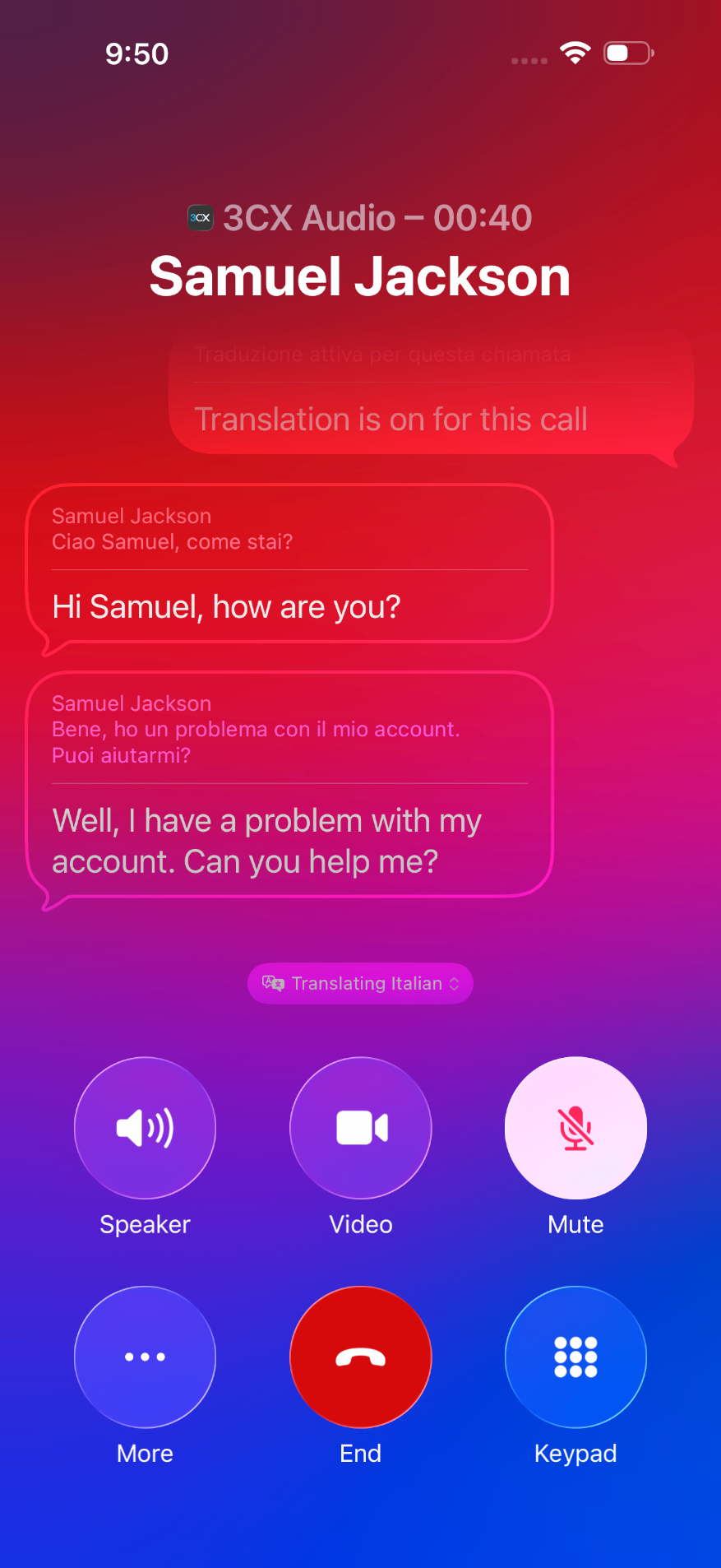
V5.8 BETA takes advantage of Apple's Live Translation for calls. Because the 3CX iOS app integrates with Apple CallKit, supported 3CX calls can use Apple's built-in translation interface. Live Translation can display translated captions for both sides of a one-to-one call and, when enabled, play the translated speech back to the user.
Translation is handled on the iPhone using Apple's on-device models. To use Live Translation, you need:
- iOS 26 or later
- An iPhone that supports Apple Intelligence
- Apple Intelligence enabled
- A supported language pair
- A one-to-one call
During a call, open the Apple CallKit interface, select More > Live Translation, choose the languages and start the translation. Some language packs may first need to be downloaded to the device. Holding the call pauses Live Translation.
More Control Over Calls and Queues
Choose Your Outbound Number
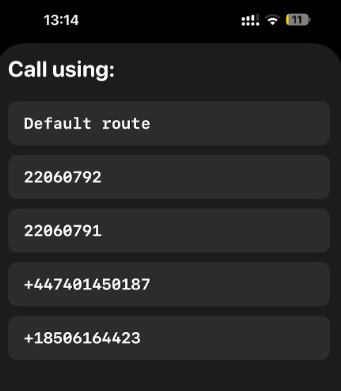
Users with multiple numbers assigned can now select which number to use before making an outbound call.
When enabled by the 3CX Admin, the Call using selector shows the default route - meaning it will follow the outbound rules - together with the available numbers assigned to the user. This makes it easier to choose the appropriate business number before calling.
Manage Queues and Abandoned Calls
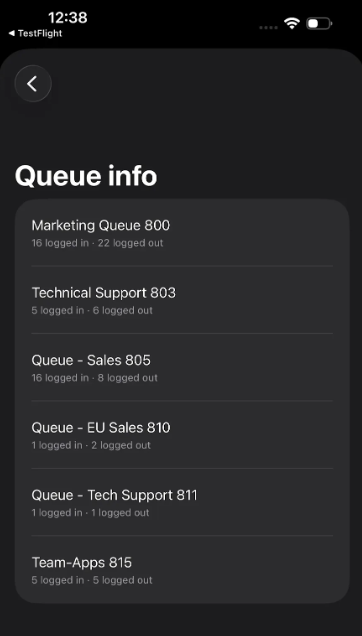
Queue information is now available directly from the iOS app. Users can see the queues available to them and check which agents are logged in or out. Users with queue management permissions can also log agents in and out individually or manage the whole queue in one action.
Abandoned queue calls are also available from Recents using the new Abandoned filter. Each entry shows who called, which queue the call came through and when the call was abandoned. Its handling status can then be updated as the team follows up.
View the changelog for a detailed breakdown of updates and fixes in this latest build.
Get Involved
Join the iOS TestFlight program to test this beta and provide direct feedback to our development team.
For instructions on how to install and provision the 3CX iOS app, see our configuration guide.
iOS Forum
Head over to the dedicated iOS Forum to let us know what you think.
Follow us on X and LinkedIn to stay-up-to date on latest news and feature releases.









 Copyright © 2026