i deleted the extension, reconfigure it on the windows app, on mobile app, but not on the phone (btw as the phone is in my office and i did it remotely to customers, i kept getting blocked / IP black listed on PBX, could not access it, till i got to my office and restore the phone to factory default)
now not sure if i can configure the phones, so it wont effect the users windows and mobile app (this time will try doing it while I am in my office)
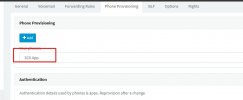
if you go to IP Phone on the 3cx V20 it is not there, on V18 it was:
please advise where I may find it?
do i need first to configure the app and the last will be the phone?
There should be no order for this.
Once the extension is created it is ready to be used for the 3CX Apps. Adding an ip phone does not affect the clients.
I want to think that there is no order, I tried for hours to solve the issues:
first on the computer needed to verify it will be defaulted to the web or desktop app, as when it has defaulted to the phone and you answer on the computer the other side cannot hear you
once I verify the default on the computer, there are no simultaneous calls, it stops ringing on the desktop, can dial out but cannot receive calls
Since the endpoints of the extension are registered the incoming call to the extension shall ring all endpoints.
You need to check connectivity here for the applications. If for example you use the ip phone and the mobile app and make an internal call, does it ring to all endpoints?