Fanvil X3S - Auto BLF provisioning not working

Status
Not open for further replies.

GabrielTK

Free User
Joined
Sep 19, 2019
Messages
5
Reaction score
0
Hello,
I am trying to setup a phone system using 3CX (on a dedicated windows machine) and Fanvil X3S Phones, which, although configured exactly like described at 3CX’s website, do not receive the BLF configuration from 3CX, making admins have to go to the “Phone UI” to set them up. Is this a common problem? Does anybody knows how to fix it?

Yours Faithfully,
Gabriel
 
Have you made the changed to the blf keys after provisioning the phone ?

Any changes to the blf keys are not updated on the phone, until the next provisioning check (this is once every day).

To force the changes, select the phone under Phones and click on the 'Reprovision' icon
 
Have you made the changed to the blf keys after provisioning the phone ?

Any changes to the blf keys are not updated on the phone, until the next provisioning check (this is once every day).

To force the changes, select the phone under Phones and click on the 'Reprovision' icon
Yup, i tried forcing it to reprovision but still nothing happens. Upon checking the Phone’s Web UI, it is possible to notice that all the “Feature Keys” are still the same (Line and Line).

(EDIT: fixing typo)
 
  • Like
Reactions: Evolute IT
Here is the system info:
3CX Version: Standard Annual 16.0.910
Server OS: Windows Server 2019 (Running Locally on dedicated machine)
IP Phone: Fanvil X3SP (X3S) on 2.10.1.6836 (3CX)
Custom Templates: No
Provision Method: Local (everything on the same network)

Useful Information: By exploring the Config XML through the "Config" button in 3CX, it is possible to notice the funcion keys are still set to "Line" and "Line" (see example), even though the extension has a different BLF config.

Example on how the config is displayed:

XML:
<Function_Key_Entry>
<ID>Fkey1</ID>

<Type>2</Type>
<Value>SIP1</Value>


</Function_Key_Entry>
<Function_Key_Entry>
<ID>Fkey2</ID>

<Type>2</Type>
<Value>SIP1</Value>


</Function_Key_Entry>
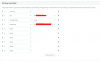
Extension BLF Config:
12375
 
The Fanvil X3 Doesn't have BLF keys, just Soft Keys
 
The X3S does have two hardware line keys with LEDs (keys which I am able to set to BLF through the Phone’s Web UI, what makes me believe should be the BLF keys) and softkeys.
 
Because they are not standard BLF keys, they will not be mapped to the BLF Fields in the 3CX Extension BLF tab.
Remember you can have multiple extensions of different types so the BLF's are per extension not per phone and are applied across all phone types associated with that extension.
For this reason you can't map through the interface to non standard BLF Keys, even if this can be done individually on the phone.
 
  • Like
Reactions: GabrielTK
That makes a lot of sense, thank you. I heard something about enabling it to map through the “BLF List” feature. Do you think there is any way to do that?
 
Maybe using a custom phone template but I can't help you with that as I've never done this before.
Somebody else may be able to step in who has done this before?
 
Hi Gabriel,

This model does not have a BLF display, the config can include the BLFs but there is nowhere to show them on the device
 
Status
Not open for further replies.

Latest Posts

Forum statistics

Threads
111,933
Messages
589,817
Members
164,810
Latest member
astrobalaji