Solved Suddenly trunk stopped working. Error codes 401 and 408

Status
Not open for further replies.

TurabG

Free User
Joined
Jun 12, 2018
Messages
58
Reaction score
1
Hi.

Until the weekend, everything was working fine. Today on Monday, SIP trunks are failing to register. At first it was all error 401 stating that provider cannot be reached;

Code:
Destination (sip:90850********@95.173.***.***:5060) is not reachable, DNS error resolving FQDN...

While the server is in fact reachable because other clients work just fine. Nevertheless I contacted the provider and they said "your client doesn't send authorization header". It is weird when 3CX says that it cannot resolve FQDN and cannot reach the SIP server while SIP server receives the connection request and returns 401.

After a couple of hours, now the error is 408 and by the provider side, nothing has changed; they still say that authorization header is empty and therefore SIP server is still returning 401 Unauthorized.

I tried changing registration type to IP rather than account based; on both the provider and 3CX; then outbound started working but inbound still doesn't work. User name and the password is definitely correct I double checked; I even changed it and tested with the new password just in case..

I ran the firewall test although nothing has changed; there is still no problem with it. It's all green. Provider IP is not blacklisted. It's even whitelisted.

How can I resolve this issue?
 
Last edited:
The simple answer would be use a "Supported" 3CX provider, I guess yours is not, who are they ?

A 401 un-authorised response can be normal and is the response automatically sent during the registration process when a request for authorisation credentials are requested: https://www.voipmechanic.com/sip-call-example.htm
 
Hi, thank you for your concern.

I think you have missed two things;

1- We have already been using as is for over 8 months. Therefore it has nothing to do with the prover being "supported by 3CX" or not. Furthermore, SIP protocol is a standard. So nothing differs whether the provider's name is in 3CX's list or not.

2- It is correct that during the handshake, server would send 401 to request credentials. The problem is not that. It is that provider says 3CX doesn't return an authorization header back. Or it sends an empty one.
 
Yes although if the provider is un-supported it means there is no pre-written template and any change could break the trunk - 3CX thoroughly tests these and it is wise to stick to the guidelines.

However if you want to investigate the authorisation header issue this guide covers the process in 3CX and could possibly assist: https://www.3cx.com/docs/sip-trunk-registration-authentication/
 
How can I diagnose to spot where the problem occurs?
 
If you made no changes, and your provider made no changes (or , at least, they say they haven't), then the other "suspect" is you ISP. The fact that you were getting a DNS error log, when this first started may be a clue.

Do you use only one VoIP provider? Which one? Others may have experience with them.
 
It is a provider called Bulutfon, it is not supported by 3CX. I worked with my provider together to spot the problem; but they could easily manage to register with my credentials in their instance of 3CX. Frankly we are the first company that used 3CX with this provider and they prepared their docs for other customers based on our 3CX experience. Kind of they first asked us how we could manage to use 3CX with them in the first place.

So obviously the problem is with my router, settings or ISP maybe? In fact, we are using a balance router and some modems in bridge mode so that we could do all the settings in one router having redundancy. Here is an example case; one of the modems broke in the past; which never effected the settings because everything is managed by the router. We just replaced the broken modem wihout the need of setting anything and hence everything continued to work after the replacement. Just plug-n-play.

Today we switched modem settings to connect over PPoE rather than bridge and activated DMZ on the modem to point out the router. Eveything continued working as they were before; like our web server, DB server and RDP connections. Only trunks stopped working and to be honest, I don't know if they stopped right after this change but I doubt that. Because I just rolled back the change in the modem and reloaded the old settings; but trunks will still not register, while every other thing that depends on the same router settings still work.
 
Unfortunately, from the sounds of it, you have a not-so-simple set-up. This may very well be contributing to the problems you are having. I usually find that things don't just stop working without, a reason. To be honest, it's hard to advise on what to do, not knowing all of the hardware details. If it were me, I'd move the 3CX server to behind a simple modem/router, get it working, then attempt to move back.
 
I know it sounds scary, but in fact it's very simple in practice and it was already working with the same setup for over 8 months.

I say it is simple because the only difference from a "normal" network setup, there is a router with 2 DSL connections rather than just one. This is the only difference. The purpose is; everything always continues to work even if one of the connections fail. Hence you can think like there is one router and that's all. Because in this setup, modems don't do any significant work; they just relay everything back and forth to and from the router.

Simply put, modems bypass all of their internal functions and relay everything to the router and the router handles it just like a modem does.

I mean everything like DSL connectivity, NAT settings (port forwarding, port triggering), WAN and LAN settings, Firewall.. So I can safely say there is only one modem combining 2 DSL connections.

And yes, there must have been a reason; that.. is what we are trying to figure out. Nevertheless, if I don't come up with something else by tomorrow, I will try what you say, just to not say that I haven't tried and maybe it surprises me.
 
Last edited:
But, you are dealling with 2 DSL connections, which means two public IP addresses, I assume.
 
Yes, but one of them is setup as a failover. So there's one main connection and and one public IP at a single time. That one is set with 3CX as a static IP. But again, I also switched to dynamic IP in 3CX just to test it out; obviously it detected that particular IP, but in the end, I had no luck, it still doesn't work.
 
So I'm guessing the 408 is because the provider IP was blacklisted after the failed 401 attempts. Regarding the supported provider comment you are correct. SIP is a standard and every provider SHOULD work. But if everything worked as it should, many of us wouldn't have jobs. Look at PnP and USB for example. The point is using a supported provider means you will get the support of both 3CX and the provider to resolve the issue, and some of us are included in auto-testing (we are) so we can identify any potential issues as new versions come out. That being said your issue sounds network-related
 
Hi @cobaltit, thanks for the comment.

I also guess it's a network issue but I don't see how. While expecially 3CX runs the firewall test and says everything is perfect.

About blacklisting; on 3CX end, there was no blacklisted IPs but nonetheless I whitelisted the provider IP as I told in the first message; but it didn't do the trick.
 
Well I say network issue because you mention making some changes and that's where things fell down.
 
This is the first thing comes into mind but as I said, I rolled back one simple change, which I am not certain if it was the cause, and it didn't fix it.

NAT is configued well both for port triggering and forwarding. 3CX firewall test runs perfect. Registration request pretty well reaches the provider; they sent me the screenshot of their logs; I can see that our server is connecting to them. So considered this is the case; where could be the problem about the network? The only clue I have is, provider's saying that 3CX sends an empty authorization header in the request. Why would it do that?

We try to register with the same credentials in another 3CX instance; it just works fine.
 
The only clue I have is, provider's saying that 3CX sends an empty authorization header in the request. Why would it do that?


Have you employed Wireshark to see if your provider is correct? You might want to compare with the working set up.
 
Last edited:
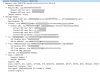
Turns out my provider is correct. 3CX is not sending auth header at all. It must have sent a Proxy-Authorization header containing the credentials for registering the trunk; but as seen in the screenshot, it doesn't. As I said before, I removed the trunk and add it back with default settings and of course registration based option is selected and credentials are filled. But it still doesn't send auth header to the provider. Hence the provider produces 401 Unauthorized all the time; not only the first time.


9597
 
@TurabG Run a capture on your PBX server and see what happens on your side too. Note to which IP your provider is sending the 401, and from what IP you are sending it to ensure that the provider answers back to the active public IP you are using and not the other one. The PBX-side capture should be able to give you the insight you are looking for to spot where the problem occurs
 
@JohnS_3CX , I will try to capture received transmission too. But in the meantime, I switched one of the trunks to IP based rather than registration based, it started working both inbound and outbound. (Of course I've changed the same settings at the provider side too.) We have 4 trunks which are actually all identically linked to one SIP account, having different DIDs.

This confirms again that 3CX doesn't send an authentication header.
 
I captured the packet returned from the provider IP. It's contacting the public IP set in 3CX as expected and it successfuly returns back to 3CX server. It's not falling back to the failover IP. In fact I don't think it would have even made a difference; because the router already drops the packets back in the same local IP (which is 3CX server) no matter from which public IP it originated.

So now; why wouldn't 3CX send auth header?
 
Last edited:
Status
Not open for further replies.

Latest Posts

Forum statistics

Threads
112,312
Messages
591,832
Members
165,455
Latest member
GP Concepts