Unable to join on Firefox & audio delay

Status
Not open for further replies.

cam.cr

Free User
Joined
Apr 20, 2020
Messages
15
Reaction score
2
Hi

We've been testing 3CX's webmeeting feature with a few people and have had mixed results. The first issue we encountered was Firefox's allow camera and microphone dialogue repeatedly popping up even after pressing Allow. Sometimes the person will appear in the meeting participants box but the microphone and camera symbols do not appear next to their name. This issue seemed to be fixed by using Google Chrome although it isn't ideal considering many of our users use Firefox and aren't technical enough to download Chrome. It often results in a 20 minute phone call where we have to go through the installation step by step, describing everything.

Another issue is that there seems to be a 4-5 second audio delay when people speak. This usually comes with laggy video and a lot of messages about reconnecting media. 4 out of the 10 people we tested it with experienced these issues. We managed to get one of the people with a severely degraded quality message and reconnecting media to do a speedtest and they got 50Mbps down 1Mbps up. Surely this should be enough to run a two-person webmeeting on fairly decent PCs at 720p?

We're not sure how to resolve these issues. Is there any way to see whether the problem lies with the webmeeting MCU, the participant's PC or the participant's internet connection? Does anybody have any ideas on how to resolve the issues? We're trying to keep communications all in one place and avoid people setting up their own zoom accounts (plus 3CX is a much nicer solution ;)).

Credit to everyone working on webmeeting - I'm sure it must be incredibly difficult to cope with the sudden increase in users.

Many thanks

P.S. Almost forgot - the reconnecting media and severely degraded connection messages seem to be most common around 10AM - 2PM here in the UK.
 
The Firefox problem is related to your cookie configuration on Firefox. It's likely set to the strict setting. Due to this, your preferences for which camera/mic should be used are not saved. You can easily fix this in your Firefox settings.

Regarding the audio stuttering/delay you're describing, this sounds a lot like high CPU usage on some of the users PC/Laptop rather than bandwidth issues. What is even more common is that thermal throttling on a laptop can kick in 5-10 minutes into a meeting making things even worse. This is especially common on notebooks/laptops. Limiting the amount of videos on screen is the way to go.

I suggest switching users to audio only where possible.
 
  • Like
Reactions: cam.cr
Thank you for the quick reply. Changing the cookie configuration on Firefox has fixed the issue.

I assume that the only way to fix choppy video is to disable it or dial in to extension 700. Does reducing the bitrate have any effect on the high CPU usage?

Also, does this have anything to do with https://bugs.chromium.org/p/webrtc/issues/detail?id=11551?

Many thanks again for the great support
 
Indeed, it's exactly that. Nice to see that there's finally enough incentive for the Chromium and WebRTC teams to look at this.
 
  • Like
Reactions: cam.cr
Sounds great! Managed to have a successful meeting by turning the video quality down to SD. Are there any plans to have meeting defaults so that everybody in the meeting doesn't have to turn their video quality down? Appreciate the hard work going into 3CX at the moment.

Thanks

Edit: A further test resulted in somebody dropping out of a meeting on audio only. This seems unusual.
Edit 2: This person was on VDSL and their phone line kept disconnecting as a result of bad weather - nothing to do with 3CX.
 
Last edited:
Yes we are actively working on this right now and hope to have something out soon. You won't need to have to alter any settings to have a smooth meeting experience.

Have in mind that we've taken a look at all other platforms and realized that no one provides this capability, especially in an a web browser.
 
  • Like
Reactions: cam.cr
Good day . I have a client that can"t open a web meeting. when she click the link in the invite it open the web page, but the page is blank, all is white below the address bar, this happens in Chrome and Firefox. I have checked and the web page is allowed. is there other settings I have to look at ? I have even try to disable the firewall on the laptop as well as the antivirus ( Kasperskey)
 
Hi

Are there any updates/an ETA on default meeting settings? A lot of our users with upload speeds under 1Mbps lack the knowledge of how to change their webcam quality and want it to be as simple as possible. No worries if not.

Thanks
 
Good day . I have a client that can"t open a web meeting. when she click the link in the invite it open the web page, but the page is blank, all is white below the address bar, this happens in Chrome and Firefox. I have checked and the web page is allowed. is there other settings I have to look at ? I have even try to disable the firewall on the laptop as well as the antivirus ( Kasperskey)


If the webmeeting works for others on the same FQDN, then it is neither related to your PBX nor 3CX. Tell the client to try from a different computer on a different connection (to eliminate the connection and the computer as possible issues)

If the webmeeting doesn't work for anyone, then we may be able to help in that case
 
We are still working on the auto-bitrate feature. Something will be available soon.
Initial deployment will be done on the UK servers. Your feedback on how well it works will be very much appreciated.
 
  • Like
Reactions: cam.cr
Thanks. We'll let you know how it goes when it's ready as broadband speeds aren't the best in the UK!
 
Quick question: If video requires 256Kbps and the audio around 56Kbps on narrow band, what would happen if the bitrate was below the total of 312Kbps? What would be the effects of this? Is there a minimum bitrate?

Apologies for dragging this thread out.
Thanks
 
Quick question: If video requires 256Kbps and the audio around 56Kbps on narrow band, what would happen if the bitrate was below the total of 312Kbps? What would be the effects of this? Is there a minimum bitrate?

Apologies for dragging this thread out.
Thanks

I'll give an example scenario in order to answer your question above.

Scenario:
  • 3 users in a meeting.
  • A and B have unlimited internet upload and download bandwidth.
  • C has limited internet upload bandwidth of only 128Kbps.
  • C wants to send 256Kbps video and 56Kbps audio through WebMeeting. Total: 312Kbps
What happens internally:
  • WebRTC tries to send 256Kbps video and 54Kbps Audio.
  • Packet loss occurs and is detected by WebRTC
  • WebRTC automatically lowers video to the lowest possible bitrate at its own discretion to whatever amount it decides. Typically it lowers it by an extreme amount.
  • Audio bitrate remains at 56Kbps as it has more priority over video.
  • WebRTC tries to ramp the video back up by some amount that it decides on it's own.
  • WebRTC fails to ramp the video back up as there's not enough bandwidth to do so. This ramp up causes visual and audio packet loss due to oversaturation of the 128Kbps bandwidth limit.
  • WebRTC drops the video again by an extreme amount.
  • Repeat the above forever.

In the new MCU version we're releasing soon, we've gone ahead and completely bypassed WebRTC's own internal bandwidth management and implemented our own that seems to work very smoothly. I won't go into details on the algorithm/s we use to achieve this as everything about this is quite complicated. This info will be available with the MCU documentation once it's available publically.
 
  • Like
Reactions: cam.cr
You will in fact no longer need to modify anything for WebMeeting to work with any connection once the new version is released. You should see a massive improvement for users with limited bandwidth.
 
  • Like
Reactions: cam.cr
Thank you very much. I'm very impressed with 3CX so far - keep up the good work!
 
One of our users is about to create a meeting. Should we set the bitrate higher than 300Kbps so that it can support the video and audio streams or can the bitrate be lower than the audio and video bitrate?

Thanks
 
If one of your members has limited bandwidth, everyone should set their video bitrate to 256 and their audio bitrate to 16 or 64Kbps.
 
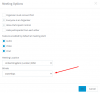
1590504058507.png
What about this setting? Thanks.
 
For the moment from this bitrate list, only 256, 1Mbit and 4Mbit will work. Anything else will default to 1Mbit for the moment. In one of the next releases it'll be replaced with a much easier to use meeting quality selector.
 
Status
Not open for further replies.

Forum statistics

Threads
111,973
Messages
590,078
Members
164,896
Latest member
sameage