Update 2 Final: Search Across Contacts and Team Members

Hi!

Sorry if I am misunderstanding something, but despite we updated to v18 SP2 and removed chrome extension from PCs. I can't see any red banner to enable 3cx extension.
We test in two PCs without lucky.
I am trying with both extension:
1) https://chrome.google.com/webstore/detail/3cx/dijllljhgnommpcoogbfcnadmnleeook/related
2) https://chrome.google.com/webstore/detail/3cx-click2call/baipgmmeifmofkcilhccccoipmjccehn
https://www.3cx.com/community/threa...s-contacts-and-team-members.86335/post-407168
Chrome Extension is for non-Windows users.
Ultimately you need to move users away from the Chrome dialer extension and onto the new Windows Desktop App.
This Chrome extension is going away permanently June 2022 at the very latest, if a Google Chrome update does not 'break' it before then...

We are also very close to releasing a MacOS Desktop App version too!

This Chrome Extension should only be used when the Desktop App is not an option and for whatever reason the 'pure' WebClient experience is not an option
 
So we're in the same kind of situation as others here. It's all been said about how and why, and I need to focus on making things work as quickly as possible. Most of our clients are still on v16, we believed we had more time and we have had some issues with v18 where we have rolled it out, but we will obviously need to get that done for a longer term fix.

In the meantime I need some clarification as I can't seem to figure out from the past posts with links to links and going back and forth on versions and functionality, what I need to do to get the core functions my clients have been using.

Most of the systems are v16. The workstations are Windows with Chrome and the Extension. The users rely on the click to dial from web sites and the dial pad that the (now old) Extension provided.

Ultimately we like to have exactly that (without adding the Windows application), if we can't have that than the click to dial and the ability to answer/hangup would be what we are after. Unfortunately, no matter which link I chose for the Extension I don't get either of these, I assume I'm missing something in the process or I just haven't found the right link.

So please, starting with a Chrome browser and no 3cx Extension installed, what are the steps to make this work, and please don't refer me to another link in some other thread, and if there is some setting I need to make please include that information.

Thanks
A few hours ago we released an small update for V16, Update 8a.
You can read about it here:
https://www.3cx.com/blog/releases/v16-update8a-beta/
There the options you have I think will answer your questions and give you the way forward.

If you have any follow-up questions though, you can ask them in the dedicated thread we have made for the V16 U8a update here:
https://www.3cx.com/community/threads/v16-update-8a-beta-restore-old-extension.86395/
 
a browser extension can be installed by a standard user on their computer without intervention while a desktop application requires an administrator login.

Kudos, if this is actually true for your systems. While Windows comes with a pretty rigid builtin protection called "Software Protection Policies (SRP)" to implement what you implied and there are third-party solutions to release you of more cash, it is virtually unused in 99,99% of all installations and disabled by default anyway. Good news is, many apps are actually installed into the user profile like MS Teams or 3CX Desktop App. So unless your setup is actually secured, your concern is unwarranted.
 
  • Like
Reactions: N_G
Before the old V16 Windows client will be ditched, will 3CX come up with a solution to:

- run 3CX clients in a Terminal Server environment?
- have TAPI available for the new Windows desktop app for Windows users?

Thanks
Miriam
 
Kudos, if this is actually true for your systems. While Windows comes with a pretty rigid builtin protection called "Software Protection Policies (SRP)" to implement what you implied and there are third-party solutions to release you of more cash, it is virtually unused in 99,99% of all installations and disabled by default anyway. Good news is, many apps are actually installed into the user profile like MS Teams or 3CX Desktop App. So unless your setup is actually secured, your concern is unwarranted.
How is this concern is unwarranted? Any professional environment should have this implemented it is general domain security best practices. Congratulations on your "like" from Nick galea the two of you are obviously very unfamiliar with even the most fundamental domain security measures.
 
How is this concern is unwarranted?
As I said, defacto 99,99% of users will be able to download, install and use the app in their user profile.
Any professional environment should have this implemented it is general domain security best practices.
Then why isn't this turned on by default? How long do these protections last when the CEO notices that Zoom, GotoMeeting, Webex, Teams are not working at all or only god forbid are functional using a mere browser?

Congratulations on your "like" from Nick galea
Thank you very much indeed. I'll print it out and frame it. I hope you noticed me liking your posts, too.
the two of you are obviously very unfamiliar with even the most fundamental domain security measures.
This seems a bit far-fetched and not following the rules of logic. Let me counter-assume that you are coming from a high security environment - most-likely Fort Knox - are mostly unaware of the realities out there where security isn't even a second thought but a PITA at best.

Now, let me ask you just one question: How the heck did you manage to convince your people that using a SIP based softphone is an acceptable solution?
 
  • Like
Reactions: N_G
Hi!


https://www.3cx.com/community/threa...s-contacts-and-team-members.86335/post-407168
Chrome Extension is for non-Windows users.
Ultimately you need to move users away from the Chrome dialer extension and onto the new Windows Desktop App.
This Chrome extension is going away permanently June 2022 at the very latest, if a Google Chrome update does not 'break' it before then...

We are also very close to releasing a MacOS Desktop App version too!

This Chrome Extension should only be used when the Desktop App is not an option and for whatever reason the 'pure' WebClient experience is not an option
This is really unfortunate - our users really like the Chrome extension, and not the Windows client (new or old). I read the blog post in the OP, but still am unclear why development for the extension ends in Jan 2022, and is going to be removed entirely in June 2022. Is this purely about limiting the scope of effort for 3CX developers?
 
I wonder how many people are aware that you can install the web client as an "app" with a few clicks in Edge or a shortcut (misleading naming) in Chrome. This makes the web client look and feel like a standalone app with optional autostart on logon and an icon in the startmenu, on the desktop or the taskbar.

Granted it doesn't have hotkeys and is only reliable until you minimize it. If it was possible to fix these two issues, that would be my personal first choice. Also what's the actual difference between this and the so-called desktop app?
 
  • Like
Reactions: N_G and Evolute IT
@JeremyH Thank you for your understanding. Yes but there are options to make and receive calls using the apps or ip phones?

Re the dialog - We are doing this for the app users. IOS and Android app users on v16 will get a warning dialog in the coming weeks. Its not as straightforward for the extension as for the app and we did not see it breaking as its an auxiliary function to the web client in our view. Also there are millions of users on v18 who would have been confused by this message. I see your point but a solution for all users with different platforms and needs is not always so easy.

Re Android apps - No we have not blocked v16 users from the app. We are making a warning dialog in the coming weeks. Yes people using the apps should be on v18 for sure as the experience is much better.

Keep in mind that the way forward that we are suggesting is a solution for all of this once and for all. We are allowing you to control the client once again and be independent of Browser updates or 3CX client updates for that matter. You can install the Windows and soon Mac app and then you can deploy updates to the clients when you want.
Not entirely following this, yes the 70 users could have used apps or ip phones if was in possession of 70 such devices to hand out , bearing in mind those users weren't located in the same geographical location.

In relation to the message - surely the client is able to detect whether the phone system it's connected to is a V16 or V18 system and therefore wouldn't display a warning message to users running on the V18 system.

It's all rather a mute point. We've had to deal with the issue, we can bounce back and forth are various opinions on how this could have been handled differently. Lets hope the short term pain was worth it.
 
a desktop application requires an administrator login
The v18 Desktop App installs into C:\Users\username\AppData\Local\Programs\3CXDesktopApp as a standard user, similar to Chrome and others, unless Windows is locked down to prevent running programs from such locations.
 
  • Like
Reactions: N_G
@JeremyH - There is also the Windows app that you could have used. Could the extension have posted a warning to v16 users? (not to v18 users, they are using the right version and extension) I am not sure quite frankly, its not like the apps which are independent applications But definitely we will consider more invasive warnings beyond the blog for the future.

@CBX - Yes you can definitely use the webclient, and we are also considering a PWA (progressive web app) which makes it much more like a standard app. What Google is deprecating is our ability to bring the web app to the front on an incoming call and this is the most requested feature and the reason we have had to bring back the app. Now on both Linux and Mac there is a notification dialog with answer reject so it works without the extension but unfortunately this does not work on windows. (for the moment)

We spent a lot of time developing the extension, it was just as painful for us to have to remove it. We hope that there will be some solution to it soon and that we can resolve it. We certainly could not wait for a solution until June 2022 we had to offer an option. Yes the windows app is nothing more then the webclient with a native app jacket. All our effort is still on the webclient. The moment we can offer a notification that does not require an app we will stop all development and add it.

@Sprockwell - You seem to know it all. But maybe you did not know this yet - you can deploy the app using GPO to your users if you really dont want to give them any rights at all.
 
Last edited:
  • Like
Reactions: CBX and Evolute IT
Just to finalize this matter - our deve team has made an update to v16 available that allows you to re-install the old extension. See this blog post
 
  • Like
Reactions: jed
We have several customers updated to v18 Update 2, who until today used Click2Call in Chrome to make outgoing calls.

Until today it was enough to make a single CLICK on the "hyperlink" for the number to be reflected in the 3CX client ...

With the new Chrome extension (CLICK2CALL 3CX) ... now you need to do THREE CLICK to get the same result ...
Is there a way to call with a single click?

NOTE: in its image of Chrome Web Store it says "a single click to call" ... is it possible?

How can we do?
Thankyou Team!
Sorry for my insistence...

Does anyone know how to implement "One click" for calling from CRM / Browser?

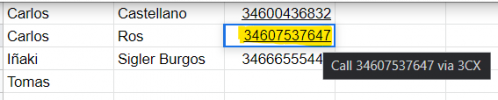
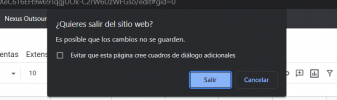
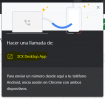
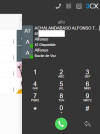
Actually must to do 3 CLICKs to transfer the number to the 3CX extension....

1.- recorte1-click2call-3cx.png

2.- recorte2-click2call-3cx.png

3.- recorte3-click2call-3cx.png

R> recorte4-click2call-3cx.png
 
Sorry for my insistence...

Does anyone know how to implement "One click" for calling from CRM / Browser?

Actually must to do 3 CLICKs to transfer the number to the 3CX extension....

1.- View attachment 26497

2.- View attachment 26498

3.- View attachment 26499

R> View attachment 26500
This is a Chrome limitation to be honest and there are many users online complaining about this:
My colleague Constantinos linked to the Google and Edge pages though that offer a solution for this:
https://www.3cx.com/community/threads/new-chrome-and-edge-browser-extensions-beta.84960/post-398563

Granted, for Chrome you need to make changes in the Windows Registry, but users confirm that it does achieve the result you want.
 
Antes de la ultima actualización al realizar transferencias desde mi extensión solo me aparecían los usuarios "agentes" de mi PBX. Ahora me aparece los contactos de mi agenda de contactos. Necesito que al realizar transferencias solo lo pueda a hacer a mis usuarios "agentes".
1639498801012.png

¿Cómo es posible que actualizando la centralita añadáis este cambio sin posibilidad de desactivarlo? Se me ha quejado un cliente que para realizar una transferencia a su compañero tenga que poner el nombre y apellidos completo para así evitar trasferir a sus clientes de su agenda.
 
Today i upgraded our previously bullet proof testbed system to v18 update 2 with the offered Debian 9 bundled update on AWS.

There are several desktop phones, and they have all gone offline. 3cxsbc is running as it always has done on a standalone Windows 10 PC.

everything appears to be correct. An iOs version of 3cx still works fine. I am now unsure where to look as nothing else in the system has been changed.

The SBC log has a repeated set of errors - can anyone decode these please so I can correct?

+ (err): error:00000001:lib(0):func(0):reason(1)' on TCP connection: secure negotiation
ERR | 20211218-154850.291 | 3CXTunnel | TUNL | 3908 | Bridge.cpp:773 | Tunnel is not connected! SIP message is not sent: SipReq: REGISTER myIP:5060 tid=PjDI3p5AVLzN9KSLbxkgqF2SmB92IZP2zN cseq=29245 REGISTER contact=[email protected]:5060 / 29245 from(wire)
ERR | 20211218-154854.578 | 3CXTunnel | TUNL | 3908 | Bridge.cpp:773 | Tunnel is not connected! SIP message is not sent: SipReq: REGISTER my IP tid=6053128 cseq=2124 REGISTER contact= / 2124 from(wire)
ERR | 20211218-154855.111 | 3CXTunnel | TUNL | 3908 | Bridge.cpp:773 | Tunnel is not connected! SIP message is not sent: SipReq: REGISTER my IP:5060 tid=PjVXF1h5x98Q3.CTPH4nfwEJjT6H6IXmbp cseq=54914 REGISTER contact=[email protected]:5060 / 54914 from(wire)
ERR | 20211218-154855.127 | 3CXTunnel | TUNL | 3908 | Bridge.cpp:773 | Tunnel is not connected! SIP message is not sent: SipReq: REGISTER my IP tid=1523761129 cseq=2125 REGISTER contact=[email protected]:5060 / 2125 from(wire)
ERR | 20211218-154903.065 | 3CXTunnel | TUNL | 3908 | Bridge.cpp:773 | Tunnel is not connected! SIP message is not sent: SipReq: REGISTER my IP tid=318501691 cseq=2381 REGISTER contact=[email protected]:5060 / 2381 from(wire)
ALERT | 20211218-154912.134 | 3CXTunnel | TUNL | 3908 | TunnelTcp.cpp:666 | Sending first packet from [ V4 0.0.0.0:49860 UNKNOWN_TRANSPORT ] to [ V4 35.176.47.40:5090 TCP ]
ERR | 20211218-154912.153 | 3CXTunnel | TUNL | 3908 | TunnelTcp.cpp:268 | Bridge [3CXSBC15.5.7503] failure 'TLS handshake failed: error:00000001:lib(0):func(0):reason(1)
 
Looks like a TLS issue, is your PBX cert showing valid on the SBC (if you visit the PBX Admin page on the machine, does everything show OK).
 
  • Like
Reactions: N_G
just to make sure I understand: on the SBC PC run a browser and login to the pbx?
certainly looks fine from a different PC but I haven’t tried from the SBC so I’ll try tomorrow. Thank you for the suggestion.
 
I have tried from the SBC PC to login to https://<my pbx?.3cx.co.uk and it gets me the admin page with no complaints about certificates or anything.
So why is SBC struggling?
 
OK - FIXED.

It turns out the SBC version was out of date. once i updated it, all sprang into life.

Your advice was helpful - it focused me on the SBC which i hadn't realised has to track the PABX version.
 
  • Like
Reactions: NickD_3CX

Forum statistics

Threads
111,993
Messages
590,178
Members
164,933
Latest member
bunthoeun.may