V20 U2 Release - OpenAI, Teams and More Control

  • Like
Reactions: JulienM
  • Like
Reactions: GaSo

Attachments

  • 3cx-worldwide-sip.png
    3cx-worldwide-sip.png
    31.1 KB · Views: 12
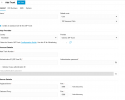
I think, i missing something. In the V20 update 1 i have these options. But in the Version 20.0 Update 2 (Build 715 Release I missing the columb...
 
Good day Team.
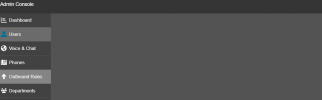
Today i updated my v18 to v20 . Update procedure passing without errors , but i faced with issue under Admin - Users tab , when i try to enter "Users" tab browser redirect me to standard Web Client User list. ( one note , before redirecting i see empty page with Admin Border icons on left )

My user has "System Owner" status, all tabs are open normally except this one.

1720801518104.png
 
  • Like
Reactions: Knight!
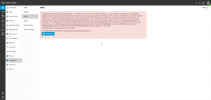
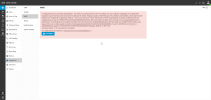
Anyone else run into this? when hitting reconfigure it loads the window and I get

Error: Permission entry already exists.

1720804661957.png
 

Attachments

  • 1720804628003.png
    1720804628003.png
    94.6 KB · Views: 25
  • Like
Reactions: SteveITS
Hi @OLOL
I understand your perspective, but it doesn't work that way.

An SBC (Session Border Controller) is a network endpoint that can have users associated with it. These users might belong to different departments, or even the same department. However, there's no department segregation at the network level, as the SBC operates purely on that level.

Think of the SBC as a VPN; it connects everything behind it to the server. Ultimately, it introduces a group of users to the system, and these users need to be assigned to their respective departments.

Even if we could assign an SBC to a specific department (e.g., Sales), implementing logic to automatically add "everything behind the Sales SBC" to the Sales department would be very challenging.

You should add SBCs based on your remote locations. If you have multiple locations, you need multiple SBCs. These SBCs don't need to be department-specific; rather, the users connected behind them should be assigned to the appropriate departments.

I hope this helps!
Thanks for this - if multi-tenant is used, and an SBC is added by the system owner, is the tenant admin/owner able to associate a phone with the SBC? Or if not multi-tenant, can a department admin assign a phone to an SBC that doesn't sit in their department?

Also, what is the point of having the Department column on the voice and chat page? I can't see it referencing anything at present - is this because everything has been added at system owner/admin level?
 
This option is not listed.
Load your admin console in an incognito window to bypass the cache, and add a generic trunk to see if it appears.
 
Since we have a lot of our customers hosted by 3CX, the Call Processing Script is not available. Will the Call Processing Script be available soon for 3CX hosted systems or will this remain a feature only for private hosted systems?
 
I am just curious if there is anything that stands out as a missing feature yet from v18 to v20u2 that sticks in anyones mind.
 
Can the cellphone app with the same extension be used on two different cellphones in version 20? It was possible in version 18, but I'm having issues with it in version 20. Is this option no longer available, or is there another issue?
 
@flash999 Shouldn’t be. The iOS app update I just installed had a fix for “IP getting blacklisted”…could that be your issue?
 
We're stuck with V18 until this is supported, as it's critical to us for almost all our medical customers. I have no idea why they assumed that every location has a computer available with a microphone to record new IVR messages. I fear 3CX is desigend more for desk jobs. While we made a system triggering the record call remotely on V18. Burdening medical people with more work isn't an option.
We looked into bypassing it using a call flow script, but V20 has no API or means to trigger a makecall itself to initiate such a process.
 
  • Like
Reactions: moniputerPBX
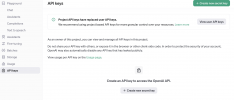
I am trying to get OpenAi/Whisper set up in this new version. I already have an OpenAI personal account associated with my cell phone. I do not see any option to verify your phone number to create an API key that is shown in the wiki.
 

Attachments

  • Screenshot 2024-07-21 at 3.59.31 PM.png
    Screenshot 2024-07-21 at 3.59.31 PM.png
    226.8 KB · Views: 9
Same experience here. On a 3CX hosted instance there is no import provider option after updating to Version 20.0 Update 2 (Build 715 Release).

its there in templates now. But doesn't matter what i do, i cant get a provider xml to import. Even if i cut and paste from the OEM generic one. How about you?
 
Since we have a lot of our customers hosted by 3CX, the Call Processing Script is not available. Will the Call Processing Script be available soon for 3CX hosted systems or will this remain a feature only for private hosted systems?
I guess this is more about have limits on the basic small business solution. If the basic version did everything, then there would be little point to upgrade.
 

Forum statistics

Threads
111,992
Messages
590,171
Members
164,929
Latest member
Cloudstar