Yealink Web GUI - No longer working

Status
Not open for further replies.

jskinner97

Bronze Partner
Intermediate Cert.
Joined
Feb 6, 2020
Messages
132
Reaction score
8
Hi all,

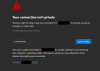
I just deployed my first SBC site, however having some issues with some Yealink T42 phones. Once they are provisioned onto the SBC, I can no longer browse to them via 192.168.200.x... it comes up with a security error in the web browser about the security certification - which is the Yealinks MAC address (when I click the view certification button) and there is no way of skipping the screen to process to the GUI page in Edge, Chrome, and Safari.

I am using a custom FQDN and to provision the phones I needed to disable enable trusted certificates on the Security section on the yealink phone before they would work.

Also, some Yealinks will not provision onto the SBC, doing exactly the same steps like the ones that work so really unsure why this is.

Just wondering if anyone has encountered these issues before, and if you could assist, please? I am going back to the site tomorrow morning so any help would be greatly appreciated.

Thank you :)

 
So getting a certificate error is normal, as browsers don't trust the root for the Yealink certificates. But every browser should be able to bypass. This is a Yealink phone here on our network:

Chromium Edge:

1593020024295.png

Firefox:

1593020058709.png

Are you saying you don't have an 'Advanced' button to bypass the certificate?

The fact that they are provisioned via the SBC or that you had to disable trusted certificates doesn't matter for accessing the web interface although I'm always amazed at the extra work folks put in for a custom FQDN when there is just no need for it.
 
So getting a certificate error is normal, as browsers don't trust the root for the Yealink certificates. But every browser should be able to bypass. This is a Yealink phone here on our network:

Chromium Edge:

View attachment 16677

Firefox:

View attachment 16678

Are you saying you don't have an 'Advanced' button to bypass the certificate?

The fact that they are provisioned via the SBC or that you had to disable trusted certificates doesn't matter for accessing the web interface although I'm always amazed at the extra work folks put in for a custom FQDN when there is just no need for it.

Yes, that is the error I am getting! However, when I click advanced it just says I should navigate away from the page and no option to bypass it (Edge, Chrome, and Safari - have not tried Firefox). Do you get the option to bypass if you press advanced?

We use FQDNs as we have customername.ourcompany.co.uk, or for bigger companies, they like to use their own domain pbx.company.co.uk - it is extra effort, but our customers prefer it.
 
Yep, I get the normal process with caution prompt:

1593031303163.png

It's pretty weird for you to not have that option. There's nothing in the phone config that could change that. Now if you have some sort of GPO or something but I don't even think it's possible to have a GPO that would affect that combination of browsers, at least not with a single setting.


For the FQDN, I understand the customer may want it but every time a customer asks I explain to them how much extra effort it is as we'll as the additional risk of breakage and common sense prevails. It's just not worth the extra headache potential for us at least but as long as you are getting paid for the risk I guess keep doing it.
 
Yep, I get the normal process with caution prompt:

View attachment 16680

It's pretty weird for you to not have that option. There's nothing in the phone config that could change that. Now if you have some sort of GPO or something but I don't even think it's possible to have a GPO that would affect that combination of browsers, at least not with a single setting.


For the FQDN, I understand the customer may want it but every time a customer asks I explain to them how much extra effort it is as we'll as the additional risk of breakage and common sense prevails. It's just not worth the extra headache potential for us at least but as long as you are getting paid for the risk I guess keep doing it.

Sorry, but what does GPO mean? I will give it a try with Firefox cause Edge and Chrome are basically the same now lol. Weird how it did not work in Safari tho.... any ideas?

Yeah I understand, it would be a lot easier if they wanted the 3CX one! Haha.

Any ideas on why some phones aren’t provisioning too, it was at the bottom of the original question :)
 
GPO = Group Policy Object. I was assuming a windows/domain environment. Maybe some sort of proxy/content filter/network issue if the phones are on a separate VLAN from the PC you are accessing them from?

As far as the provisioning are you manually provisioning (pasting the URL into the phone after changing the trusted certificate settings) or Option 66 or assigning phones in the management console?

Also speaking of trusted certificates you might want to change where you get your certificates from and use an authority that's baked into the phones so you don't have to do that step.
 
GPO = Group Policy Object. I was assuming a windows/domain environment. Maybe some sort of proxy/content filter/network issue if the phones are on a separate VLAN from the PC you are accessing them from?

As far as the provisioning are you manually provisioning (pasting the URL into the phone after changing the trusted certificate settings) or Option 66 or assigning phones in the management console?

Also speaking of trusted certificates you might want to change where you get your certificates from and use an authority that's baked into the phones so you don't have to do that step.

Ahh I see. Nah, I am using a MacBook.

I am pasting in the URL into the auto provision bit.

yeah I have tried GoDaddy and I am currently using let’s encrypt ones from our web server, I know 3CX use let’s encrypt so baffled as to why I have to untick that option...
 
Ahh thanks. Never seen that before, I can see that Let’s Encrypt is supported?
I host in AWS and noticed there are Amazon Root ones, does this mean AWS can give out CRT files etc?

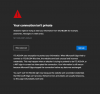
I will be in office soon, and will send a screenshot of the exact message I am getting on the Yealink phones
 
1593071506394.png

No continue button :(
 
Oh, just googled it and if you type "thisisunsafe" then it allows you to progress to the GUI!
 
Status
Not open for further replies.

Forum statistics

Threads
111,953
Messages
589,914
Members
164,850
Latest member
masvty