





Making the right call between separate, multiple companies on one 3CX - versus a dedicated PBX instance.
3CX Multi Company mode allows you to host multiple companies on one 3CX system. Each company operates within its own department, users, extension ranges, prompts, phonebook, office hours and call handling.
The license key is still shared. Licence capacity, simultaneous calls and core system services remain common across all companies. Multi Company Mode therefore gives you separation between customers without requiring a separate PBX for each one.
The key question is simple: Can each customer operate as one company department, or do they need the flexibility of their own 3CX instance? Read on to find out how to resolve this question.
When is 3CX Multi Company Mode the Right Fit?
Multi Company Mode works best for small, independent companies with straightforward communication requirements. Users see the people and resources available within their own company, while the System Owner or System Administrator manages the shared PBX.
It is a good fit when:
- An MSP or service provider wants to manage several customers from one 3CX system
- Each customer can operate as one company department
- Users and company resources need to remain separated between customers
- Company Owners or Department Admins only need access to their own users and call handling
- SIP trunks, DIDs, queues, IVRs and ring groups can be assigned cleanly to each company
- Customers do not require their own CRM, Microsoft 365 or Microsoft Teams integration
This reduces the number of separate PBX instances to maintain while keeping each customer's day-to-day operation separate.
Can You Keep Users, Numbers and Call Handling Separate?
Each company has its own little ecosystem. Extension numbers cannot overlap between companies. SIP trunks can also be limited to a particular company. Queues, IVRs and Ring Groups should be assigned to the correct company so inbound calls remain within that tenant. A shared trunk can carry DIDs for several companies, but DID assignment and administration of the shared trunk remain under system-level control.
Can You Operate as One Company Department?
This is the most important design rule. If a customer can operate as one company department, Multi Company Mode is a good option. If that same customer needs separate Sales, Support and Accounts departments with their own visibility, routing relationships or cross-department collaboration, the deployment is becoming more suitable for a dedicated 3CX instance.
When is a Dedicated 3CX Instance Better?
Choose a dedicated instance when your customer needs greater independence from the shared PBX. Look at the requirements below. How many times will your customer say yes?
- Customer requires several internal departments with different routing or visibility rules?
- Users need presence, directory visibility, BLF or transfers across those internal departments?
- Customer require its own CRM, Microsoft 365 or Microsoft Teams integration?
- Tenant-specific automation needs dedicated outbound routing?
- PBX-wide features need to be configured differently for this particular customer?
- Customer has more complex operational, reporting or compliance requirements?
If you find yourself creating workarounds to bypass Multi Company isolation, it is usually a sign the customer should have its own PBX.
Know What Stays PBX-Wide
Multi Company mode separates companies, but not every 3CX setting becomes tenant-specific. CRM, Microsoft 365 and Microsoft Teams integrations are not compatible with Multi Company Mode. The caller ID blocklist also remains PBX-wide, while licence capacity, simultaneous calls, system services, updates, backups and overall system availability are shared across the deployment.
There is also an important consideration for MakeCall automation. MakeCall traffic does not originate from the user's extension or company department in the same way as a normal user call. If automated calls for each customer must use a separate trunk, consider redesigning the automation or using dedicated PBX instances.
Different Hours and Holidays Are Supported
Companies hosted on the same PBX can still have different office hours, time zones and holidays.
Queues, IVRs, Ring Groups and Department Call Handling assigned to a company can follow that company's schedule.
The limitation comes when one customer itself needs several internal departments with different schedules and cross-department routing. In that case, a dedicated instance gives the customer more flexibility.
Enable Multi Company Mode
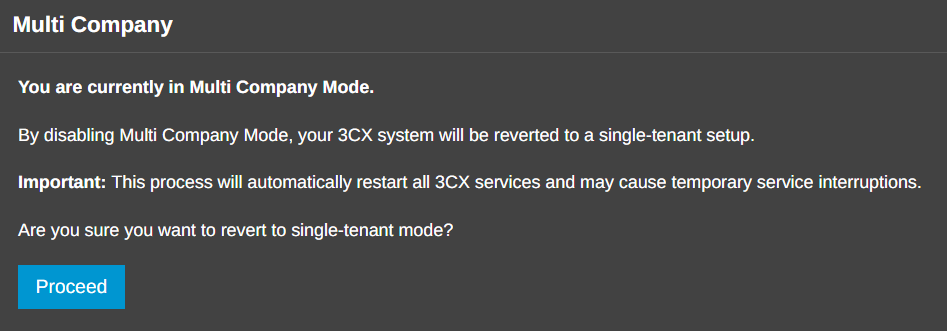
Before enabling Multi Company Mode, 3CX checks the system for incompatible integrations, users assigned to multiple departments and other configuration conflicts. Any warnings must be resolved before continuing.
Switching back to single-company mode is supported, but 3CX services restart and active calls may be interrupted. Schedule the change accordingly, take a current backup and verify users, DIDs, prompts, phonebooks, permissions and routing afterwards.
For full configuration steps, see the Multi Company configuration guide.
Multi Company or Dedicated PBX?
The decision comes down to the amount of independence each customer needs.
- Multi Company if one customer can operate as one company department, tenant separation is important and centralised PBX management makes sense.
- Dedicated instance if the customer needs its own department structure, integrations, complex automation or greater control over system-wide features.
Join the Discussion
Join the 3CX discussion in our dedicated Partner or Customer Forums. Follow us on X and LinkedIn to stay up to date on the latest news and feature releases.









 Copyright © 2026