





“To know your Enemy, you must become your Enemy.” ~ Sun Tzu, "The Art of War" The modern Internet landscape can be a landmine for the uninitiated. In order to keep an internet-facing PBX secure and on-line, you need to be aware of the security implications, and be able to manage them. This series of security-related articles will assist you in increasing the security and protec [...]

With all this social distancing, are you starting to miss seeing your colleagues, even the ones you don’t get on with so much? Having to work from home does not mean having to miss out on up-front and personal meetings. The brand new 3CX iOS App (Beta in TestFlight) has you covered. Take calls, chat and have face-to-face video meetings while at home. Your Next Generation Visual [...]

Quarantine has you stuck indoors, in your PJs and don’t fancy talking much? It’s not surprising you would rather chat than have to video or voice call colleagues or clients. The new 3CX iOS App has you covered, with a multitude of chat features and options to message your teammates, groups and web visitors. Keep up with your conversations without being tied to your PC. Move aro [...]

There was not a better time than now to launch our new CFD Project which enables companies to take orders over the phone and increase sales during lockdown. By combining your 3CX PBX with this sample project you can create your own telephone ordering channel, with CRM, database and TTS (Text To Speech) integration. Try this new application to complement your existing e-Commerce [...]
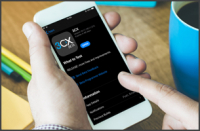
New, improved and exciting features keep coming out with our back-to-back iOS Beta App releases. To be able to keep up the good work we need to continue to receive your feedback on our beta releases to advance the new App to its production-ready target. Get to Experience it First! If you haven't joined our iOS Beta testing team, do it now and get first-hand experience of video [...]
Recently-released v16 Update 5 Beta, adds Google Storage as a new target to keep your 3CX backups and archived recordings safe. Hosted on the Google Cloud Platform, this new option enables you to leverage cost-efficient and reliable online storage for your PBX. Simply use your Google Cloud account to create storage buckets and keep your data safe. What's In-Store Google Storage [...]
A major factor that can make or break your WebMeeting experience is your own internet bandwidth. To allow WebMeeting to utilize your internet connection to its full capacity, use the "Video Adaptivity" setting. "Video Adaptivity" controls how much your transmitted video can degrade to compensate for users with lower bandwidth connections. Organizers can adjust this option to ap [...]

The unfolding Covid-19 global pandemic has made one thing abundantly clear: Professionals need communication tools that can support them whether they are at the office, on the road or at home. Flexibility for working remotely is the name of the game and 3CX has your back. Giving you the tools to support you in performing your role remotely, on your own device, without the need [...]

3CX WebMeeting, bundled with all versions of the 3CX PBX, is the ideal e-Learning tool to deliver content to students. Working with most modern browsers on major platforms and without any need to install or configure complex options, WebMeeting can provide you with a virtual classroom in an instant. Its flexible tools and collaboration features make it ideal for creating your e [...]

Companies globally are reacting to COVID-19 in a variety of ways, from requesting that employees work from home, restricting travel, and even canceling business events and participation in fairs. Organizations are also experiencing several rapid response challenges both from an employee health and welfare standpoint as well as due to disrupted supply chains. All considering thi [...]

 Copyright © 2026