





Prepare your knowledge base for faster, more accurate AI retrieval.
Your AI Agent is only as good as the information it can find. When setting up an AI Agent, one of the biggest challenges is preparing the knowledge sources it will use. Traditional formats such as PDFs, Word documents, spreadsheets and presentations are designed for people to read. They’re not always easy for AI to process. This can create problems:
- Headings can get separated from the text they belong to.
- Tables can lose their structure.
- Important context can be missed.
- The AI Agent may retrieve the wrong part of a document.
To avoid this, use Markdown (.md) files for your AI Agent knowledge sources.
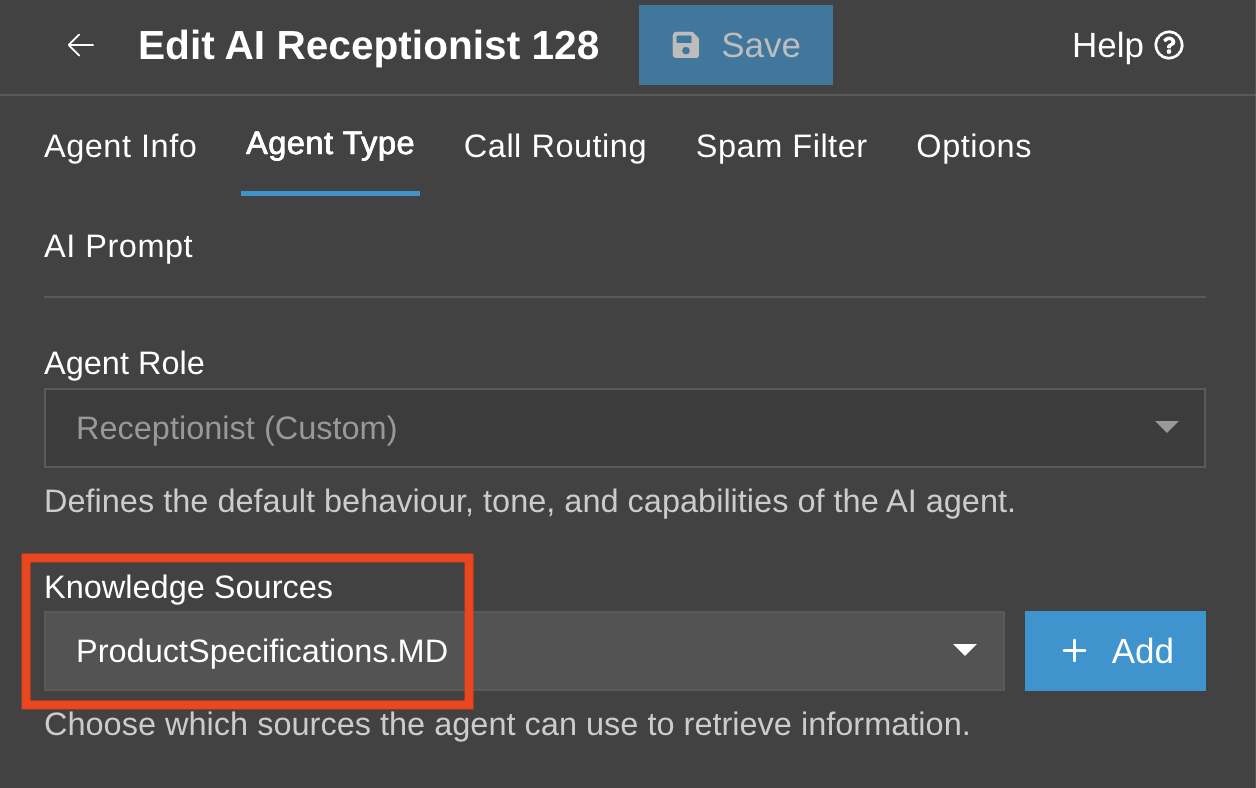
Markdown keeps documents clean, structured and easy to read. It works well for people and it gives the AI Agent clearer content to search and retrieve from.
Why Markdown Works Better
Markdown removes unnecessary formatting and keeps the structure of the document clear. It uses simple text markers for headings, lists, tables and sections. This helps the AI Agent understand how information is organized.
- Clear headings: Markdown headings such as #, ## and ### create a clear structure. This helps keep topics and subtopics together.
- Readable tables: Markdown tables keep rows and columns aligned, making product specs, setup requirements and comparison tables easier to process.
- Cleaner content: Markdown removes hidden formatting and extra layout data found in traditional office files.
- Faster retrieval: Cleaner files can help reduce the amount of text processed and make retrieval more efficient.
- Fewer wrong answers: Better structured knowledge sources help the AI Agent find the right information more reliably.
Convert Existing Documents to Markdown
You don’t need to rewrite every file manually. Open-source tools such as MarkItDown and Docling can help convert existing files into structured Markdown. These tools can process common formats such as:
- .docx
- .pptx
- .xlsx
- PDFs
They can also help preserve reading order, convert tables into Markdown format and extract content from more complex document layouts.
Example of Preparing Markdown Documents for Your AI Agent
Open your terminal to set up a clean Python environment and install the required tool.
python3 -m venv .venv
source .venv/bin/activate# Install MarkItDown with all format support
pip install 'markitdown[all]'
Once it's installed, you can convert a file directly from your command line or drop it into your automated data workflow using the command line:
…or using Python code:
md_converter = MarkItDown()# Convert a complex layout file to structured Markdown
result = md_converter.convert("product_specs.docx")
# Take a look at the clean, machine-readable text
print(result.text_content)
Markdown Formatting Rules
When creating or editing Markdown files for AI Agent knowledge sources, follow these rules:
- Don’t skip heading levels: Keep headings in order. Do not jump from # directly to ###.
- Leave space around tables: Add a blank line before and after each Markdown table.
- Add context at the top: Use a short metadata block where useful, so the AI Agent understands what the file is about.
Example:
category: Technical Documentation
product: 3CX PBX V20
audience: System Administrators
last_updated: 2026-06-01
---
# Setting up AI Agent Knowledgebases
...
Cleaner knowledge sources help your AI Agent return better answers. Review your existing files, convert key documents to Markdown and check that headings, tables and metadata are clear before assigning them to an AI Agent.
Join the Discussion
Join the 3CX discussion in our dedicated Partner or Customer Forums. Follow us on X and LinkedIn to stay-up-to date on latest news and feature releases.









 Copyright © 2026