





Following partner conversations on our community forum, we have updated our Microsoft Teams integration guide which now includes the steps required to obtain an SSL certificate, as well as adding to our MS Teams FAQ guide.
Complexities Simplified
If you ask someone if Microsoft is easy to configure, you normally get two answers. For some, it’s a breeze and for others, not so. Our Teams integration is an Enterprise feature and therefore comes with some more complex configuration requirements. The steps for integration have been fully documented here:
Configuring Microsoft Teams Business Voice with 3CX
Microsoft 3CX Teams Integration Configuration: FAQs
SSL Certificate Help
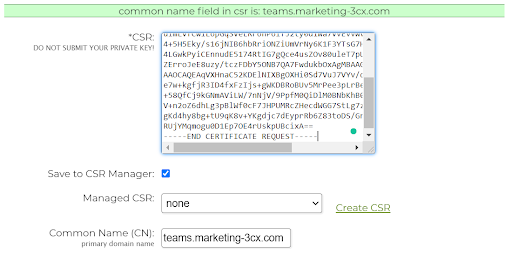
We understand that for some, SSL certificates can be confusing. To help, we have updated our Teams integration guide to show how to obtain the certificate using our recommended provider, SSL.com. We have also created a small tool that will create a CSR key, as this can be one of the more laborious steps in SSL certificate generation and validation.
Video Tutorials
In addition to these guides, Stefan Walther, CEO, created a 3-part video series showing how Microsoft can be integrated with 3CX including setting up Teams direct routing.
All 3CX videos are available via our YouTube channel so head over and subscribe now.









 Copyright © 2026