





Better tools to manage VoIP Provider template changes to your trunks.
We're building up your VoIP Provider toolbox with Version 20 Update 9, giving you better management for your custom templates. The new VoIP Provider Template Builder is a powerful, built-in toolset designed to let you create, customize, and manage SIP trunk templates directly from the 3CX Admin Panel.
The new features introduce the possibility to copy a default template for modification, and import and export of templates. We have facilitated the synchronization of templates and trunks, and you can now apply changes to a template to all trunks that use it.
Here is a look at the game-changing features now available.
Template Cloning and Editing
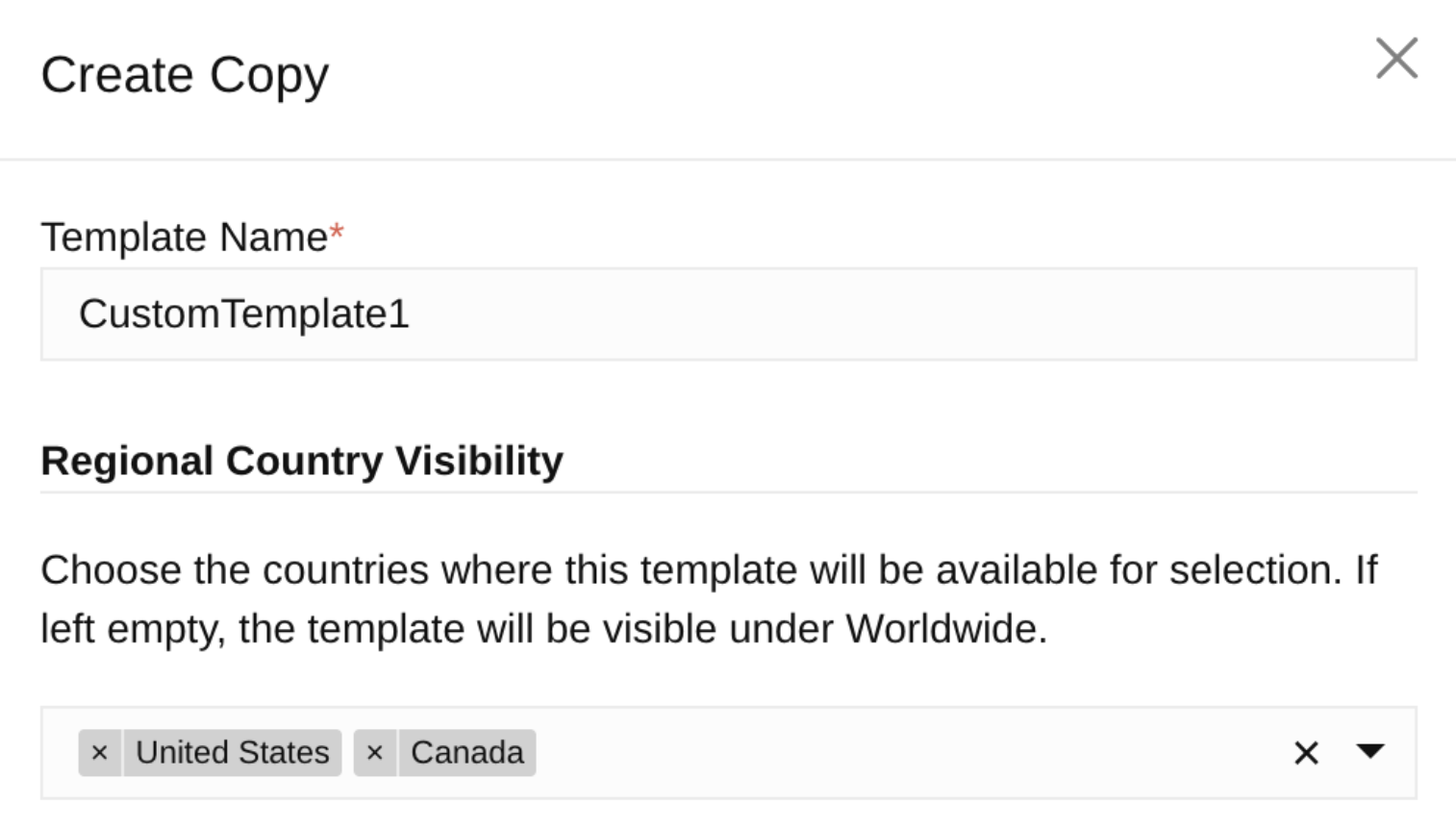
You no longer need to start from scratch or manually edit XML files. You can now take a default template (like the Generic VoIP Provider template) and create a custom copy with just a few clicks, and name it to make it easily identifiable for your customers or technicians.
If you really need to make changes at the XML level, you can now edit your custom templates directly inside the Admin Console.
Visibility Settings
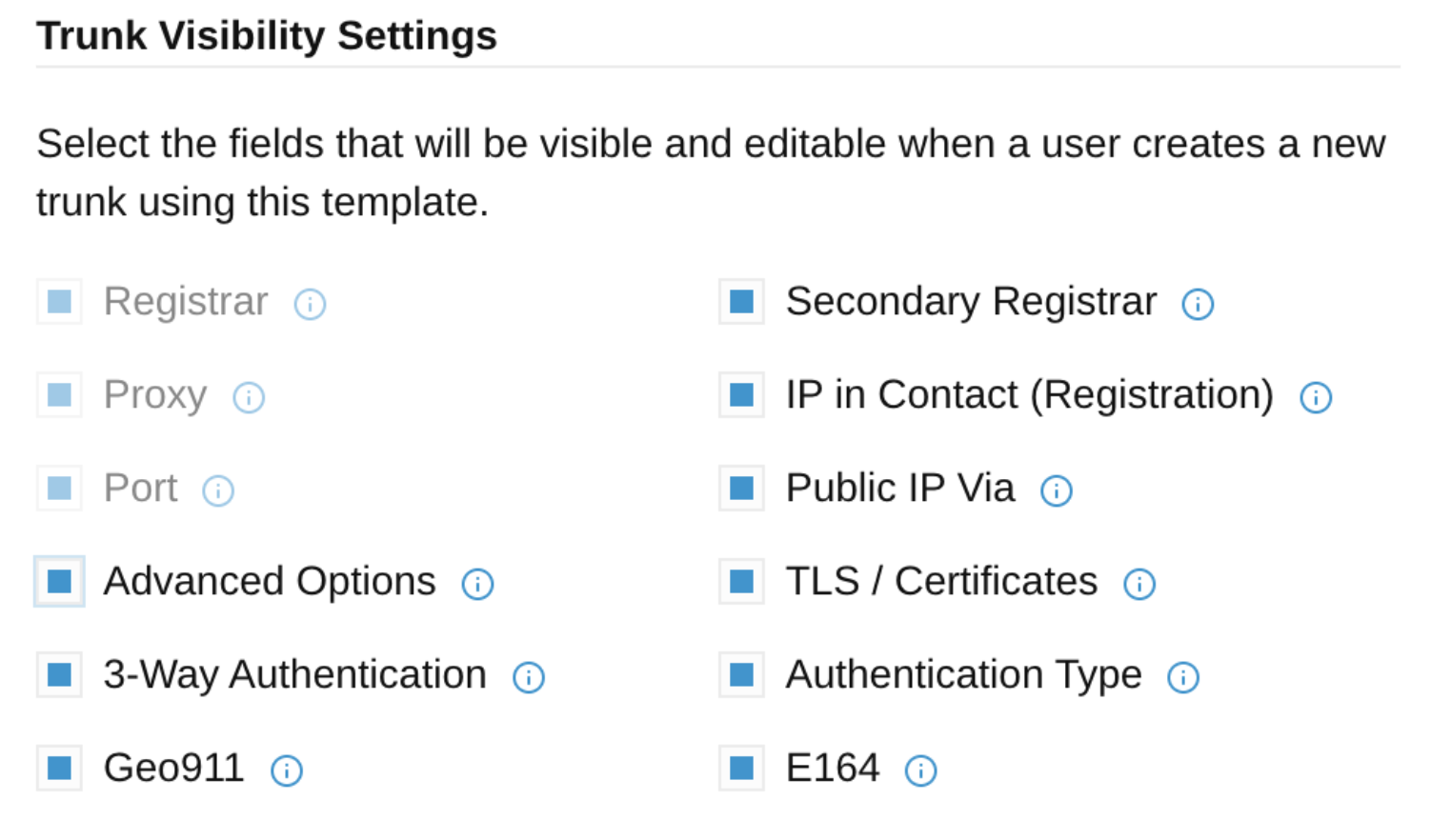
Not every user needs to see every advanced SIP setting. You can tune Trunk Visibility settings to toggle which of those settings are exposed in the interface, to retain:
- Simplicity: Hide complex parameters that shouldn't be touched by the end-user.
- Focus: Only show the fields necessary for your specific authentication and routing methods.
Compatibility Tuning
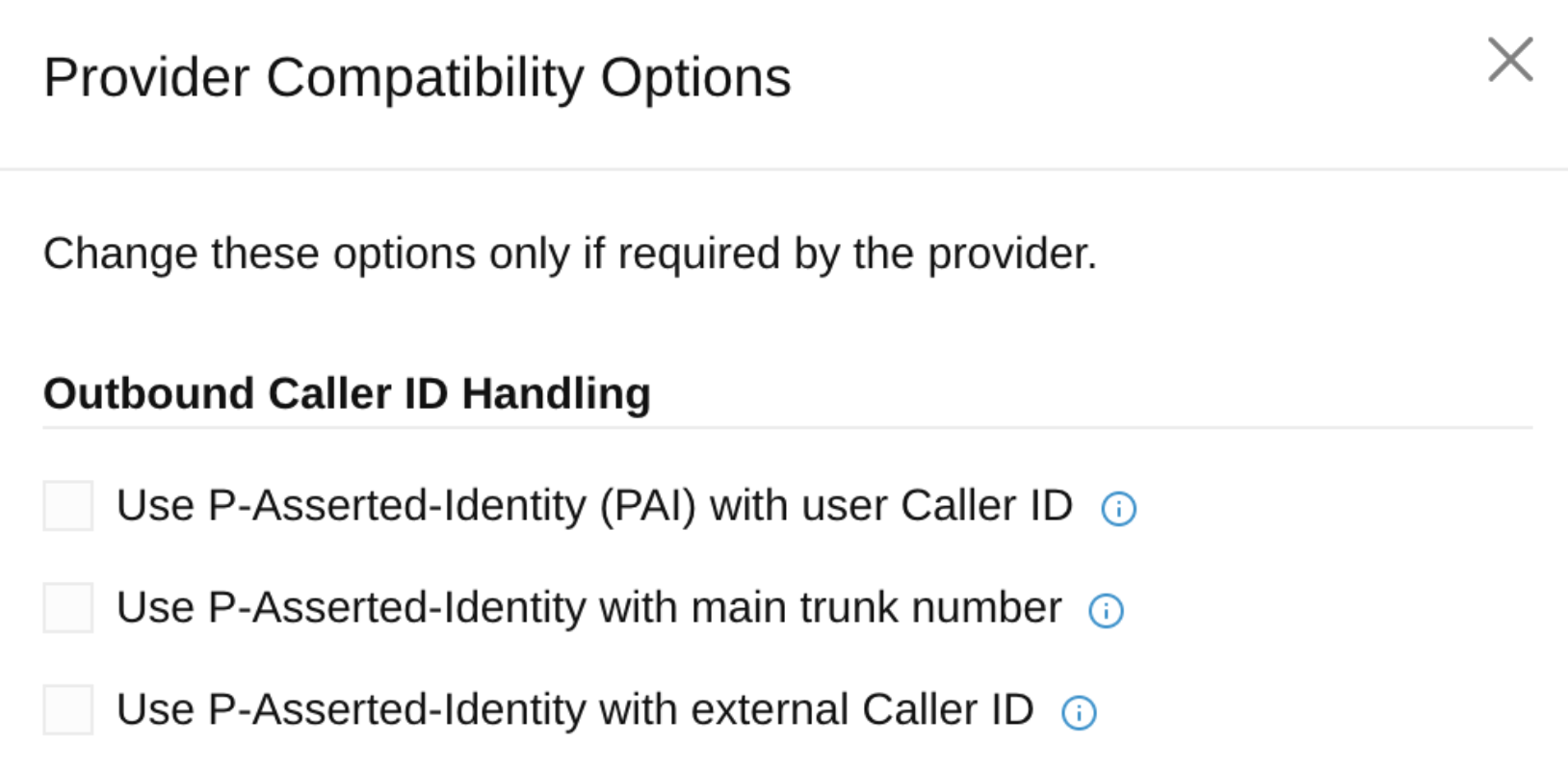
The Template Builder introduces a dedicated "Tune" menu that allows you to adjust:
- Outbound Caller ID Handling: Ensure the correct headers (like P-Asserted-Identity or Remote-Party-ID) are used.
- Inbound Call Identification: Fine-tune how 3CX identifies which trunk an incoming call belongs to, solving possible routing issues.
Trunk Synchronization
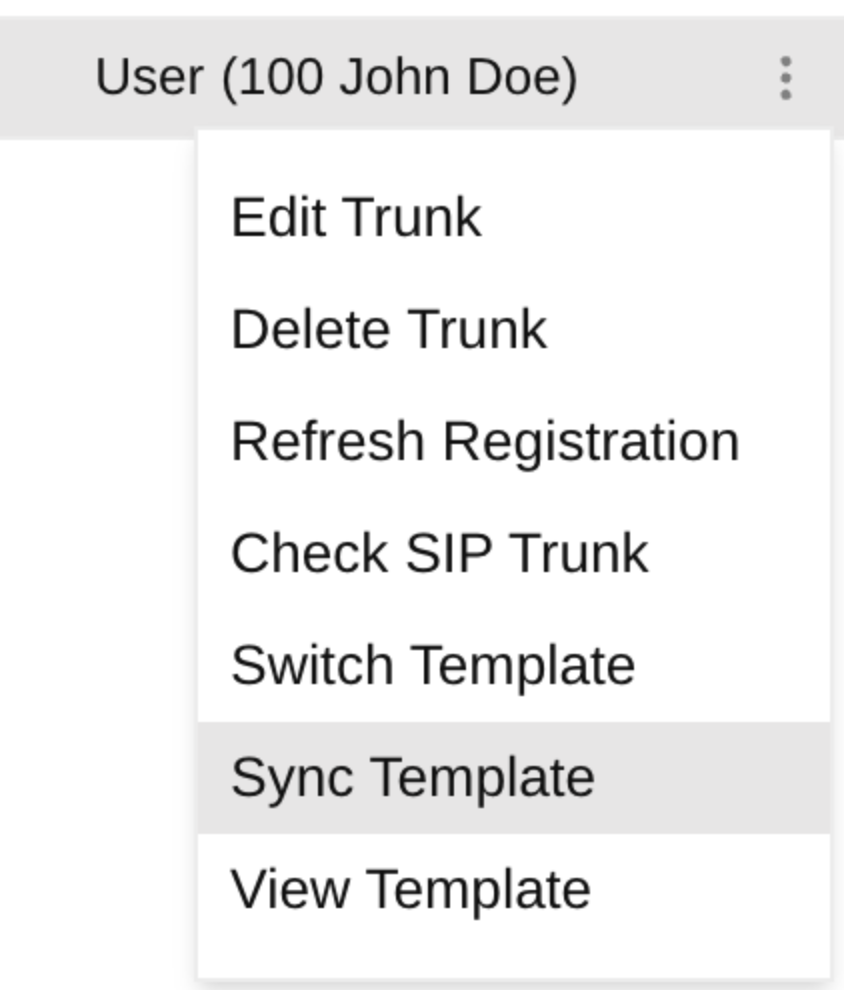
One of the most powerful features of the new builder is the ability to keep your trunks in sync:
- Mass Updates: If you update a custom template, you can choose to synchronize those changes across all existing trunks using that template.
- Migration: When creating a new template from an existing one, 3CX can automatically migrate your current trunks to the new version, avoiding "orphaned" configurations.
If you’re customizing a new VoIP Provider template, or supporting multiple trunk configurations, the 3CX VoIP Provider Template Builder keeps things simple and facilitates management.
You can see the VoIP Provider Template Builder guide here.
Join the Discussion
Join the discussion in our Forum. Follow us on X and LinkedIn to stay-up-to date on latest news and feature releases.









 Copyright © 2026