





3CX Value Added Distibutor 888VoIP is organising free 3CX trainings for all 3CX Partners in the USA, this upcoming September, October, November and December. 3CX and 888VoIP would like to invite all new or active 3CX Partners to attend these trainings as they are not only free but they also provide the perfect opportunity for all 3CX Partners to learn how to generate profit fro [...]

We are very pleased to announce upcoming 3CX Product and Advanced Product Training days in Paris this September! We would like to invite all new or active 3CX Partners to attend the training workshops as these events provide the perfect opportunity for all 3CX Partners to learn how to configure, support and sell 3CX Phone System for Windows. The Advanced course gives an in-dept [...]
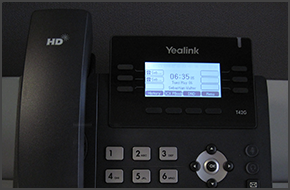
In this example we will demonstrate how to make calls using a Yealink T42 and T41. Making a Call Dial the number you wish to call using the keypad and press the “Send” soft key. The phone will dial the number and your call will be connected. [...]

In this example we will demonstrate how to make a conference call using a Polycom Soundpoint IP 335. Conference Call Make or Answer a call. Press the "Conf" soft key. The first caller will be put on hold. Dial the number of the caller you wish to add to the conference call and press the "Dial" button. Once the caller answers, press the "Conf" soft ke [...]
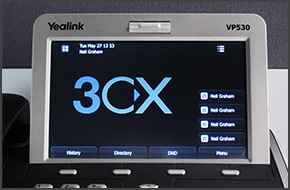
In this example we will demonstrate how to check your voicemail using a Yealink VP530. Checking Your Voicemail To check your voicemail, press "Connect" on the touch screen and follow the voice prompts. [...]
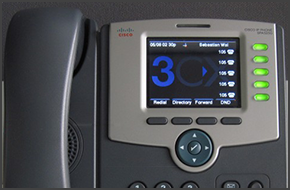
In this example we will demonstrate how to check your voicemail using Cisco SPA525G. The procedure stands for all Cisco SPA500 Series Phones. Checking Your Voicemail To check your voicemail, press the "Message" button and follow the voice prompts. [...]

In this example we will demonstrate how to make a conference call using Cisco 7961. This procedure stands for Cisco 7940/7941/7960/7961. Conference Call Make or Answer a call. Press the "More" soft key followed by the "Confrn" soft key. Dial the number of the caller you wish to add to the conference call and press "Dial". When the caller answers, press "Co [...]
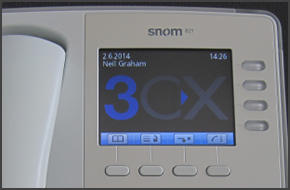
In this example we will demonstrate how to make calls using Snom 820/821. Making a Call Dial the number you wish to call using the keypad and press “OK” (check mark). The phone will dial the number and your call will be connected. [...]
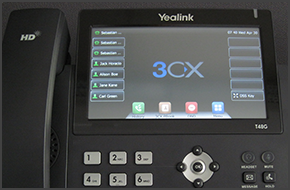
In this example we will demonstrate how to make a conference call using Yealink T48/T46. Conference Call Make or Answer a call. Press the "Conference" button on the touchscreen. Dial the number of the caller you wish to add to the conference call and press "Send" on the touchscreen. When the called party answers, press "Conference" on the touchscreen. The call will be added to [...]
In this example we will demonstrate how to make calls using a Yealink T48/T46. Making a Call Dial the number you wish to call using the keypad and press "Send". The phone will dial the number and your call will be connected. [...]

 Copyright © 2026