





Client apps are one of the core focuses of development here at 3CX. With the release of Version 18, Update 3, PUSH now wakes the Web Client and PWA. Along with this, the Desktop app received some neat new features including auto-answering and more. This marks a perfect opportunity to highlight each of the client's differences and features.
Common features. Exceptional benefits.
Although the different clients can be used in various settings or applications, they have been designed to have similar user interfaces and layouts, making it easy for users to swap and change between them. Because of this, there are many features that are common to all of them.
- In-call features, such as transferring, video calling, placing the caller on hold, and creating a conference call.
- Ability to set presence status & updating forwarding rules
- Responding to, assigning, and archiving Live Chat, Facebook, and SMS messages
- Ad hoc call recording (ENT license feature)
- Scheduling audio and video conferences
- PUSH notification support for Web Client, PWA, and mobile clients ‘wakes up’ the app when a call or chat message is received.
4 client options - which do you use?
Let's now look at each of the clients in further detail to see what they can do and also what killer feature is the highlight of each.
Desktop Application

The native desktop application is now available on both Windows and macOS platforms.
Installation and provisioning of the application can be achieved by logging into the WebClient and clicking the operating system icon in the top left of the screen. Alternatively, system admins can deploy the app using Active Directory Group Policy Object.
Application features include:
- A separate dialer dialog allows calls to be made without switching windows
- Users can create customized BLF keys for quick dialing and presence information
- Pre-configured hotkeys for easy dialing, transferring, and other functions
- Incoming calls can be allowed to steal the focus from 3rd party applications
- Auto-answer on incoming call
- Launch external 3rd party programs on incoming ringing or connection.
Killer Feature: It can be deployed en masse via AD GPO, making deployment simple for large enterprises.
Also, check out our overview video.
Web Client
The WebClient is an easy-to-use in-browser option for users who do not want to have any additional applications downloaded. Supported on Google Chrome, Microsoft Edge, and Firefox, it is accessed via a unique URL that is contained in the extension welcome email. The WebClient also serves as the springboard that all users can initially sign into to download the desktop application, PWA, and easily provision mobile apps with the handy QR code.
As PUSH notifications wake the web client, users who have forgotten to open the tab will still be alerted to incoming chat messages and calls.
Killer Feature: It can be signed into from any workstation making hot desking easy.
PWA
The Progressive Web App (PWA) is perfect for users who neither want the full desktop app downloaded nor want to keep a browser tab open with the WebClient. This new technology, supported by both Chrome and Edge, offers an app-like experience without installing a full app.
Additional features of the PWA compared to the WebClient:
- “Native like” web app, which works across all operating systems (Windows, macOS, Linux & ChromeOS)
- Pinnable as a desktop shortcut
- Can be set to auto-start with the system
Killer Feature: Easily downloadable and can be set to auto-run with the system start
You can read more about the PWA in the user manual.
iOS & Android
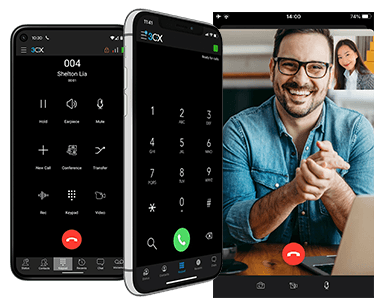
The iOS and Android apps are a great way to keep in touch on the move. Including all the features of the other clients, they provide a seamless way to work remotely. They can be used in a wide variety of deployments, including being used as ‘walkabout’ extensions instead of installing a costly multi-cell DECT solution.
Killer Feature: Take your office extension with you everywhere and never use your personal mobile for business calls again.
Check out our overview video for Android to see all the features in action.
See Also
The 3CX User Manual has comprehensive instructions on how to download and deploy all the clients.









 Copyright © 2026