





WP Live Chat by 3CX, the live chat solution for WordPress, has been upgraded to offer an unparalleled level of control and customization. You can run the chat platform on-premise, hosted in 3CX Cloud or integrated into your 3CX PBX. We’ve also merged the ‘3CX Live Chat & Talk’ plugin with the ‘WP Live Chat by 3CX’ plugin. Combining the two solutions delivers greater chat speed, privacy of data and plenty of added features.
3 Tiers of Control & Flexibility
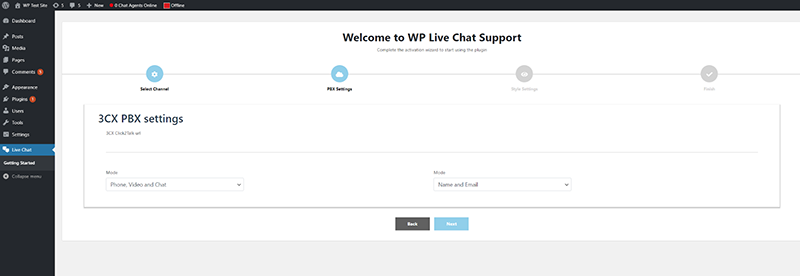
On-Premise: Host a live chat platform on your WordPress site and keep full control of your chat data. To chat, agents must be logged onto your website. Suitable for smaller websites, the downside is that it is not as fast in chat delivery and reception, due to “Typing functionality” limitation in WordPress itself.
Hosted Chat: If chat delivery speed is a must, opt for hosting by 3CX . This mode bypasses your WordPress website and uses 3CX hosted servers for chat delivery instead. Chats are delivered and received instantly, as well as using up minimal resources and being lighter on your website.
3CX Integration: Want the best of both worlds? Take live chat to the next level by integrating WP Live Chat with 3CX. Not only will you keep full control of your live chat data, you will also benefit from all features such as ‘Typing’ and lightning fast chat delivery speed. What’s more, integrating Live Chat with 3CX also allows you to:
- Elevate chat to video or audio call
- Create enterprise-level chat reports
- Make use of advanced agent chat and call queues
- Get a free SMTP server, FQDN and SSL certificate.
- Answer chats from anywhere using the 3CX mobile and desktop apps.
Read more on how to use the WP Live Chat plugin with 3CX here.
Get More with 3CX Integration
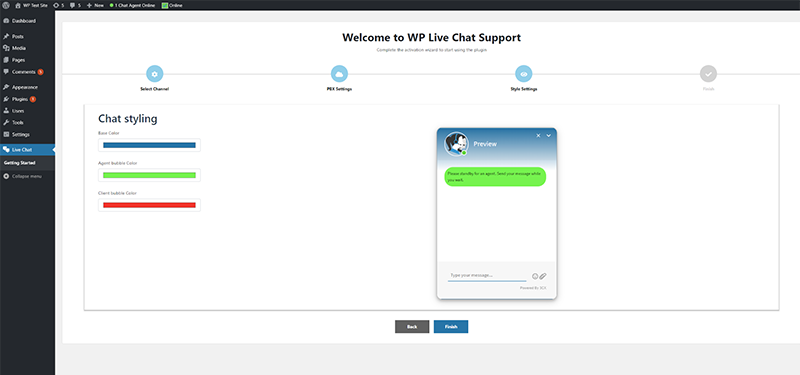
The merge of the two plugins, ‘3CX Live Chat & Talk’ and ‘WP Live Chat by 3CX’, makes it possible to expand on the current features of the latter. New 3CX Integration features include:
- Chat Box Styling: Choose height, colour, text and automatic popup options. Add icons, logos and social media links, among others.
- Customization Settings: You can now disable/enable chat on mobile devices or exclude/include the chat in all or in specific pages of your site.
- Business Hours: Chat can appear in offline mode during your specified date and time.
- GDPR & Privacy: Specify a GDPR compliance consent dialog before a chat is initiated.
- Gutenberg Blocks: Add chat button and dialog inline anywhere on your site.
Get it Now
Try it out for yourselves. Download and install the 3CX Live Chat plugin.
⚠ Important: The plugin will not work with WordPress versions older than 5.3 and PHP versions older than 5.4.








 Copyright © 2026