Thanks again for your quick reply
@Nick Galea
Yes, I understand chat notifications are not meant to be invasive and that's fine of course.
But to me/us, at the moment, they are almost invisible

We ourselves and most clients all use the Windows Desktop Client, not the webinterface.
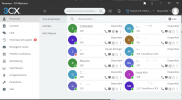
In the Desktop Client, if there's a new chat message from a co-worker or some other form of chat (someone waiting in the conference, a live chat visitor), it plays a sound once and after that, the only visible notification is the blue chat icon in the 3CX client. For one to see that, you must have the client open. And even if you have the client open, the fact that the chat icon is blue, is easily missed.
In the other thread, I showed a screen shot of how WhatsApp for Windows shows the notifications with a red number in the task bar. It would be really great if the 3CX client could do something like that as well!
And might I make another suggestion? The web interface of 3CX is actually much better than the native Windows client in terms of UI/UX. But, the problem with browers is that people do close them a lot or can't really find the correct tab in time etc. To make development easier, isn't it possible to create some kind of 'wrapper' for the Web that can be installed on a computer? WhatsApp for Windows effectively is that, a wrapper around web.whatsapp.com but with some enhancements like the red shield in the task bar icon. Synology does the same with its surveillance station. Surveillance station is a web application, and the installable version is just a wrapper. But, it has it's own icon in the task bar, isn't hidden in some browser tab etc. Main advantage for 3CX is that you could just focus on the web app with some minimal modifications for that wrapper app (notification area icon perhaps, custom toast-messages etc). Just a suggestion of course.