3CX Roadmap & V18 alpha - Connecting Customers!

Status
Not open for further replies.
This V18 looks really exciting. :cool:
We have already had a taste of the turn towards a "unified" communication solution with the latest updates.

As some have already requested, we are also waiting for a possibility to integrate 3CX with Teams for the telephony part which is not very developed by Microsoft but many companies have adopted it for their internal communications.

Absolutely! I think the challenge for the years how good a PBX can integrate MS Teams and other things like that. If you don't interact with them and just stay being a phone system. You got kicked. 3CX is on the right way with SSO (MS365, Google) so it's not using MS Teams and 3CX... It's more using Teams as Client for 3CX (and vice versa if you want to look on it that way)
 
Absolutely! I think the challenge for the years how good a PBX can integrate MS Teams and other things like that. If you don't interact with them and just stay being a phone system. You got kicked. 3CX is on the right way with SSO (MS365, Google) so it's not using MS Teams and 3CX... It's more using Teams as Client for 3CX (and vice versa if you want to look on it that way)
We are using Teams as a desktop client with 3cx via a 3rd party bridge and our employees are really enjoying the ability to make and receive all there calls right in Teams. Plus the ability to dial extensions for other users has been wonderful. My only complaint is Microsoft charges through the nose for phone system licensing, which is required for the integration to function.
 
@ewebster we are working on allowing 3CX to be a trunk for teams so one can make and receive calls in teams via 3CX....... We need v18 for this but we are looking at it.
 
Hello Nick,

Thanks a lot for this feature!

Onboard Webmeeting Portal​

The webmeeting portal will now be hosted on your 3CX instance:

  • All meeting data will be stored locally and therefore completely confidential
  • Your click2call and click2meet URLs will be unified
  • In future you can use public or private MCUs
  • Improved dial in capability
I wait such a long time for this. This is for my customers the core feature to cancel the usage of MS Teams and Zoom. They are very sensitive in terms of dsgvo. For this reason we host after the release their 3cx instances for them in our datacenter in germany. Without this feature they are still using MS Teams or zoom at the moment because of missing alternatives.

I hoped that this feature was already implemented in the alpha, but I can't find it. Is it possibly not there yet?

By the way - I have implemented for years MS Office Communications Server and Skype for Business before 3CX. In terms of telephony, it's been a giant leap into the future. A great product!

Best regards

Jürgen
 
@Nick Galea

Hello Nick,

We would really like to use the video-chat function more during this time.
A few weeks ago we talked about making (incoming) video-chats (click2meet) ring just like a normal phone call, instead of only showing up in the chat.

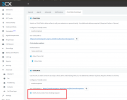
See attached screen shot, it only has the option 'notify by chat' and an option 'notify by ringing the agents' should also be available, On the 3CX client, one could answer by clicking 'video call' for example.

We talked about the same thing for incoming chat requests: they currently also just make one simple sound in the chat and are easily overlooked, that's why we still recommend using tawk.to when in fact,we would very much prefer to use 3CX for all chats/video-calls/everything.


Did any of these 2 enhancements make in into v18?

3cx.png
 
@noord Hi Noord! If you are using live chat and you have the call option enabled it should ring your agents like a normal call..... So this is separate from click2meet which triggers a webmeeting... Then you would use click2call and elevate to video if you want to

Let me know if i misuderstood but yes you should be able to get calls via your website easily that will ring as if they are coming as a normal call.

We are making another live chat improvement in update 8 of v16 by the way.....
 
@JueGra Thank you for the heads up! Yes this feature is in development. The alpha was a very very early alpha just before the Xmas holidays and second lock down :) So we posted what we had. This part was not yet ready. But we are making good progress on alpha 2. Need a bit more time.
 
@noord Hi Noord! If you are using live chat and you have the call option enabled it should ring your agents like a normal call..... So this is separate from click2meet which triggers a webmeeting... Then you would use click2call and elevate to video if you want to

Let me know if i misuderstood but yes you should be able to get calls via your website easily that will ring as if they are coming as a normal call.

We are making another live chat improvement in update 8 of v16 by the way.....

Thanks for your quick reply!
This is not entirely what I meant though.

We would like two options:
When visitors start a live chat, the chat itself should ring like a phone call (or that should be an option, not everyone will want this). This is because with 3CX Live Chat, we kept missing chats and had to switch to tawk.to. We discussed this earlier in another topic and you said you would look into this, it this was possible in some way.

The other request is for a video call directly, so not going through the chat-options first. Click2meet does do this (allow a visitor to video call a queue), but it comes in as a chat message saying ‘xx is waiting in a conference’. In this case also, we always miss this notification, because it only makes one short sound and then only colors the chat-icon blue.

In the same way, many colleagues also miss internal chat messages completely, since they really don’t stand out - last time I also included a screenshot from WhatsApp for Windows, which much more clearly show you have new chat messages. See https://www.3cx.com/community/posts/352351/

The way notifications work now, is only really suitable for real contact centers with dedicated agents, not for SMBs that recieve perhaps 5 chats throughout the day and don’t man their computers permanently.

Thanks for considering these options!
 
  • Like
Reactions: DFP
@noord - Thanks for the extra feedback. Well both chat and click2meet are not meant to be that invasive. They behave in exact the same way as Whatsapp or Telegram. You get a webnotification and also a sound on the computer. On the mobile phone you get a sound and a notification in the top bar as well as on lock screen.

But you are right that for live chat we might have an option to make a sound multiple times so its clearer. We will look into that.

Now for incoming calls you must use click2call. This will work like a phone call. Then you can escalate to a video call if needed. Not many customers will want an anonymous web visitor call to go immediately to video i think....
 
Last edited:
Thanks again for your quick reply @Nick Galea

Yes, I understand chat notifications are not meant to be invasive and that's fine of course.
But to me/us, at the moment, they are almost invisible :-)


We ourselves and most clients all use the Windows Desktop Client, not the webinterface.
In the Desktop Client, if there's a new chat message from a co-worker or some other form of chat (someone waiting in the conference, a live chat visitor), it plays a sound once and after that, the only visible notification is the blue chat icon in the 3CX client. For one to see that, you must have the client open. And even if you have the client open, the fact that the chat icon is blue, is easily missed.
In the other thread, I showed a screen shot of how WhatsApp for Windows shows the notifications with a red number in the task bar. It would be really great if the 3CX client could do something like that as well!


And might I make another suggestion? The web interface of 3CX is actually much better than the native Windows client in terms of UI/UX. But, the problem with browers is that people do close them a lot or can't really find the correct tab in time etc. To make development easier, isn't it possible to create some kind of 'wrapper' for the Web that can be installed on a computer? WhatsApp for Windows effectively is that, a wrapper around web.whatsapp.com but with some enhancements like the red shield in the task bar icon. Synology does the same with its surveillance station. Surveillance station is a web application, and the installable version is just a wrapper. But, it has it's own icon in the task bar, isn't hidden in some browser tab etc. Main advantage for 3CX is that you could just focus on the web app with some minimal modifications for that wrapper app (notification area icon perhaps, custom toast-messages etc). Just a suggestion of course.
 
Thanks again for your quick reply @Nick Galea

Yes, I understand chat notifications are not meant to be invasive and that's fine of course.
But to me/us, at the moment, they are almost invisible :)


We ourselves and most clients all use the Windows Desktop Client, not the webinterface.
In the Desktop Client, if there's a new chat message from a co-worker or some other form of chat (someone waiting in the conference, a live chat visitor), it plays a sound once and after that, the only visible notification is the blue chat icon in the 3CX client. For one to see that, you must have the client open. And even if you have the client open, the fact that the chat icon is blue, is easily missed.
In the other thread, I showed a screen shot of how WhatsApp for Windows shows the notifications with a red number in the task bar. It would be really great if the 3CX client could do something like that as well!


And might I make another suggestion? The web interface of 3CX is actually much better than the native Windows client in terms of UI/UX. But, the problem with browers is that people do close them a lot or can't really find the correct tab in time etc. To make development easier, isn't it possible to create some kind of 'wrapper' for the Web that can be installed on a computer? WhatsApp for Windows effectively is that, a wrapper around web.whatsapp.com but with some enhancements like the red shield in the task bar icon. Synology does the same with its surveillance station. Surveillance station is a web application, and the installable version is just a wrapper. But, it has it's own icon in the task bar, isn't hidden in some browser tab etc. Main advantage for 3CX is that you could just focus on the web app with some minimal modifications for that wrapper app (notification area icon perhaps, custom toast-messages etc). Just a suggestion of course.

Yeah an electron app for the 3CX webclient would be great.
 
  • Like
Reactions: RickG
@JohnS_3CX @YiannisH_3CX

How to Integrate your PBX with Microsoft 365 | 3CX

Can one of you confirm if we should be keeping the User.Read permission when registering the app? It's there by default but I usually remove any permissions not specifically requested. The instructions and the picture don't show it listed, but if it's removed then users are repeatedly prompted for consent each time they login. So if it indeed should be there then please update the instructions and picture to reflect that.
 
The instructions and the picture don't show it listed, but if it's removed then users are repeatedly prompted for consent each time they login.
We will double-check, but on what action are the users seeing the consent screen?
 
@ewebster we are working on allowing 3CX to be a trunk for teams so one can make and receive calls in teams via 3CX....... We need v18 for this but we are looking at it.
This is going to be awesome!
 
@noord - good suggestion, we are taking it onboard to get better notification in the web client and Windows client! And about web windows version, good point. We did have one years ago unfortunately each choice has its pros or cons. But we will consider!
 
  • Like
Reactions: accentlogic
Thanks again for your quick reply @Nick Galea

Yes, I understand chat notifications are not meant to be invasive and that's fine of course.
But to me/us, at the moment, they are almost invisible :)


We ourselves and most clients all use the Windows Desktop Client, not the webinterface.
In the Desktop Client, if there's a new chat message from a co-worker or some other form of chat (someone waiting in the conference, a live chat visitor), it plays a sound once and after that, the only visible notification is the blue chat icon in the 3CX client. For one to see that, you must have the client open. And even if you have the client open, the fact that the chat icon is blue, is easily missed.
In the other thread, I showed a screen shot of how WhatsApp for Windows shows the notifications with a red number in the task bar. It would be really great if the 3CX client could do something like that as well!


And might I make another suggestion? The web interface of 3CX is actually much better than the native Windows client in terms of UI/UX. But, the problem with browers is that people do close them a lot or can't really find the correct tab in time etc. To make development easier, isn't it possible to create some kind of 'wrapper' for the Web that can be installed on a computer? WhatsApp for Windows effectively is that, a wrapper around web.whatsapp.com but with some enhancements like the red shield in the task bar icon. Synology does the same with its surveillance station. Surveillance station is a web application, and the installable version is just a wrapper. But, it has it's own icon in the task bar, isn't hidden in some browser tab etc. Main advantage for 3CX is that you could just focus on the web app with some minimal modifications for that wrapper app (notification area icon perhaps, custom toast-messages etc). Just a suggestion of course.
I love this idea! You took the example of WA, but there is the same thing with Discord, and that really cool.

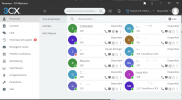
An alternative is to create a "shortcut open in a new window" on Chrome. This make a completly transparent "application" of the web page of the webclient.

1612259320642.png

Taskbar looking : 1612259343105.png

Try it ;)
 
We will double-check, but on what action are the users seeing the consent screen?
Every time a SSO login is attempted the consent box comes up, or at least it used to. I removed the User.Read permission and I was only prompted once for consent. I'll have some other folks try it to confirm.
 
  • Like
Reactions: NickD_3CX
Whats is going to happen with windows version, are you planning to migrate to linux version only?
 
Whats is going to happen with windows version, are you planning to migrate to linux version only?
As @Nick Galea said many times, Windows version will be still supported. There is no discussion for remove it.
 
I love this idea! You took the example of WA, but there is the same thing with Discord, and that really cool.

An alternative is to create a "shortcut open in a new window" on Chrome. This make a completly transparent "application" of the web page of the webclient.

View attachment 20458

Taskbar looking : View attachment 20459

Try it ;)

That's actually a really good idea.Maybe you could consider providing PWA for easy installment from users.
 
  • Like
Reactions: MidiTélécom
Status
Not open for further replies.

Forum statistics

Threads
111,992
Messages
590,171
Members
164,931
Latest member
admintest