https://www.3cx.com/blog/releases/v18u7a-alpha-security-update/We’ve updated the Welcome Emails to support "Set/Reset Password". If you’re using a custom email template, then you need to adjust it to include the new e-mail variable.
Thank you, i already fix it, by copy new Welcome Email templateIf you had previously modified the email template you need to include the variable.
https://www.3cx.com/blog/releases/v18u7a-alpha-security-update/
https://www.3cx.com/docs/variables-email-templates/
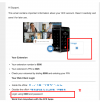
Officially, you cannot have the config file or QR code in the welcome email.I, too, noticed the change in the Welcome to 3cx email this morning when I did a new IT orientation for new employees. I updated the template to include the password reset link to log into the web client. However, I am still trying to get the QR code to show up, as the image does not show up. (the email shows "Linked image cannot be displayed" and no option to download pictures.
Also, how can we get the config file to show as an attachment because we are still using the legacy v16 soft client on machines?
Founded in 2005, when VoIP was an emerging technology, 3CX has gone on to establish itself as a global leader in business communications.