- Joined
- Nov 28, 2023
- Messages
- 3
- Reaction score
- 0
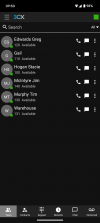
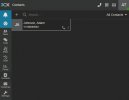
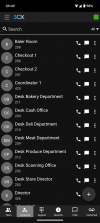
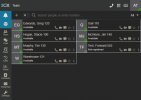
We have noticed an issue with a contacts visibility difference between the mobile client and the web/desktop client. In the mobile client, a user can see all extensions across the system including other departments. This is problematic when we are hosting distinct and separate groups within the same 3CX system. For the same user, they do not see these contacts when using the web or desktop client. There is a clear difference in visibility and this seems to be a programming oversight.
We opened a support ticket with our distributor who confirmed this observation and said it appears to be as designed. They suggested reaching out to 3CX directly. This issue has been tested and confirmed using either the iOS or Android versions of the app. It would be much better if the mobile app was limited to showing only extensions within the same department, as the web/desktop client already does.
Does anyone know if this has been acknowledged and/or if there are any plans to fix this? I'm sure if anyone here tries this using a mobile app on a system with multiple departments that don't share info between each other, you will see what I mean.
We opened a support ticket with our distributor who confirmed this observation and said it appears to be as designed. They suggested reaching out to 3CX directly. This issue has been tested and confirmed using either the iOS or Android versions of the app. It would be much better if the mobile app was limited to showing only extensions within the same department, as the web/desktop client already does.
Does anyone know if this has been acknowledged and/or if there are any plans to fix this? I'm sure if anyone here tries this using a mobile app on a system with multiple departments that don't share info between each other, you will see what I mean.