Error transferring to Voicemail

Status
Not open for further replies.

Lanindigo

Free User
Joined
Nov 4, 2023
Messages
27
Reaction score
1
Hi everybody,

Currently, when I install it, when someone from outside calls the Hotline number, if the internal employee (extension) does not pick up the phone, it will be redirected to voicemail.

_ But now when redirecting to Voicemail, I hear the error "CALL TRANSFER FAIL"

_ Is there something wrong or missing in my configuration? I'm using the 3cx Free 4sc version

Thank you very much
 
And what is the forwarding rules on the internal extension set to? Screenshots would be helpful.

Somewhere, your forwarding is likely not set correctly. Setting the PBX in verbose mode and replicating the issue should show you the problem in the activity log.
 
Hi everybody,

Currently, when I install it, when someone from outside calls the Hotline number, if the internal employee (extension) does not pick up the phone, it will be redirected to voicemail.

_ But now when redirecting to Voicemail, I hear the error "CALL TRANSFER FAIL"

_ Is there something wrong or missing in my configuration? I'm using the 3cx Free 4sc version

Thank you very much

Hi,
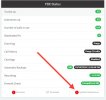
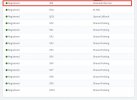
Check that the voicemail system extension is "REGISTERED".
IMG_4708.jpeg

IMG_4707.jpeg


If it is unregistered, restart the machine or the 3CX services.
 
  • Like
Reactions: Evolute IT
And what is the forwarding rules on the internal extension set to? Screenshots would be helpful.

Somewhere, your forwarding is likely not set correctly. Setting the PBX in verbose mode and replicating the issue should show you the problem in the activity log.
1707109510994.png
Here I sent a screenshot of "ACTIVITY LOG" after I called and forwarded it via voicemail
thank you very much
 
View attachment 39502
I checked and it is "registered", so do I need to restart the computer now?

I see that your "EXTENSION VOICEMAIL" is "999" and mine is "9999", is this the cause?
It's just because you chose extensions with 4 digits and I chose extensions with 3 digits.


View attachment 39501
Here I sent a screenshot of "ACTIVITY LOG" after I called and forwarded it via voicemail
thank you very much

Send me « verbose logs files » in zip file ;
https://www.3cx.com/docs/collecting-logs-for-3cx-support/

1. Enable verbose mode (activity logs),
2. Restart the services,
3. Reproduce the issue,
4. Generate support info ZIP,
5. Return low mode (activity logs)
——
Send me logs

1. Open the ZIP file
2. Unzip the "Logs" folder.
3. Go to the unzipped folder (Logs)
4. Delete the files;
- PbxConfigTool
- PbxConfigToolRenewCertificates
- 3CXPhoneSystem.bldef
5. Compress this Logs folder in new ZIP folder ( This version contains fewer pieces of potentially sensitive information. )
6. Upload the file to a file-sharing platform of your choice (WeTransfer, GDrive, OneDrive, Dropbox, etc.)
7. Send me in private message the link so I can download the detailed Logs.
8. Keep the compressed SupportInfo folder in case 3CX requests it.

I must warn you;

⚠️ Be careful ‼️

The original compressed SupportInfo folder contains all the information about the system. It should be shared with caution. Never share this file publicly. Treat this file as if it were a complete backup of your phone system. Only share the compressed SupportInfo folder with those you trust, such as the staff of the company 3CX .

 
  • Like
Reactions: Evolute IT
View attachment 39501
Here I sent a screenshot of "ACTIVITY LOG" after I called and forwarded it via voicemail
thank you very much
How are you doing the transfer to voicemail? A malformed SIP invite is not what I would expect to see here but does explain why it isn't working.
 
Status
Not open for further replies.