HELP! License Key Is Incorrect

[email protected]

Trial User
Joined
Jun 30, 2016
Messages
7
Reaction score
0
Hello All,

my license key on my on prem

Build 18.0.9.31 stopped being able to reach the activation servers and it expired.
This opened a huge can of worms and my system is dead in the water.
In hopes to upgrade to the latest version 18 and fix the activation servers, I ran a backup, uninstalled and reinstalled the latest. This sadly DID NOT WORK because
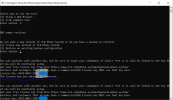
I kept getting the following messaged when entering in my license (yes its inputted correctly)

"The license key you entered is incorrect"

I then tried a new installation without restore and got the same message.

In desperation I went ahead and tried version 20, same issue.
I also had a spare license key on hand that had not expired and tried that but that only worked via command line to restore BUT during the restore 3cx made the first extension listed the default user.... and I do not know extension 120's web console password by heart.
PLEASE give me some hope!


Attachments

  • Error message.PNG
    Error message.PNG
    61.9 KB · Views: 16
Hello @rgrocerytech,
Kindly be advised that if the License was a free license, it should have already been updated to V20 as per our blog post Our 2025 Strategic Direction Explained.
Also, keep in mind that build 18.0.9.31 will not be able to activate. Only Licenses that are on Build 18.0.9.35 are able to activate.
As per our blog post 3CX Version 18: Important Update for License Activation, the update will not be available as a separate installer download.

If you have an available backup, please open us a ticket and provide us with the backup so we can disconnect the FQDN from the License. Then you can start a new installation with a V20 License key and restore the backup post installation.
 
Hi,
the license key was not a free license, it was a standard key that we have had since roughly 2015 and have been able to renew and use without issue till last year we were unable to renew due to activation errors that would occur.

I have opened a ticket and sadly they have told me that the key was deprecated and no way to bring it back... This is incredible sad since to be able to restore normally the key has to be first verified by 3cx servers.

Is there not a way around the activation one time, so I can restore and then create a proper backup without license and fdnq in the backup?

A random option I am wondering if is possible is to edit the backup to adjust the system owner/extension the restore chooses under version 20.
My system owner was set prior but the restore changes it to ext 120 for login and I have no idea what that randomized password is.
 
If you know the email for x120 and it is unique to that extension you can do a password reset from the login page.

A restore should not be changing roles. How is it you can see 120 is a system owner role?
 
Hi,
I was able to restore the v18 via command line only to version 20 BUT with major issues.
I can see it is setting the system owner to 120 during the command line restore to version 20 from the version 18 backup and sadly that extensions email is used in multiple extensions due to it being a secretary's extension(she has multiple exts)

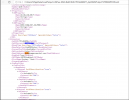
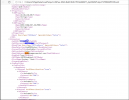
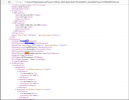
What is weird though I can see in html file within the v18 backup that my system owner is set to extension 998 and my email however the restore is royally messing this up and disregarding that and choosing ext 120.

This is very sad.
 
Side note: the new license key I used also must be a little messed up since support is treating it like it is a trial for pro 8 lines but it is not a trial.
 
Side note: the new license key I used also must be a little messed up since support is treating it like it is a trial for pro 8 lines but it is not a trial.
The subscription that your system is installed with, and from what we can see based on the FQDN of the user on this thread, you are communicating with is a 3cx Trial key that is an 8sc pro valid for 1 month. Please see here:
 

Attachments

  • 1746206660541.png
    1746206660541.png
    15.1 KB · Views: 16
Thats what I am hearing that that the new key is somehow a trial key.
Id love just to have our old key working again and restore our system fully.

What do I need to do?

Note: I sent support these screen shots of the backup from version 18 and version 20.

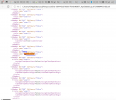
It looks like version 20 during restore ignored the original system owner and randomly made it the following.

Version 18 back up
1746209389561.png
1746209424419.png


Version 20 restore after command line backup.


1746209452784.png
 

Attachments

  • 1746209405033.png
    1746209405033.png
    242.1 KB · Views: 10
  • 1746209431566.png
    1746209431566.png
    242.1 KB · Views: 8
I FIXED IT!
It would restore only one extension(ext 120) and zero other settings when I ran the restore via console restore with a new installation.

What I had to do was edit the Version 18 backup file so the FQDN matched the license FQDN, change the backup version number to 18.0.9.35.

I had to edit the xml file within the backup via 7zip by following this link. https://en.58voip.com/modification-...n and,modifying the extension's email address.

Hopefully this is helpful for others, it sure as heck kept me from leaving 3cx.
 

Latest Posts

Forum statistics

Threads
111,963
Messages
589,998
Members
164,868
Latest member
swegner