• We do not provide troubleshooting help for unsupported phones. Please try with a supported phone.
  • V20 Update 10 Alpha 2 Learn more

Solved Hotdesking Forbidden Cannot Log In

Status
Not open for further replies.

Kniteschaed

Premier Customer
Basic Certified
Joined
Feb 18, 2021
Messages
8
Reaction score
1
Attempting to set up our first phone(s) for hotdesking:
  • I have three phones I am testing with: Yealink T23G, Snom D315, and Snom D715.
  • All three phones have provisioned successfully and each shows their appropriate HD0000X extension.
  • All three phones have been adopted using the Assign Ext button
  • Firmware on the phones is up to date.
  • We have enabled Hotdesking on two test extensions (one with a permanent desk phone and one without just for testing hotdesking).
  • We are running 3CX v16.0.7.1078 with a Pro license.
  • All phones are Local LAN (no SBC)
I have followed the online setup instructions and training video.
There was originally another dial code that started with *7 - I changed that dial code to another number but it did not seem to change the outcome.
I have searched Parameters and do not see any other *7 codes.
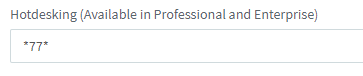
When we attempt to use the dial code (*77*[EXT]*) to log in on the phone we receive a busy signal and the message "Forbidden" is displayed on the screen.

Does anyone have any thoughts or suggestions?
Maybe something simple that I may have overlooked?

(I am aware that the Yealink T23G states that it does not support hotdesking (a known limitation) but it was a selectable option in the Available Models list under Hotdesking. That being said my focus has been mainly on the Snom phones because they do not list that limitation.)
 
You have allowed hotdesking in the extention?
I set this up today, behind an sbc but it worked perfectly.
Double check pin.
 
  • Like
Reactions: JohnS_3CX
@Kniteschaed

T23/PG are supported, you should be fine. It's only the End Of Life ones that have the limitation
https://www.3cx.com/sip-phones/yealink-t20p-t22p-t26p-t28p/

Check your Settings > Dial codes to ensure you have the right code:
1613989211266.png

Put the default back if in doubt, and restart all the 3CX services.

Then try calling from one of the HD0000X extensions by dialling * 77 * 000 * (where 000 would be the potential extension trying to log in).

Do you hear an audio message now?
 
@JamesDyke
  • Yes, I have two extensions set up to allow the use of hot desking

@JohnS_3CX
  • I have ensured that our dial code is set to *77*
  • I have restarted all services this morning
  • After the restart, I have attempted to log in on two of the test phones from both extensions using *77*XXXX* and continue to receive a busy signal and Forbidden message displayed on both phones.
Call Logs are showing that calls to *77* are "Not Answered":

Date/TimeFromToTalking
02/22/2021 9:37:26 AMHD00002 (HD00002)*77*XXX2*Not Answered
02/22/2021 9:05:17 AMHD00002 (HD00002)*77*XXX2*Not Answered
02/22/2021 9:05:11 AMHD00002 (HD00002)*77*XXX6*Not Answered
02/22/2021 9:04:21 AMHD00001 (HD00001)*77*XXX2*Not Answered
02/22/2021 8:50:17 AMHD00001 (HD00001)*77*XXX2*Not Answered
02/22/2021 8:50:11 AMHD00001 (HD00001)*77*XXX6*Not Answered
 
Last edited:
That does sound a bit strange, especially if it happens on all phones.

Just out of curiosity what will happen if you dial the code from a 3CX client instead of a deskphone?
 
That does sound a bit strange, especially if it happens on all phones.

Just out of curiosity what will happen if you dial the code from a 3CX client instead of a deskphone?

Yeah, it feels like everything is set up correctly, especially since the phones provisioned fine...

3CX App running in softphone mode = "Call Failed, Not Found"
I presume this is expected as the app, I believe, is not supported

3CX Web Client - I have logged in as both test extensions.
When I dial the *77* or *77*XXXX* it displays "Trying" but fails.

Call Log displays all the test calls as "Not Answered"
 
Ok and one last thing, can you please post a screenshot showing your entire dialcodes page?
 
How it was configured the key as send on the phone? In Yealink T20P for example, it can be configured for *. In this case, if you press the second *, it send the call without extension number...1614176843362.png
 
How it was configured the key as send on the phone? In Yealink T20P for example, it can be configured for *. In this case, if you press the second *, it send the call without extension number...View attachment 20841
In that case you would hear a message "Invalid input", but anyway that is not an issue when using default 3CX provisioning. Hot Desking pre-configures the phones correctly to take this into account.

Also he tried that from a software extension and got the same results.
 
Ok and one last thing, can you please post a screenshot showing your entire dialcodes page?

Dial Codes screenshot below.
Skimming through it makes me wonder if the Paging dial code could be interfering?

1614273400141.png
 
It was most definitely the Paging Dial Code that was causing the problem.
I changed the Paging Dial Code to *11 (instead of just *) and was able to log in as both test extensions.

I do receive an audio message stating "File Not Found" but it looks like there are some steps listed to correct that on the 3cx hot-desking page.
 
Last edited:
It was most definitely the Paging Dial Code that was causing the problem.
I changed the Paging Dial Code to *11 (instead of just *) and was able to log in as both test extensions.

I do receive a message an audio message stating "File Not Found" but it looks like there are some steps listed to correct that on the 3cx hot-desking page.

Followed steps to update the System Prompts.
Was still receiving "File Not Found" after updating.
Selected "Manage Prompt Sets" and noticed we were set to "Standard English (modified)".
Changed to the "Standard English Prompts Set" and I am getting proper responses when logging in and out.

@JohnS_3CX, and others that jumped in, thank you very much for all your help!
 
  • Like
Reactions: ivank
Great catch John! Definitely a small bug in dial codes processing which will be fixed.
 
Glad to hear it was sorted :)
 
  • Like
Reactions: Kniteschaed
Status
Not open for further replies.

Forum statistics

Threads
112,147
Messages
590,961
Members
165,167
Latest member
Finatra.us