Solved iPhone App showing as Grey Status When Connected to WIFI

Status
Not open for further replies.

WhitebarnIT

Silver Partner
Advanced Certified
Joined
Jun 8, 2020
Messages
14
Reaction score
4
So we have had multiple reports of iPhone users not being able to connect their 3cx apps when connected to the Wi-Fi in their office but will work fine on the LTE network, this is predominately on Unifi Wi-Fi networks and is only effecting iPhone users android is fine, today I've played around with one of the phones and turned off the " Private Wi-Fi address and Limit Ip Address Tracking in the Wi-Fi settings on the iPhone, and then boom it all started to connect and work normally, is this something you guys have come across? /posting this if anyone else gets a similar problem
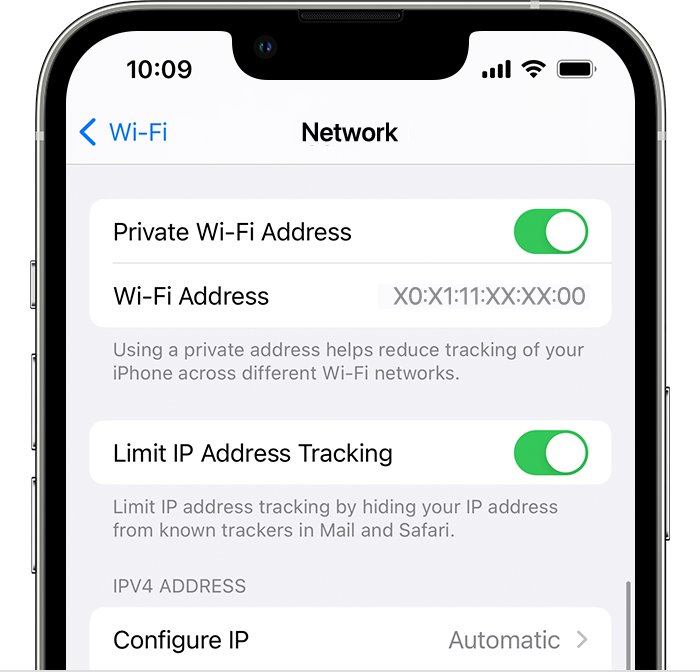
On iPhone, turn Private Wi-Fi Address on or off in the Settings app
 
Hi there.
Sounds like a network-specific, and maybe some kind of restriction there (behind your wifi network).
3CX mobile app uses HTTPS via TCP (5001 or 443 or if you have your custom port there for presence) and 5090 via TCP+UDP for audio and SIP. Look into that direction and if possible allow that traffic.
 
Hi there.
Sounds like a network-specific, and maybe some kind of restriction there (behind your wifi network).
3CX mobile app uses HTTPS via TCP (5001 or 443 or if you have your custom port there for presence) and 5090 via TCP+UDP for audio and SIP. Look into that direction and if possible allow that traffic.
Well its only on iPhone android works fine last time I checked the android app uses the same ports, and only when the iPhone has its Private Wi-Fi address setting turned on, if it turn this setting off it works fine.
 
Both apps are using the same ports actually, so I wonder if it's something specific for this device.
Is your application up to date, and the same goes for the iOS?
Maybe you can give it a try and register your application on that specific device to a different Phonesystem server, from that same network to see if it makes a difference.
 
To add further, the option 'Limit IP Tracking' will use a different ip rather than the actual used.
This means that this ip can be for example from another country and this may be limited on your firewall.
 
  • Like
Reactions: WhitebarnIT
I currently have the exact same problem. Private IP or Limit Tracking didn't fix the problem.
 
@GFAX
are you on the Wi-Fi or a data connection?
 
Wi-Fi. I had to change the DNS to include Google DNS for some reason my ISPS DNS servers were not resolving for 3CX.
 
We are glad that you found the issue.
 
Status
Not open for further replies.

Latest Posts

Forum statistics

Threads
111,962
Messages
589,971
Members
164,864
Latest member
SCarpenter@fifthavenue-la