Need help, Stun Provisioning No Audio from remote site after resume from hold

Status
Not open for further replies.

UZZY

SOHO User
Basic Certified
Joined
Jun 21, 2021
Messages
36
Reaction score
4
Hello Guys,

I have a 3CX Debian installed on premise , using latest version of Enterprise 18.0 (Build 461) on a mini PC, Everything work well on premise.
i have one 1 IP Phone Yealink T31G have been installed on a remote site using stun Direct, Having many issue before it got provisioned. Now it is provisioned,

The issue right now is : if remote site call to my mobile or any 3cx extension, and put me on phone for few second, when remote site resume the call from on hold, remote site can hear me but i cannot hear remote site.

if remote site call to my 3cx app ext, if i put on hold and resume, audio work fine on both side.

I have tried different router, ISP and same issue, can someone help?

PBX Public IP is Dynamic, All recommended port has been forwarded.

i have the captured the wire-shark scenario but i don't understand it.

**
PBX Delivers Audio - Enabled
Support Re-Invites - Enabled
Support 'Replaces' header - Enabled

Router at Server side is : HG8245H
If SIP ALG enabled, I can talk to remote stun IP Phone, with same issue no audio when remote site only put me on hold and resume call, ( i can hear MOH) , if i disable SIP ALG on server side, i can call remote site but zero audio even for call

I can send the capture in private if needed.

App, Web Client, desktop app work fine without any issue.

I also wonder how the app and web client, desktop app work fine without any issue or port forwarding, i wish we could use IP phone the same way to make thing easier.
 
Last edited:

If you have not yet tried it, any easy fix, might be to enable PBX Delivers Audio, in the extension settings.
Is there just the one extension at that site? How, exactly, is the call put on hold?
 
If you have not yet tried it, any easy fix, might be to enable PBX Delivers Audio, in the extension settings.
Is there just the one extension at that site? How, exactly, is the call put on hold?
@leejor
PBX Delivers Audio - Enabled
Support Re-Invites - Enabled
Support 'Replaces' header - Enabled

Was enabled already. i have check a lot of similar issue and fix from here before i put such post.

Only one extension at remote site and no other places yet
 
If you've done everything in that document correctly and it still doesn't work, then it's environmental and not a 3CX issue. You didn't mention if the firewall checked has passed, just that everything is working. Confirm the firewall checker passes (run it again). Otherwise, you should probably go 3CX hosted. Looking back at your previous posts I see a lot of issues with installing/on-prem issues that would be resolved by going hosted.
 
If you've done everything in that document correctly and it still doesn't work, then it's environmental and not a 3CX issue. You didn't mention if the firewall checked has passed, just that everything is working. Confirm the firewall checker passes (run it again). Otherwise, you should probably go 3CX hosted. Looking back at your previous posts I see a lot of issues with installing/on-prem issues that would be resolved by going hosted.
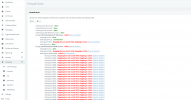
@cobaltit Here is the firewall, many failled. Fullcone nat enabled. port forwarded. still these issue.

Do you think if i connect another reliable router with this actual ISP router it can work?

  • resolving 'stun-af.3cx.com'... done
  • resolving 'stun2.3cx.com'... done
  • resolving 'stun3.3cx.com'... done
  • resolving 'sip-alg-detector.3cx.com'... done
  • testing 3CX PhoneSystem 01 SIP Server... failed (How to resolve?)
    • stopping service... done
    • detecting SIP ALG... not detected
    • testing port 5060... Mapping does not match 5060. Mapping is 3770. (How to resolve?)
    • starting service... done
  • testing 3CX PhoneSystem Media Server... failed (How to resolve?)
    • stopping service... done
    • testing port 5090... Mapping does not match 5090. Mapping is 4804. (How to resolve?)
    • testing ports [9000..9398]... failed (How to resolve?)
      • testing port 9000... Mapping does not match 9000. Mapping is 4806. (How to resolve?)
      • testing port 9002... Mapping does not match 9002. Mapping is 4808. (How to resolve?)
      • testing port 9004... Mapping does not match 9004. Mapping is 4810. (How to resolve?)
      • testing port 9006... Mapping does not match 9006. Mapping is 4812. (How to resolve?)
      • testing port 9008... Mapping does not match 9008. Mapping is 4814. (How to resolve?)
      • testing port 9010... Mapping does not match 9010. Mapping is 4816. (How to resolve?)
      • testing port 9012... Mapping does not match 9012. Mapping is 4818. (How to resolve?)
      • testing port 9014... Mapping does not match 9014. Mapping is 4820. (How to resolve?)
      • testing port 9016... Mapping does not match 9016. Mapping is 4822. (How to resolve?)
      • testing port 9018... Mapping does not match 9018. Mapping is 4824. (How to resolve?)
      • testing port 9020... Mapping does not match 9020. Mapping is 4826. (How to resolve?)
      • testing port 9022... Mapping does not match 9022. Mapping is 4828. (How to resolve?)
      • testing port 9024... Mapping does not match 9024. Mapping is 4830. (How to resolve?)
      • testing port 9026... Mapping does not match 9026. Mapping is 4832. (How to resolve?)
 
You mentioned you had seen the article I linked but nothing helped but the firewall check is a necessary step there:

1653163654425.png

That particular router appears to have phone ports. Usually for those type they have a SIP ALG backed in and/or have 5060 blocked because it's intended for service providers to deliver phone service to. So if you can replace the router, great but otherwise you'll have to go hosted or only work with configurations that don't need 5060 like webclient, soft phones or SBC based desk phones.
 
You mentioned you had seen the article I linked but nothing helped but the firewall check is a necessary step there:

View attachment 30276

That particular router appears to have phone ports. Usually for those type they have a SIP ALG backed in and/or have 5060 blocked because it's intended for service providers to deliver phone service to. So if you can replace the router, great but otherwise you'll have to go hosted or only work with configurations that don't need 5060 like webclient, soft phones or SBC based desk phones.
@cobaltit Thanks for your help, i tried all this also, nothing work, from a Cloud 3CX i can provision an IP Phone without any issue. no audio issue. but my SIP Line here cannot connect to the cloud as it has a Local Private IP.

Tell me, My ISP Router have a voip port for Phone line too, i already deleted the account of the line on the router, also changed the port 5060 in their configuration, still have same issue. what if i connect another router from the main ISP Router and open port again? can this work? Seem like a double nat happening.
 
It would be double NAT so that likely won't work. You basically have two choices:

- Hosted and use a different SIP trunk
- Use that SIP trunk but then everything remote will need to be either mobile app, webclient, soft client, or deskp hone via SBC
 
  • Like
Reactions: JohnS_3CX
It would be double NAT so that likely won't work. You basically have two choices:

- Hosted and use a different SIP trunk
- Use that SIP trunk but then everything remote will need to be either mobile app, webclient, soft client, or deskp hone via SBC
@cobaltit i think i will add a second router from ISP Optical fiber router and see if the firewall issue check become green.
We do not have other SIP Trunk in my country that can add to hosted PBX.

Web client , app provisioned and work without any issue , anywhere.. no port forwarding.. Cant we make IP phone work same way?
 
Yes, you can make IP phone work the same with if you setup a SBC.
 
Yes, you can make IP phone work the same with if you setup a SBC.
@cobaltit But web client.. desktop app dont use SBC.. only IP have these issues.., can we make IP Phone work exactly as Mobile APP and Desktop app? no need port forwarding etc.
 
Last edited:
Hi @UZZY

Yes, you can. The SBC is the way to go for this. This will allow the phones at the remote site to connect via the 3CX tunnel, just like the 3CX Applications.

You can see the 3CX Session Border Controller being installed at the 3CX Academy, under the Intermediate certification.

https://www.3cx.com/3cxacademy/videos/intermediate/configuring-remote-extensions/

We will be covering this on Wednesday in the 3CX Webinar for Remote IP Phones. You can register in the link below.

https://www.3cx.com/blog/event-trainings/ (For all the webinars)

https://www.3cx.com/blog/event-trainings/webinar/?key=c4e4d405817c5fdc6211d65bb0ed5b0e (The specific webinar on Wednesday 25th May 2022)

However, for both methods to work, it is VERY VERY IMPORTANT that the firewall check passes!
 
  • Like
Reactions: JohnS_3CX
i think i will add a second router from ISP Optical fiber router and see if the firewall issue check become green.
If you are behind a router that is also providing local phone connections (internal ATA), then you may not be able to override the fact that some ports, by default, are allocated to this function. You may have no control over this as the router was probably configured for your ISP.. If the router allows one LAN port, to obtain a public IP, as some do, then you can use another router, where all ports can be forwarded as required by 3CX
 
Last edited:
Hi @UZZY

Yes, you can. The SBC is the way to go for this. This will allow the phones at the remote site to connect via the 3CX tunnel, just like the 3CX Applications.

You can see the 3CX Session Border Controller being installed at the 3CX Academy, under the Intermediate certification.

https://www.3cx.com/3cxacademy/videos/intermediate/configuring-remote-extensions/

We will be covering this on Wednesday in the 3CX Webinar for Remote IP Phones. You can register in the link below.

https://www.3cx.com/blog/event-trainings/ (For all the webinars)

https://www.3cx.com/blog/event-trainings/webinar/?key=c4e4d405817c5fdc6211d65bb0ed5b0e (The specific webinar on Wednesday 25th May 2022)

However, for both methods to work, it is VERY VERY IMPORTANT that the firewall check passes!
@NicholasP_3CX , I understand about SBC, I dont think so customer will invest on a mini SBC just to make an IP Phone work remotely via stun. I meant why IP Phone does not work same as Mobile app and Desktop app via stun without any issue, SBC or Port forwarding?? what would make things easier..
 
If you are behind a router that is also providing local phone connections (internal ATA), then you may not be able to override the fact that some ports, by default, are allocated to this function. You may have no control over this as the router was probably configured for your ISP.. If the router allows one LAN port, to obtain a public IP, as some do, then you can use another router, where all ports can be forwarded as required by 3CX
@cobaltit , i have tried different router from different ISP and the issue is same. If i can 5060 port in 3cx, i understand the app and desktop will have issue, can i then provisioned it manually or edit the config file before i send to a user on remote site?
 
@UZZY

1. go edit you SIP Trunk
2. click Options tab
3. Look at the "Advanced" box
4. Send us a screenshot of it
 
@UZZY

1. go edit you SIP Trunk
2. click Options tab
3. Look at the "Advanced" box
4. Send us a screenshot of it
The firewall check have issue always since V16 to V18 even with fresh installed. All port are open as always. No port block from ISP. Tried different modem.
 

Attachments

  • 25.05.2022_23.57.54_REC.png
    25.05.2022_23.57.54_REC.png
    151.6 KB · Views: 4
From the error message, your firewall is not doing port preservation. It is remapping the source ports.

Please consider reading the guide at: https://www.3cx.com/docs/firewall-checker/

The firewall check does NOT lie!
 
Status
Not open for further replies.

Forum statistics

Threads
111,953
Messages
589,910
Members
164,845
Latest member
tdzski5