Office 365 Calendar Sync stopped working

Status
Not open for further replies.

Marc Gilfillan

Customer
Advanced Certified
Joined
Feb 12, 2021
Messages
6
Reaction score
0
  • 3CX Version: 16.0.8.9
  • Trunk Provider: Voiceflex
  • Has the Firewall Checker passed: YES
We are suddenly finding that the nightly 3cx sync with office 365 works but the real time updates have stopped working. The earliest we noticed this was on 13.02.21 and have confirmed that the same thing appears to be happening in another 3cx instance.

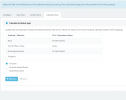
I have made sure the "Azure AD" group is there as we do not like to have "user sync" enabled. I have set up the integration again from scratch. I have made sure that we have the following message about real time notifications:

1613661916452.png

Unfortunately only calendar entries from previous days (picked up from the nightly sync) are triggering a change in status pointing to real time updates no longer working.

Are there any other suggestions for what to try to have this service back up and running?
 
Hi Marc,

Could you please confirm that the time of the 3CX Server is correct?
Also just to clarify the problem you are having, if for a O365 user you have synced with 3CX, you create a calendar event for 15 minutes in the future with status "Busy", at the time of the Calendar event, your extension won't automatically switch to "Do not Disturb"?
 
Hi Marc,

Could you please confirm that the time of the 3CX Server is correct?
Also just to clarify the problem you are having, if for a O365 user you have synced with 3CX, you create a calendar event for 15 minutes in the future with status "Busy", at the time of the Calendar event, your extension won't automatically switch to "Do not Disturb"?
The system time is correct and the timezone is set to 0:00 United Kingdom (London) which should be correct.

To clarify the way it seems to be working at the moment:

If a new calendar meeting is set up today by a user account which shows as synced from Microsoft o365 (at least 15 minutes from now) the status will not switch automatically.

If I made the same calendar entry from the same account the day before 3cx switches over to the correct status automatically.

This makes me suspect that the nightly sync which happens is working but updates are not coming through in real time.
 
Hi Marc,

When you get a chance, try to restart all your services so the system will attempt to re-sync.

Once the services are all up, confirm that the setting " Calendar to Status Sync " is still enabled, and that you are syncing "All users".

Then, ensure your extension is set to " Available " and go ahead to create a new meeting scheduled 10 mins. into the future, and select to set yourself to "Busy" during that meeting.

Let us know of the outcome once this is done.
 
Hi Marc,

When you get a chance, try to restart all your services so the system will attempt to re-sync.

Once the services are all up, confirm that the setting " Calendar to Status Sync " is still enabled, and that you are syncing "All users".

Then, ensure your extension is set to " Available " and go ahead to create a new meeting scheduled 10 mins. into the future, and select to set yourself to "Busy" during that meeting.

Let us know of the outcome once this is done.
Hello,

I have attempted the steps you suggested. After restarting all services I can confirm that the settings are enabled as you advised:
1613726245047.png

The meeting does not trigger a change of status automatically. I can confirm that a meeting set up on a previous date (the day before) still works as it should but no new meetings added the same day appear to be triggering the status change.
 
Ok lets see if the communication works and whether it is just a calendar issue or something more.

I would recommend to enable User Sync again and change the name of one of the users slightly.

Then see if that change updates on your PBX.

The Extensions section has a column called "Synced with" which should show you that they are neing synced with O365.

A prerequisite of course is that the email addresses of the O365 users, already exist in their 3CX extensions. Without this no calendar sync will ever take place.
 
Ok lets see if the communication works and whether it is just a calendar issue or something more.

I would recommend to enable User Sync again and change the name of one of the users slightly.

Then see if that change updates on your PBX.

The Extensions section has a column called "Synced with" which should show you that they are neing synced with O365.

A prerequisite of course is that the email addresses of the O365 users, already exist in their 3CX extensions. Without this no calendar sync will ever take place.
The same thing appears to be happening with updates to accounts. If I enable user sync then make a change to one of the synced accounts nothing happens.

If I then disable and re-enable the user sync on the 3cx the change is picked up.

It is as if the user sync works once when it is enabled and then only runs a sync overnight. None of the changes are being picked up in real time.
 
I think in this case, you should start entirely from scratch.

Remove the Microsoft 365 Integration from 3CX and press OK, and also remove the App registration you created in https://portal.azure.com/

Then start the entire process from the beginning via Azure, generate key, set permissions etc.
https://www.3cx.com/docs/office-365-integration/
I have attempted this once already as I mention in my original post but I will try it again.

Before I start when you say remove the 365 integration from 3cx and press OK - do you just mean unchecking each of the sync options then pressing OK? Or is there another way to remove the integration which is not clear from the menu in "settings>Microsoft 365 Integration"
 
Yes that is correct

- Uncheck all sync options (User / Contact / Calendar)
- Delete Application (client) ID
- Press OK to save
 
Status
Not open for further replies.