Choose number to call from, manage queues on mobile and follow up abandoned calls from Recents tab.
3CX Android App V5.8 BETA brings more day-to-day call and queue management directly to the mobile app.
Users can now select the number used for outbound calls, while queue users get better visibility of agents and abandoned calls. Queue managers can also manage agent login status without switching to the Web Client. Please note all the features described below require V20 Update 10.
Read on for the key changes in V5.8 BETA!
Choose the Number You Call From
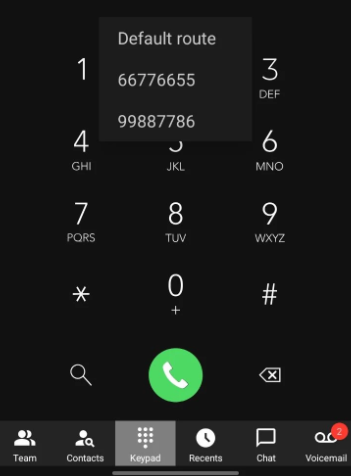
Users with more than one number assigned can now select which number to use before placing an outbound call.
When the Admin enables Allow Users to Select Outbound Route & Caller ID, the app displays a Call using option. Users can continue with the default outbound route - meaning it will follow the outbound rules, or select one of the numbers available to them.
This makes it easier for users representing different departments, locations or business numbers to choose the right identity before they call.
Manage Queues and Follow Up Abandoned Calls
Queue Management on Mobile
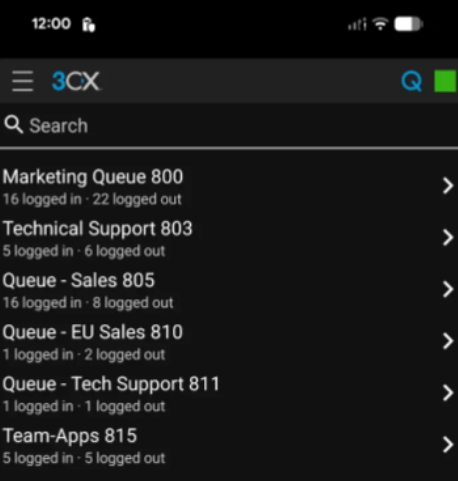
A new Queue info section gives users access to their queues directly from the Android app. They can see which queues they have access to and check which agents are currently logged in or out. Users with queue management permissions can also:
- Log
- Individual agents in or out
- All agents in or out
- Review
- Abandoned calls for the selected queue
Users without queue management rights can still view the agent list and current login status, but cannot make changes.
See Abandoned Calls in Recents
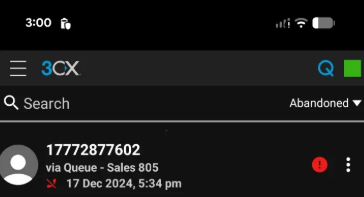
Abandoned queue calls are now easier to find from the Recents tab. Select the new Abandoned filter to see unanswered queue calls, along with the caller, queue, and call time. Agents can also update the call status as they handle it, making it clearer whether a caller still needs attention.
View the Changelog for a detailed breakdown of updates in this latest build.
Get Involved
Test these improvements and new features as we develop them by joining our Android Beta program. Provide feedback directly to our development team and help shape the future of the 3CX App.
For instructions on how to install and provision the 3CX Android app, see our configuration guide.
Android Forum
Head over to the dedicated Android Forum to let us know what you think.
Follow us on X and LinkedIn to stay-up-to date on latest news and feature releases.