





A customer calls back. A colleague takes over. Someone needs to check what was agreed.
You finish a call knowing what the customer needs. Then another call comes in, a colleague asks a question, and by the afternoon you're trying to remember whether you promised a callback today or tomorrow!
Call transcription gives you a written conversation to return to. You can find details, prepare your next response, or help someone else pick up where you left off. Add an AI summary with bulleted notes and action points, and the conversation becomes easier to scan.
3CX gives you multiple paths to call transcription, from built-in support for the major cloud providers, but also the 3CX AI Server that you can run on-premise using both Apple Mac or NVidia hardware. Read on to learn more.
Make the Next Conversation Easier with 3CX Call Transcription
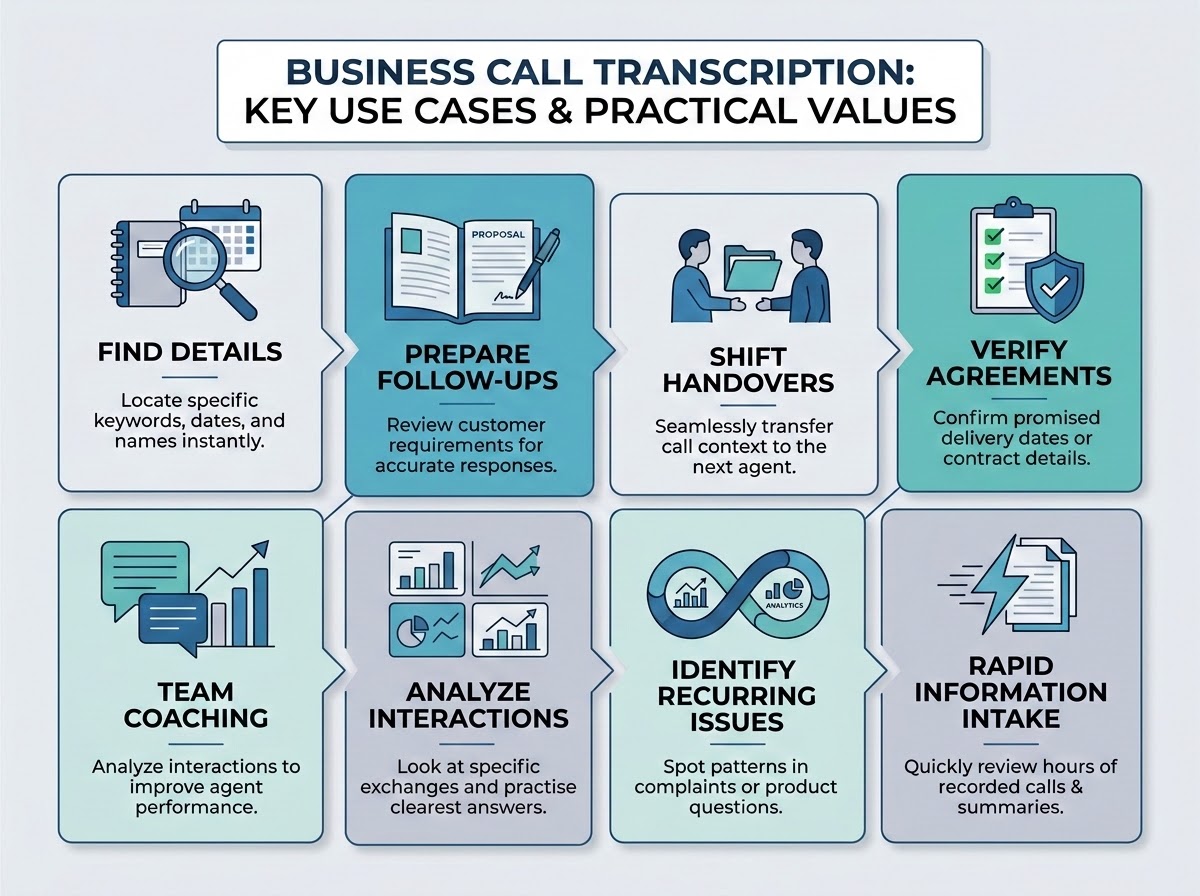
Start with calls where missing details or repeated explanations cause the most friction. A useful transcript should help someone find an answer, prepare a response or continue the work - and make the next conversation easier.
For many use cases, the full transcript is overkill; summaries help condense a conversation; analytics helps compare many calls. The written record becomes the starting point.
Where Transcription Helps Your Business
| Use | An everyday example | Practical value |
|---|---|---|
| Find a detail | Check the delivery date discussed on a call | Locate the relevant exchange without replaying everything |
| Prepare a follow-up | Review a prospect's requirements before writing a proposal | Work from what the customer actually said |
| Hand over work to a colleague | Give the next support agent the earlier conversation | Preserve context when responsibility changes |
| Check an agreement | Review a disputed promise or instruction | Confirm against the call transcript |
| Coach a team | Look at how an agent handled a technical question | Discuss a specific exchange with useful context |
| Find recurring problems | Compare calls about unclear documents or processes | Use generic AI Tools to group and review transcripts |
| Rapidly consume information from recording transcripts | Read recorded explanations or messages | Allows use of more information in less time |
Example Use Cases to Help Your Day-to-Day Workflows
Here are some practical, real-world examples how transcriptions, sentiment and analysis can help your business today:
- Details That Matter After a Call
A prospect spends 20minutes explaining what they need. They mention a deadline, an existing system and one requirement that could determine whether your proposal is suitable. You've taken notes, but while writing the proposal you realise one point is unclear.
With a transcript, you can return to the details of the conversation, and the summary helps you review the requirements and follow-up.
It also gives a colleague useful background information before the next conversation. They can see what was discussed without depending entirely on your recollection.
- A Request That Survives the Shift Change
A guest calls a hotel to explain they'll arrive late and need particular arrival arrangements. The receptionist understands the request, but another colleague will be on duty when the guest arrives. A transcript gives the team a record to check. The summary notes and actions can carry the relevant details into the handover.
The same principle applies to a retailer handling a return or a repair business preparing a technician's visit. Someone explains something once; another person needs that information later.
Transcription helps preserve it. Staff still need to check important details and put the request into the booking, customer or job record where it will be acted on.
- Make a Difficult Call a Useful Lesson
A customer ends a call feeling frustrated. The agent says they explained the process, but the customer says their question wasn't answered. For such cases, a transcript allows the manager and agent to look at the exchange together. What did the customer ask? Did the reply address it, or simply describe the standard procedure?
They can use that passage to discuss a clearer answer and practise a follow-up question. A well-handled exchange can also give new colleagues a useful example to learn from.
The coaching session starts with a specific conversation rather than a vague reminder to be more helpful. If tone or interruptions matter, they can fall back to the relevant recording.
- Check What Was Asked and Answered
A customer disputes an insurer's claim that they failed to disclose something when buying a policy. The customer remembers discussing it; the complaint handler wasn't on the call. A transcript helps the reviewer find the exchange. What question did the agent ask? What did the customer answer? Did they ask for clarification?
This provides a clear starting point for investigating the complaint. The same approach helps with a disputed delivery promise or cancellation request: find the conversation, check the wording and review the surrounding context.
- Find the Problem Behind Repeated Calls
An energy provider receives several calls about a charge on its bills. Each agent answers the question, but the same confusion keeps returning. Transcripts let an analyst compare what customers are asking. They can review call transcripts directly or use a separate analysis tool to group conversations by topic.
The team might find that the bill uses wording customers don't understand. They can revise the explanation or improve the notes agents use, then review later calls for the same question.
The same approach can help a retailer understand recurring returns questions. Transcription provides the conversations to examine; analysis and judgement turn them into something the business can act on.
Summarizing Transcripts & Improved Call Summaries in Update 10
Update 10 introduces improved AI call summaries, using transcripts to provide a clearer record of each conversation. Summaries are organised into three sections: a Recap of the discussion, Notes highlighting important information and Action Items outlining the next steps. Whether it's a sales rep following up after a demo or a support agent taking over an existing case, all the key information is available without having to listen to the entire call. Administrators can also customise how summaries are generated using their own prompts.
What does this mean for your business?
- Your conversations stay with you. With transcription running locally on your own hardware, you have greater control over how customer conversations are processed and where the data is handled.
- It’s easy to deploy. Simply configure the server through the 3CX Admin Console and run a single command on your Mac. There's no need for a complex server setup or additional infrastructure.
- You’ve got an affordable starting point. An Apple Silicon Mac with the minimum 16 GB RAM requirement costs approximately US$1,000, while a Mac mini with the recommended 24 GB RAM and 512 GB storage is available for around US$1,300 (US pricing).
With these capabilities now available from 8SC, smaller businesses can benefit from the same AI-powered call insights previously associated with larger deployments. Read more about the improved call summaries.
Join the Discussion
Join the 3CX discussion in our dedicated Partner or Customer Forums. Follow us on X and LinkedIn to stay-up-to date on latest news and feature releases.









 Copyright © 2026