Ruth Elizabeth Abbott

About Ruth Elizabeth Abbott - Page 114

Operations Director, 3CX

Ruth brings more than 20 years of experience in business operations. At 3CX she’s part of the Management team, leading the Recruitment, Operations, HR & Marketing departments. She has a background in Law. Ruth is passionate about helping drive 3CX to the next level.

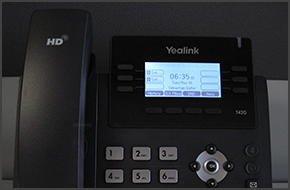
How to Make Calls Using a Yealink T42/T41

In this example we will demonstrate how to make calls using a Yealink T42 and T41. Making a Call Dial the number you wish to call using the keypad and press the “Send” soft key. The phone will dial the number and your call will be connected.   [...]

By |August 18th, 2014|Comments Off on How to Make Calls Using a Yealink T42/T41

How to Make a Conference Call Using Polycom Soundpoint IP 335

In this example we will demonstrate how to make a conference call using a Polycom Soundpoint IP 335.         Conference Call Make or Answer a call. Press the "Conf" soft key. The first caller will be put on hold. Dial the number of the caller you wish to add to the conference call and press the "Dial" button. Once the caller answers, press the "Conf" soft ke [...]

By |August 17th, 2014|Comments Off on How to Make a Conference Call Using Polycom Soundpoint IP 335

How to Make a Conference Call Using Cisco 7940/7941/7960/7961

In this example we will demonstrate how to make a conference call using Cisco 7961.  This procedure stands for Cisco 7940/7941/7960/7961.       Conference Call Make or Answer a call. Press the "More" soft key followed by the "Confrn" soft key. Dial the number of the caller you wish to add to the conference call and press "Dial". When the caller answers, press "Co [...]

By |August 16th, 2014|Comments Off on How to Make a Conference Call Using Cisco 7940/7941/7960/7961

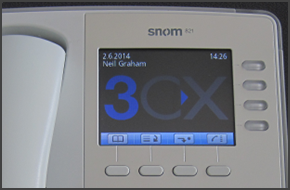
How to Make Calls Using a Snom 820/821

In this example we will demonstrate how to make calls using Snom 820/821. Making a Call Dial the number you wish to call using the keypad and press “OK” (check mark). The phone will dial the number and your call will be connected. [...]
By |August 16th, 2014|Comments Off on How to Make Calls Using a Snom 820/821

How to Make a Conference Call Using Yealink T48/T46

In this example we will demonstrate how to make a conference call using Yealink T48/T46. Conference Call Make or Answer a call. Press the "Conference" button on the touchscreen. Dial the number of the caller you wish to add to the conference call and press "Send" on the touchscreen. When the called party answers, press "Conference" on the touchscreen. The call will be added to [...]

By |August 16th, 2014|Comments Off on How to Make a Conference Call Using Yealink T48/T46

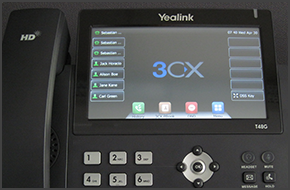
How to Make Calls Using Yealink T48/T46

In this example we will demonstrate how to make calls using a Yealink T48/T46. Making a Call Dial the number you wish to call using the keypad and press "Send". The phone will dial the number and your call will be connected. [...]
By |August 16th, 2014|Comments Off on How to Make Calls Using Yealink T48/T46

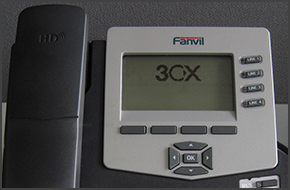
How to Make a Conference Call Using Fanvil C62/C58

In this example we will demonstrate how to make a conference call using Fanvil C62 and C58. Fanvil phones support CTI Mode. Conference Call Make or Answer a call. Press the "Conf" soft key. The first caller will be put on hold. Dial the number of the caller you wish to add to the conference call and press "Dial". When the caller answers press the "Conf" soft key to add them to [...]

By |August 15th, 2014|Comments Off on How to Make a Conference Call Using Fanvil C62/C58

3CX Expands in the Hungarian Market with New Distributor Procomp Telecom

LONDON UK and BUDAPEST HUNGARY, 31 JULY 2014 - 3CX, developer of the award-winning Windows VoIP PBX 3CX Phone System, today announces that Procomp Telecom has been appointed as an authorized 3CX Distributor for Hungary. As a new distributor, Procomp Telecom will promote 3CX by hosting training events in which 3CX Partners will be shown how to install, configure and support 3CX [...]

By |July 31st, 2014|Comments Off on 3CX Expands in the Hungarian Market with New Distributor Procomp Telecom