




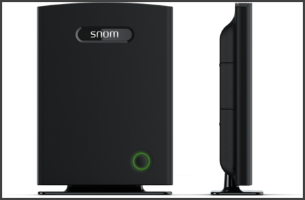
The snom M700 VoIP cordless DECT multicell base station is ideal for companies requiring wireless coverage across several floors or throughout large buildings. Connecting the M700 to 3CX Phone System using Plug and Play Provisioning makes for a simple installation of a multiple wireless phone solution. Also registering snom M65 handsets to the M700 Base Station is easy and intu [...]
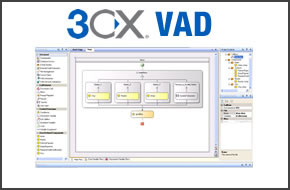
Introduction The 3CX Voice Application Designer is a powerful tool that allows you to easily create voice applications (IVR) by dragging functional blocks to a visual design interface. This makes it possible to create powerful applications without the need for programming or telephone technology skills. One of the most common questions that we get asked is how to validate a cus [...]
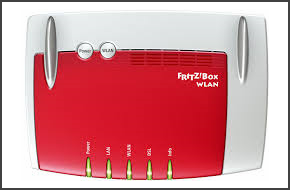
Important: On newer firmware versions this procedure is not possible anymore. This guide provides step by step instructions on how to change the default VoIP forwarding rule (5060 UDP/TCP) assigned to the AVM Fritz!Box, in order to use it with 3CX Phone System. We provide this guide as is and is excluded from any further assistance through 3CX Support. We can not guarantee that [...]

3CX Phone System includes a fax service to receive faxes as PDF files, providing you use a supported VoIP Gateway or SIP trunk that supports the T38 fax protocol. However outbound fax functionality is not included. We still get requests for outbound fax but implementing a fax server for the occasional fax really does not make sense. If you still send faxes from your PC, we reco [...]
Searching for a viable solution to address your legacy phone system woes can be an exhausting task. After all, you need to ensure your solution of choice meets all the elements on your business communications checklist. So, if the first item on your list is flexibility followed by cost efficiency and improved collaborative tools, look no further than a SIP trunk solution. Many [...]

The foundation of many businesses is built upon providing great customer service. Having the right tools to accomplish this is paramount. With that in mind you should be making the most of some of the advanced features that are built in to 3CX Phone System. 3CX Phone System allows you to synchronize contacts from a Microsoft Exchange Server to the 3CX Phone System Phonebook. Th [...]

Time to expand your business? The idea of acquiring more office space can be daunting enough, without even factoring in the potential costs of additional equipment and hardware for your growing staff. What if there was a solution? By implementing Hot Desking, an IP Phone that would normally stay unutilised for many hours during the day, can be shared by multiple employees durin [...]
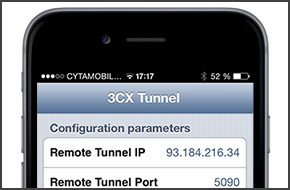
The 3CX Tunnel app allows you to bypass network restrictions that mobile data carriers or WiFi hotspots impose on your internet connection, as well as help negate other network related issues. The iOS implementation of the 3CX Tunnel app is subject to functionality restrictions relating to how Apple's iOS platform operates. In this post we explain what these restrictions are. W [...]

In this post we show you how to enable STUN in order to test 3CX Phone System using a dynamic public IP address. By default, 3CX Phone System assumes that you have a static public IP address and disables the STUN server option. A static public IP is needed in order for VoIP providers, remote extensions and WebRTC calls to work. Note that use of a dynamic IP address is only suit [...]

Many of you deploy 3CXPhone to both iOS and Android mobile devices. However, these two platforms have some significant differences in how they operate, which in turn impacts how 3CXPhone functions. Here we answer four frequently asked questions regarding differences between 3CXPhone for iPhone and 3CXPhone for Android. We also provide solutions that will ensure that you enjoy t [...]

 Copyright © 2026