





Migrating from one PBX to another is not an easy task. It usually takes a lot of time for the Administrator to set up the new PBX to include all the extensions and users that the previous PBX had. The good news is that if you’re migrating from an Asterisk® to 3CX we’ve made this process much easier. We’ve created an export module which you can easily upload onto your Asterisk® [...]

ℹ️ Note: The info in this post is no longer valid. It applies to an older version of 3CX. Follow the steps below to configure your Gmail account as the Mail Server for 3CX Phone System. In this configuration your Gmail account will be used to send email notifications, welcome e-mails and fax messages. Note: In this configuration, Gmail can send a maximum of 500 em [...]
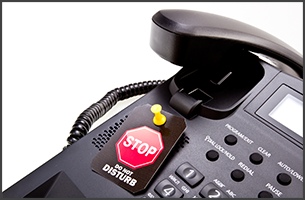
The Do Not Disturb (DND) button present on all IP Phones allows users to avoid calls ringing on your phone when you are busy. Traditionally it stops the phone ringing and gives the caller a busy tone. Now in v14 SP1, the DND button toggles your status to Do Not Disturb, which users can customize according to their preference and colleagues can see their status in the presence s [...]

Introduction The following documentation will guide you through the process required to successfully move 3CX Phone System v12 Cloud Server tenants to v14 Virtual PBX Server, without changing the respective SIP Ports that are already assigned to the existing v12 cloud tenants. To upgrade v12 Cloud Server to 3CX Phone System Virtual PBX Server and maintain each tenant / instanc [...]
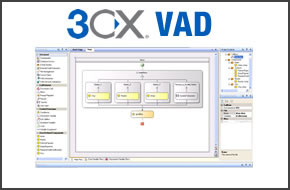
Introduction In the articles Creating a phone support portal with the VAD - Part 1, Part 2 and Part 3, we have shown how to create an application to validate whether a customer has a support contract, and then transfer the call to the appropriate department. In the first part we have shown how to create the application callflow, while in the second part we have shown how to val [...]

Have you ever returned to your desk to find numerous voicemails and angry emails about unanswered phone calls from your colleagues? Sometimes, with all of the ins and outs of scheduling appointments and preparing for meetings, small tasks such as setting your office extension status just slip your mind. With 3CX Phone System, your scheduled Outlook appointments can be monitored [...]
Introduction In the articles Creating a phone support portal with the VAD - Part 1 and Part 2, we have shown how to create an application to validate whether a customer has a support contract, and then transfer the call to the appropriate department. In the first part we have shown how to create the application callflow, while in the second part we have shown how to validate th [...]
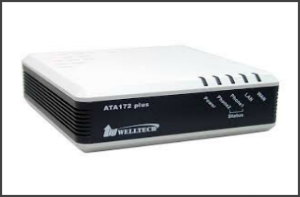
OK, so you have implemented 3CX Phone System and are making huge savings on your call costs using VoIP Providers, but what about integrating your analogue fax machine, to be able to send and receive faxes as well? The solution is simple, cost effective and intelligent! It comes in the form of a Welltech WellGate ATA 172plus-PoE. With it you will be able to utilize your existin [...]
Many companies have spent considerable amounts of money on installing a phone infrastructure to accommodate their now outdated PBX. So, when the need for them to upgrade their PBX arises they really don't want to spend more on changing their infrastructure. There's actually no need to! By making a transition to 3CX Phone System it is really quite simple and very cost effective [...]
Introduction In the article Creating a phone support portal with 3CX VAD - Part 1, we have shown how to how to create the application callflow to validate whether a customer has a support contract, and then transfer the call to the appropriate department. We have left the validation using different data sources for subsequent articles. In this article we will show how to perfor [...]

 Copyright © 2026