




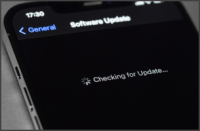
The 3CX iOS App official release is now ready to be downloaded via the App Store. iOS users connected to the latest PBX version are guaranteed a better user experience, and gain access to many features such as quick actions and customizable notification sounds. Don’t miss out. Upgrade to v18 Users still connected to a 3CX V16 instance will be notified to upgrade to V18 upon the [...]

The official release of the 3CX Android App is now available to download via the Google Play Store. Upgrading your PBX to version 18 offers a better user experience on your Android device, as well as accessing new features such as notification shortcuts. Version 18 notification After the app update, any users still connected to a PBX running V16 will be notified to update it to [...]

Call out in one click when using the Click2Call browser extension. We have created a simple method to restore single click calling, to streamline the user experience. Why the extra dialog? The Click2Call browser extension allows phone numbers on any webpage or CRM system to be ‘clickable’ sending the number to your Web Client or Desktop app. Currently, newer versions of Google [...]
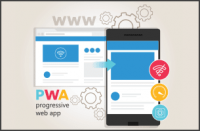
This update introduces Progressive Web App (PWA) support for the Web Client. This new technology supported by both Chrome and Edge, offers an app-like experience without installing a full app. It enables the web client to remain active, so calls are never missed. An always active client The PWA can be added as a shortcut on the desktop/taskbar, and configured to automatically r [...]

With our latest 3CX App Beta for Android, now available for download, fast chat ‘reply’ and ‘mark as read’ features are now at your disposal. Upgrade the PBX to the latest version 18 in order to benefit from these new features. Instant response with fast reply 3CX chat messages can now be responded to from the notification center. Once a chat message is delivered, users can opt [...]
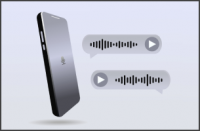
Our latest 3CX iOS App, currently in Beta now provides an even better user experience, fast voicemail access and much more. We highly recommend you upgrade the PBX to the latest version 18 in order to benefit from all the new features it provides. Fast voicemail access For faster access to voicemail, our latest client provides a dedicated voicemail button on the application tab [...]

With v18 update 2 we updated the Chrome and Edge Extension to work optimally for v18. To reiterate: Apps and Extensions are always for the latest version of 3CX. However, this means that v16 users no longer have access to the extension with the integrated dial pad. If you do not want or cannot move to v18 now, this update allows you to use the old extension with v16. You will n [...]

The final release for Version 18 Update 2 is now available to download and upgrade via the management console. Global search bar re-visited With the release of Update 2, the global search facility has been re-introduced to search across company, CRM, MS 365 or your personal contacts. By default, personal contacts are hidden but can be displayed using the new toggle option. Fine [...]

iOS 15 users can now download the 3CX App for iOS Beta to experience an updated look and feel. With several fixes and improvements, the new 3CX application provides a better than ever user experience. The iOS 15 experience Navigate through the new 3CX App Beta running on iOS 15 and experience the best in appearance and functionality. To note, starting with this Beta, the [...]

New 3CX App for Android Beta is now available for download, and is compatible with Android 12. Try 3CX on the latest Google Pixel 6 The new Google Pixel 6 comes with Android 12 so why not try out the latest, fully compatible 3CX Beta app. Devices running Android 8 to 11 can still try the new Beta version of the app. For optimum performance, we highly recommend upgrading your 3C [...]

 Copyright © 2026