





With Update 6, we introduced 4 new security roles, in addition to the 3 existing ones, making management of the system much simpler and more secure! Each user can now have one role, which will be valid in all the Groups the user is a member of.
In the Version 18 Update 6 release, we went through these roles briefly and included some more details in the "Setup your team" manual.
We realized there’s a lot of information to read through so we’ve created a comparison table for you. All the differences, access and restrictions, are now in one place! Just take a look at our Setup your team chapter of the Admin manual.
It's important to note that these roles only apply in the Web Client. They do not affect the Management Console.
Don't Forget! Assign your System Owner
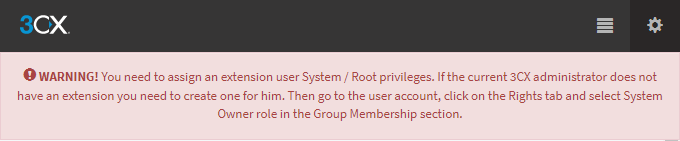
In order to maintain the system via the Web Client, administrators need to set up an extension with system admin / root privileges. With that being said, there must be AT LEAST one “System Owner” configured.
For new installations, the “System Owner” extension will be created during the setup.
For pre-existing installations, once upgraded to Update 6, one extension MUST be assigned to the “System Owner” role. If the current administrator does not have an extension, create a new one for him.
Key Takeaways
- Update 6 introduced 7 security roles to simplify management of the system.
- A comparison table of the differences between the roles is available in the Admin manual.
- A System Owner extension must be set up for administrators to maintain the system via the Web Client.









 Copyright © 2026