





Think about the clothing combination you chose this morning. Are your outerwear, top and bottom made by the same brand? Most likely not, as you chose items based on their appeal to your mood and the day’s events, and then mixed and matched the pieces according to your style. Having wardrobe options enhances an individual’s ability to dress to meet various situations head on, kn [...]

We are pleased to let you know that 3CX will be hosting Free Partner Training Days in the USA, this May. All new and active 3CX Partners are welcome to join these workshops as these events are the perfect opportunity to acquire the necessary resources and knowledge to sell, deploy and support 3CX Phone System for Windows. Join the Advanced course and get an in-depth look at the [...]

Today, the quality of contact center services is at the crux of customer satisfaction. As such, it is of the utmost importance for this industry to leverage the revolutionary communications tools being launched by telecommunications providers. Even if your phone system includes a robust set of unified communications features, it’s important to also integrate customer service fe [...]
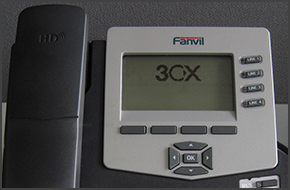
In this example we will demonstrate how to make calls using Fanvil C62 and C58. Fanvil phones support CTI Mode. Making a Call Dial the number you wish to call using the keypad and press the “Dial” soft key. The phone will dial the number and your call will be connected. [...]

The foundation of many businesses is built upon providing great customer service. Having the right tools to accomplish this is paramount. With that in mind you should be making the most of some of the advanced features that are built in to 3CX Phone System. 3CX Phone System allows you to synchronize contacts from a Microsoft Exchange Server to the 3CX Phone System Phonebook. Th [...]

In this example we will demonstrate how to make calls using a Cisco 7961. This procedure also applies for Cisco 7940/7941/7960. Making a Call Dial the number you wish to call using the keypad and press the “Dial” soft key. The phone will dial the number and your call will be connected. For Cisco 7940 and 7960 press the "New Call" soft key, dial the number you wish to call using [...]
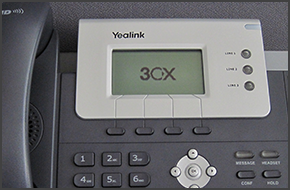
In this example we will demonstrate how to make a conference call using a Yealink T21/T22/T26. Conference Call Make or Answer a call. Press the "Conf" soft key and dial the number of the caller you wish to add to the conference call. Press "Send". When the caller answers the call, press the "Conf" soft key. The caller will be added to the conference. While in a conference call [...]

Great weight is given to the reliability of a business’s phone system—especially when the system is supporting a multi-location animal hospital. At any time that the lives of our four-legged (or feathered, scaled …) friends are on the line, health-related communication is a necessity that mustn’t be jeopardized by an outdated phone system. It is for this reason that the Animal [...]
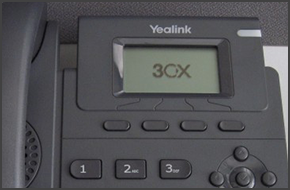
In this example we will demonstrate how to make a conference call using a Yealink T19P. Conference Call Make or Answer a call. Press the "New Call" soft key. The first caller will be put on hold. Dial the number of the caller you wish to add to the conference call and press "Send". When the caller answers the call, press the "Conf" soft key. The caller will be added to the con [...]

The majority of today’s businesses are accustomed to web conferencing, a unified communications feature leveraged to host conferences and unite internal and external stakeholders. In fact, Transparency Market Research revealed that the global video conferencing market is predicted to reach $6.40 billion in the next five years—a great revenue leap for the market. Perhaps, this g [...]

 Copyright © 2026