




UPDATE: 25 April 13:15 (UTC +2) All 3CX partners and existing Version 12 3CX Users can now signup for a free 3CX Webmeeting account Thank you to all our Partners who gave their feedback on 3CX WebMeeting Alpha. We have listened to your suggestions and have today released 3CX WebMeeting Alpha 2 with the fixes listed below, making our video conferencing feature more accessible an [...]

Conference calls allow you to easily setup a call between multiple users – up to 32 callers (licence permitting). Although many conference call services exist, it’s often easier and cheaper to host your own audio conferences. You can set-up Ad-hoc conference calls, without the need to reserve a conference room. This has been done to simplify the set-up of conference calls. If y [...]

You can manage your voicemail using any Desk Phone, make or model, configured on your extension, by dialing “999” (3CX Phone System default). A voice menu system will ask you to enter your Personal Identification Number (PIN) followed by "#". The initial options you are presented with, are the following: Dial * to play your messages. Dial “9” to go to options. Dial pound “#” to [...]
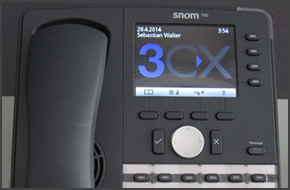
In this example we will demonstrate how to perform a blind and attended (consultative) transfer using a Snom 760. This procedure applies to Snom 760, 720, 715 and 710. Note: A Blind Transfer is a transfer to another extension without actually initiating a call to the end destination. The call is blindly transferred to the destination. By comparison, an attended transfer is a tr [...]

UPDATE: 18 April 13:15 (UTC +2) All 3CX partners now have a 3CX Webmeeting NFR key, which can be retrieved from the Partner Portal (General tab, NFR licence keys section) We have been working around the clock to complete our much anticipated video conferencing solution, 3CX WebMeeting, which is now available in alpha. You can download 3CX WebMeeting as an extension to your curr [...]

This guide will show you how to configure 3CX in Internet Explorer 10 and 11 in order to display your 3CX Web Management Console correctly. 3CX Web Management Console in Internet Explorer 10 Open Internet Explorer and in the URL address field type http://PBXip:5000/management/ and press "Enter". If you have not used this guide before to tweak Internet Explorer to display the 3C [...]

LONDON, UK 14 APRIL, 2014 – 3CX, developer of the award-winning Windows VoIP PBX 3CX Phone System announces that Horizon Housing, the Australian affordable housing provider, has successfully deployed 3CX Phone System. Since installing 3CX Phone System, Horizon Housing has benefited from a reduction in telephony costs and an improvement in productivity. Horizon Housing found tha [...]

3CXPhone has been rated as having one of the top five user interfaces in the softphone market by Software Advice. Through a combination of good design and innovation, 3CX has created a software-based phone system which is both user friendly and provides the necessary phone features to meet a company’s communication needs. 3CXPhone’s competitive edge is it’s well-designed user i [...]

You might be wondering exactly what the repercussions are of having the wrong time set on your Windows Server machine, and most people would say "Well probably nothing serious". As it turns out there are some serious problems that may occur: In Office and Out of Office Hours - Since 3CX Phone System offers Office hours scheduling to the user along with automatic switch to Away [...]
LONDON, 7 APRIL 2014 - 3CX, developer of the award winning software based PBX, 3CX Phone System for Windows, today announces the launch of 3CX Cloud Server, which allows 3CX Partners to easily host 3CX Phone System on behalf of their customers. 3CX Cloud Server can now host up to fifty PBXs on one server, providing a fully virtualized 3CX Phone System, which includes access to [...]

 Copyright © 2026