





A new Beta for the 3CX Android App is now available for download from the Google Play store. This update includes several additions to chat management and an improved ‘Keep active’ function.
Quick preview images sent via chat

You can now see a preview of any image attachments that have been received via chat from the device notification panel. Quick reply options including ‘Reply’ and ‘Mark as read’ make message management easy.
Collaborate as a team with chat forwarding
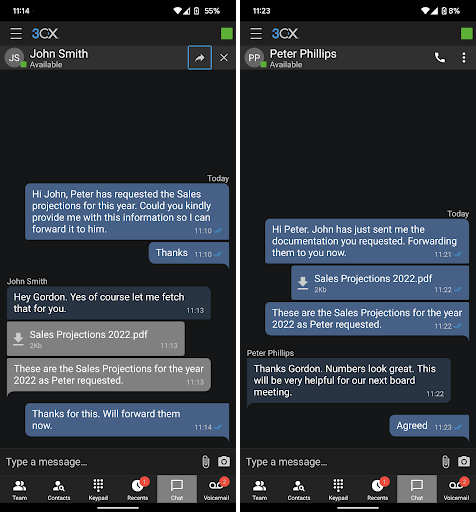
Copying and pasting text to forward it can be frustrating. Now you can forward text and attachments to other extensions or groups easily. To do so, long press to select single or multiple texts and attachments, then click on the forward icon in the chat header.
Manage chat participants
With this Beta update, you can now have more control over chat participants. Use the ‘Add a participant’ option after selecting the ‘More’ icon to add more users to a chat. Group chats can be managed by tapping on the group chat name, and using the ‘+’ icon to add, or the ‘x’ icon next to a user to remove them.
Switch between connected Bluetooth devices
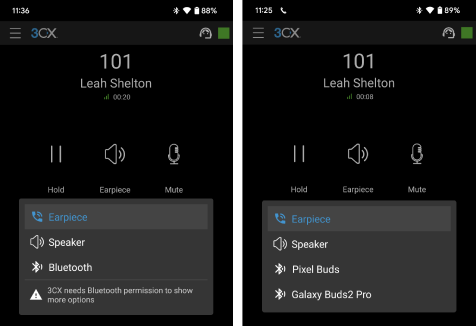
Switching between audio devices has been made even easier. When you select the ‘Earpiece’ option during a call, users can now choose the audio output including any connected Bluetooth devices. This also applies to in-car devices but is not classed as ‘Android Auto’.
To note:
- This feature is only supported for Android Version 9+.
- For Android Version 12+, the app requires permission to show any connected Bluetooth devices.
- Requires Telecom API setting to be enabled.
‘Keep Active’ after reboot
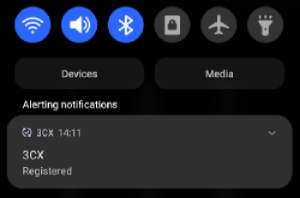
The ‘Keep Active’ function provides the app the ability to stay registered in the background. Now, when enabled, the ‘Keep Active’ setting is retained and starts automatically upon reboot or update.
Note: Oppo, OnePlus, Xiaomi, Redmi, and Huawei phones require additional manual steps in System OS settings for this functionality to work. The dialog box includes end-user instructions to follow.
Other fixes and improvements
- Added functionality to show incoming/outgoing call history in the native call history app
- Updated QR Scanner library based on Google’s recommendations
- Added system default theme selection
Download now
Head over to the Google Play Store to download the latest Android App Beta and don't forget to make sure your 3CX instance is running the latest version. View the complete changelog history.









 Copyright © 2026