





Experience supercharged chat with 3CX Android App’s support of the latest Chat API. Now with increased speed when rendering and sending chats, as well as added support for chat block users and end block sessions. What’s more, we’ve improved the overall performance of the App with a number of usability and bug fixes.
It’s a Chat Show
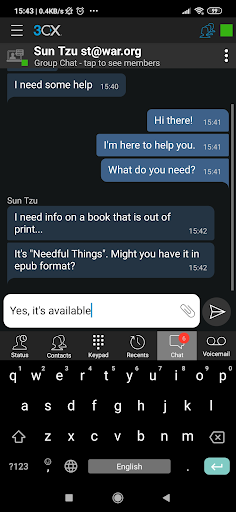
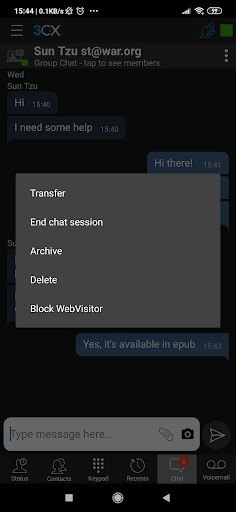
The new release for the 3CX Android App takes chatting to a whole new level with unparalleled speed when it comes to sending and rendering of chat messages. We’ve also improved the way photos are sent via chat, both for images attached from the gallery as well as those snapped and sent instantly.
If you’re worried about missing those all important chat messages, don’t be! We’ve added a chat notification sound when receiving chats via Push. All this together with support for blocking of WebVisitors, Block of Sessions and End Chat sessions make the Android App a real Chat Show Stopper!
Chat Fixes
- Fixed chat “take ownership” when only one agent is logged in to the Queue.
- Fixed unread chat messages badge count.
Viewing Bridges and Unregistered Extensions
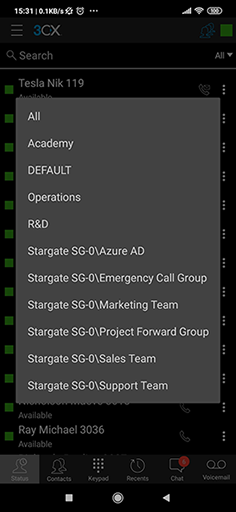
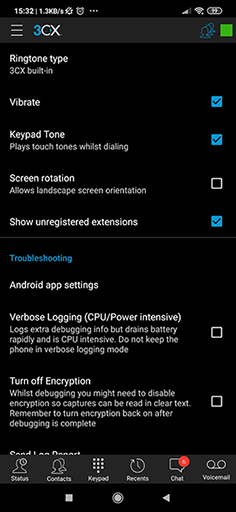
The new App allows you to easily access grouped bridges by tapping status. Here you will see them grouped as BridgeName\BridgeGroupName. Tapping on a bridge from the list will open up the respective extensions. You can also choose to view all extensions including unregistered extensions by clicking on “show unregistered extensions” checkbox in settings.
Other Features and Fixes
- Added ability to call a number directly from the search main dial pad.
- Fixed connection stability.
- Fixed Drop call when applied from Push notification.
- Updated startup wizard.
How to Get It
Head over to the Google Play Store to download the new Android App and read our comprehensive Android app user guide for more info on its features and functionality. You need to be on the latest V16 PBX, Update 5 to enjoy all the features in this new version.
View the change log and give us your feedback via the dedicated community forum.









 Copyright © 2026