





Our newest Beta release prepares your iOS device for V18 (soon to be released) with an exciting feature: Siri integration. You can now tell Siri to make calls using 3CX.
How to use it
First and foremost, your device should already have Siri enabled. After installing the 3CX app with an active account, all you have to do is to ask Siri something like “Siri, call 123456 using 3CX” or “Siri, call James using 3CX”. For the very first time, Siri will ask you to access 3CX data - just tap “Yes”.
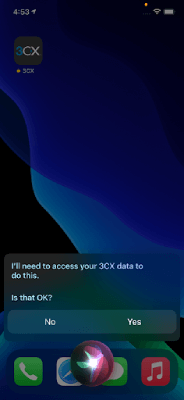
Call by number
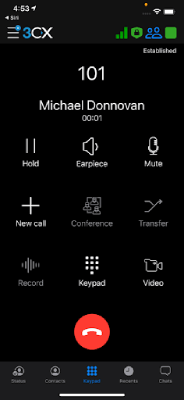
If you ask, for instance, “Siri, call 101 using 3CX”, Siri will launch the 3CX app so it will make the call. You can launch the 3CX app at any time by saying: “Siri, open 3CX”.
Call by name
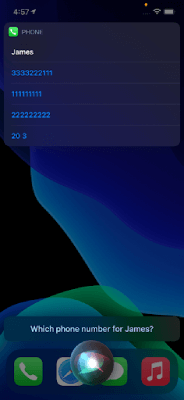
When calling by name, Siri will try to find a person in your device’s contacts, to pass on to the 3CX app. In case there are several people having the same name, Siri will prompt you to choose the number you want to call. In the sample below, “Siri, call James using 3CX” found four persons with the name “James” in device’s contacts:
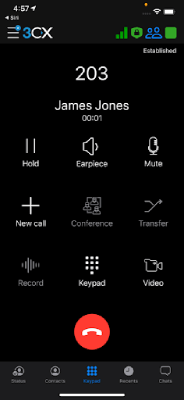
And, if you tap 203, the call is made:
Important note
You cannot use Siri to make calls on an iPad - Siri will prompt you about this if you try.
Join the Beta testing team
Join iOS TestFlight to become part of the 3CX Beta testing team and try out the latest Beta today! Remember to submit your feedback in the app and head over to the forums to let us know what you think.
View the change log.









 Copyright © 2026