





The latest 3CX App for Android Beta is all about setting your priorities. From the addition of a Favorites group as well as Multiple Call Rules, you get to choose who’s important and when.
Quick and Easy Access to Your Favorites
Are there people you are constantly in touch with? Be it a work colleague or your boss, you can now add users to “Favorites” for quick and easy access.
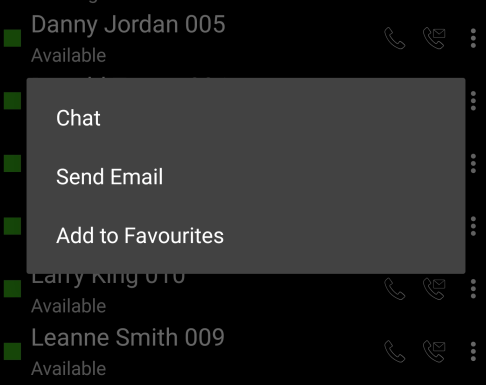
When in the web client, your favorite’s contact image will always appear first. You can also simply add and remove users from your Favorites list at will.
Improved Visibility of Groups
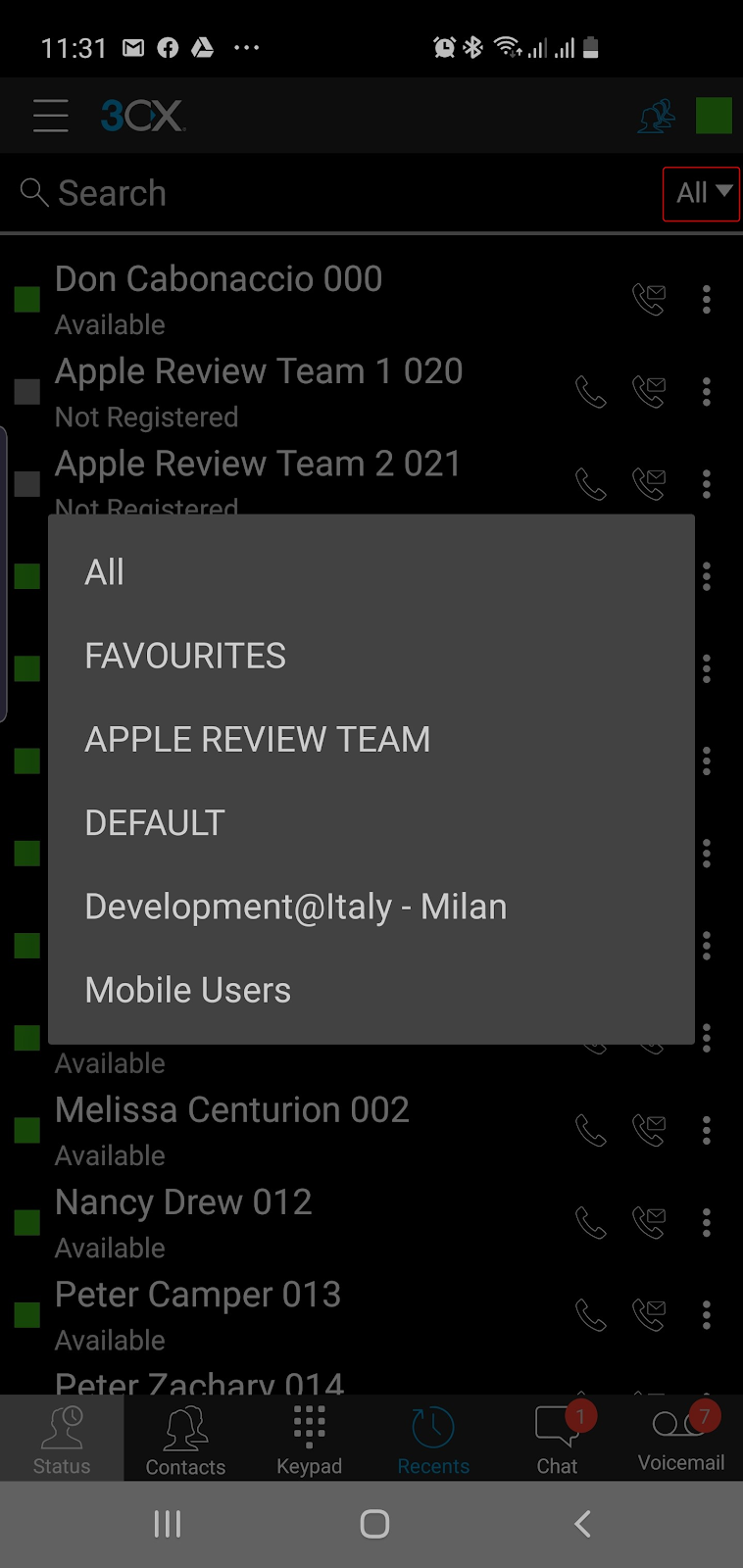
We’ve added a handy dropdown filter displaying all groups (local and bridged), in the Status screen, making it much easier to view and access users in a particular group.
Multiple Call Rules for GSM and SIP
Always be alerted of an incoming call... even during a call. In the event that you are already connected to a 3CX SIP call, and a GSM Call comes in, you will be alerted with a discreet beep. If you choose to answer the GSM call, the SIP call will automatically be placed on hold.
In the case of a few phones, instead of a beep, you will hear the incoming call ringer. Some phones may need to resume the SIP call manually once the GSM call ends.
If a GSM call is active and a 3CX SIP call comes through, the SIP call will be sent to your pre-set forwarding rules (i.e. treated as busy).
Other Improvements and Fixes
- After a reconnection, some phones were generating one-way audio. This is now fixed
- Burger menu contains image, status, full name and extension underneath.
- Added editing of contacts. It is now possible to upload an image to a contact.
- Long press on 0 will add a ‘+’ in dial pad.
- Crash on Google Pixel XL (marlin), Android 10 has been fixed
- Fixed bug in add account button
How to Try it
Join the 3CX Beta Program and download the new Android Beta app through the Google Play Store.
Give us your feedback via the dedicated community forum.
View the change log.









 Copyright © 2026