





Override office hours, command-line deployment options and improved Poly headset support.
3CX Softphone V5.6 Beta (Build 1159) introduces new office hours management capabilities, expanded deployment flexibility via command-line arguments, and a new and improved Poly headset integration provided by HP, with support for additional devices. This release also includes several usability fixes and reliability improvements. Read on for a full breakdown of what’s new in this beta release.
Override Office Hours
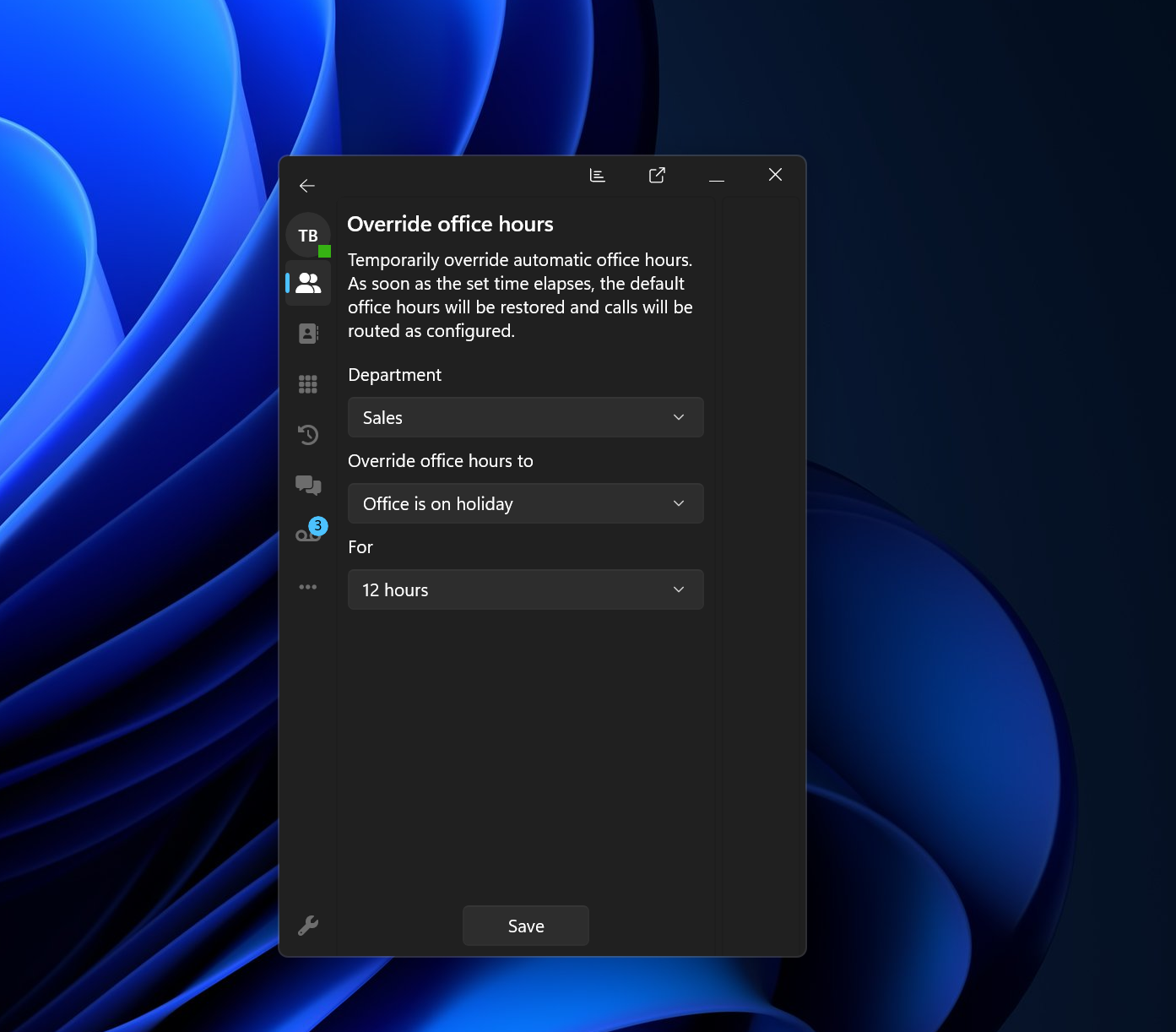
This beta release introduces the ability to override office hours directly from the Account menu. The functionality is fully aligned with the Web Client experience, providing a more consistent workflow across platforms and making it easier for reception staff to quickly adjust office hour behavior when required.
This feature is available to users with the Receptionist role and above. Configured IVRs or Queues must belong to the same Department as the receptionist for the override to apply correctly.
Version 20 Update 9 or later is required for this feature.
Command-Line Arguments for Configuration
Softphone V5.6 now supports command-line arguments for settings configuration, giving administrators and power users greater flexibility when deploying or launching the application.
This enhancement simplifies automated deployments, testing environments and custom startup scenarios. IT teams can now predefine specific settings and behaviors directly at launch, helping streamline rollout and support processes in larger environments. The following command-line options are currently supported:
- --restore-defaults, -R: Restores all CLI-configurable settings to their default values. If additional options are provided, they are applied after defaults are restored.
- --host: Pre-load the PBX URL when provisioning manually via credentials or 2FA.
- --echo-cancellation, -e: Enable or disable echo cancellation (true | false).
- --ringer-volume, -r: Set the ringer volume (25, 50, 75, 100).
- --mic-gain, -m: Set microphone gain (100–400).
- --crm: Enable or disable CRM integration (true | false).
- --crm-action: Set CRM integration behavior (OpenBrowser | OpenApp).
- --crm-exe-path: Define the executable path for CRM integration.
- --crm-exe-params: Define parameters passed to the CRM executable.
- --crm-notify-when: Set when CRM notifications are triggered (Ringing | Connected).
- --tapi: Enable or disable TAPI integration (true | false).
Note: For settings to apply successfully, the softphone must be fully closed before running commands. Executing the commands will automatically launch the application. Administrators deploying these settings via scripts should terminate any existing instance beforehand. Example PowerShell command: Stop-Process -Name "3CXSoftphone" -Force
Full PowerShell Example
Updated Poly Lens SDK Support
This release introduces a new and improved Poly headset integration provided by HP, with support for additional devices and improved reliability for supported headsets and audio hardware.
The integration enhances device detection and overall headset functionality, particularly for users who rely heavily on call controls and professional audio devices throughout the work day.
Supported Headsets
According to HP, the following headset ranges are supported:
- Voyager Focus 2
- Voyager 43xx
- Voyager Free 60
- Voyager Surround 80
- Voyager Legend 50 UC
All above via BT700 - direct Bluetooth support to follow.
- Mission 400 / 600 / 800 Series
- Blackwire 32xx / 33xx / 52xx / 8225
- Encore Pro Series
- Savi 7300 Office / UC
- Savi 7400 Office
- Savi 8200 Office / UC
- Savi 8400 Office
HP states this coverage includes headsets released over the past 10 years.
Optional Requirement
HP recommends installing the Poly Lens / Poly Studio application to ensure the integration functions as expected and to keep headset firmware updated to the latest version. You can download this from here.
Known Limitations
- Redial via Headset Button Presses: The “double tap” redial action is not supported by the Poly Lens SDK. Newer headset models no longer include redial functionality at the hardware level.
- Dropping Calls While on Hold: Poly headsets require calls to be resumed before they can be terminated. This behavior has been confirmed across both legacy and newer headset models.
If this behavior impacts your deployment requirements, please contact HP Support directly.
Other Fixes and Improvements
Alongside the new functionality, this release includes several fixes to improve stability and usability.
- Yealink headsets not populating after relaunching the app
- Attended transfer scenarios where both calls remained connected
- Voicemail enabled/disabled state checks
- Application foreground behavior when using the dialer hotkey
View the complete changelog for a detailed breakdown of updates in this latest build.
How To Get V5.6 BETA
Go to the Microsoft Store to find and install 3CX BETA.
Note: Avoid running the production version alongside the BETA to prevent conflicts.
Windows Softphone Forum
Head over to the dedicated Windows Softphone Forum to let us know what you think.
Follow us on X and LinkedIn to stay up to date on latest news and feature releases.









 Copyright © 2026