All StartUP instances have been upgraded to Update 6 and now support deskphones. This means you can configure IP Phones running behind either an SBC capable router phone or a conventional SBC device such as a Raspberry Pi or Debian instance.
New installs for hosted trials and NFR hosted instances have also been updated to run on Update 6 to benefit from U6 features.
SBC capable phones
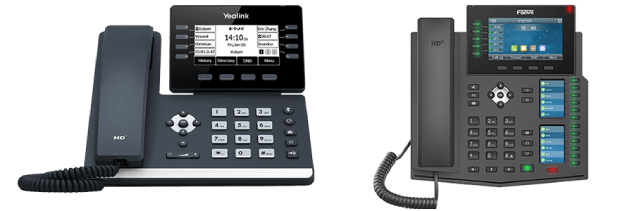
Selected Fanvil and Yealink IP Phones can now be used as SBC devices as well as normal phones. There is no longer a need for a separate device, and the new "router phones" are much easier to set up than a stand-alone SBC. It allows for up to ten phones to proxy via one SBC configured phone.
Configuration and provisioning of IP Phones is made easy via our new RPS server. See our updated guides for supported and preferred phones.
To read more about U6 features, check out the Update 6 Alpha blog. A new set of admin guides are also available here.
How to get 3CX StartUP
Existing customers: From the "My Systems" page in the Customer Portal, click the "Add System" button in the top right corner. Then select "Hosted by 3CX > Up to 10 users - 3CX StartUP".
New customers: Register for a new 3CX StartUP account and follow the 4 easy steps in the setup wizard.
View the changelog to learn more about this version.