





BETA introduces new Panel & Switchboard views to the Windows Softphone.
The new Panel and Switchboard views are the latest additions to this BETA release of the Windows Softphone. Both views are of massive importance in contact center environments where teams need to know, at a glance, how many calls are waiting to be answered and which colleagues are available to take calls.
Supervisors can monitor agents, a specific queue, or many queues at the same time - and view important call and agent statistics.
Try it out and let us know how you find it!
View All - The Receptionist
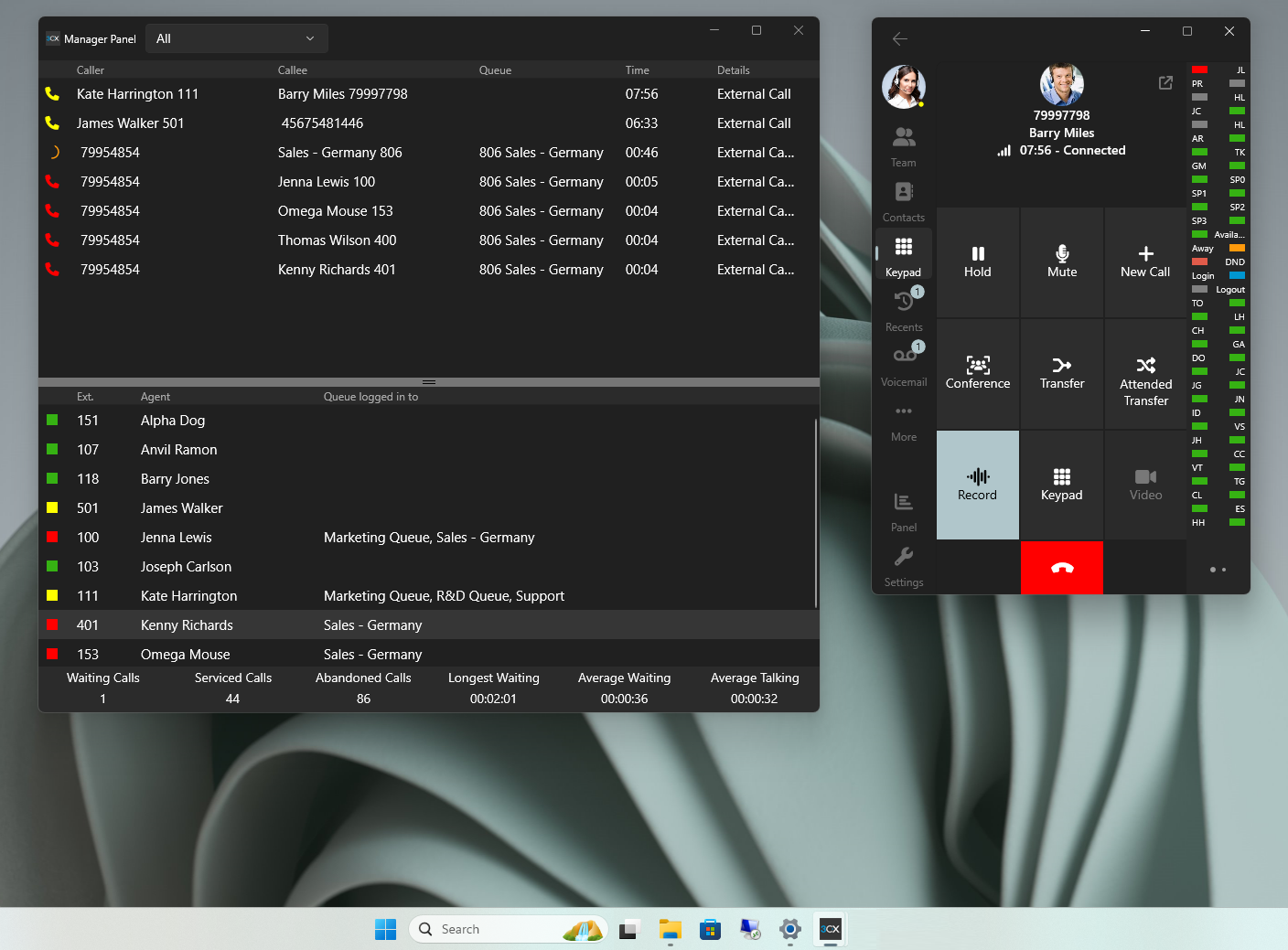
The receptionist view shows all extensions and indicates whether they’re available or not, allowing for fast call transfers.
Queue Calls View - The Queue Manager
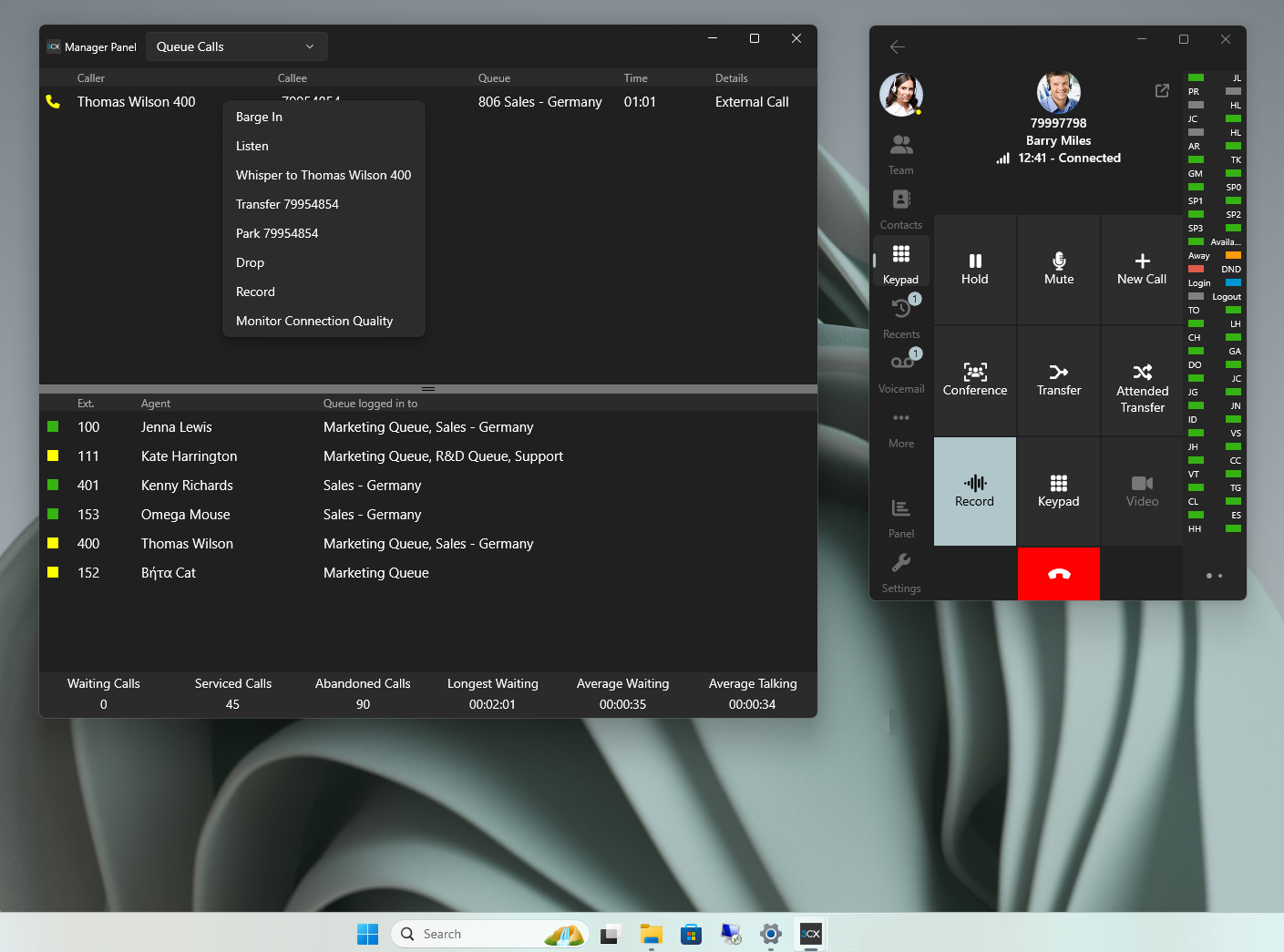
The Queue View allows queue managers to easily see all queue activity in a single screen.
Specific Queue View
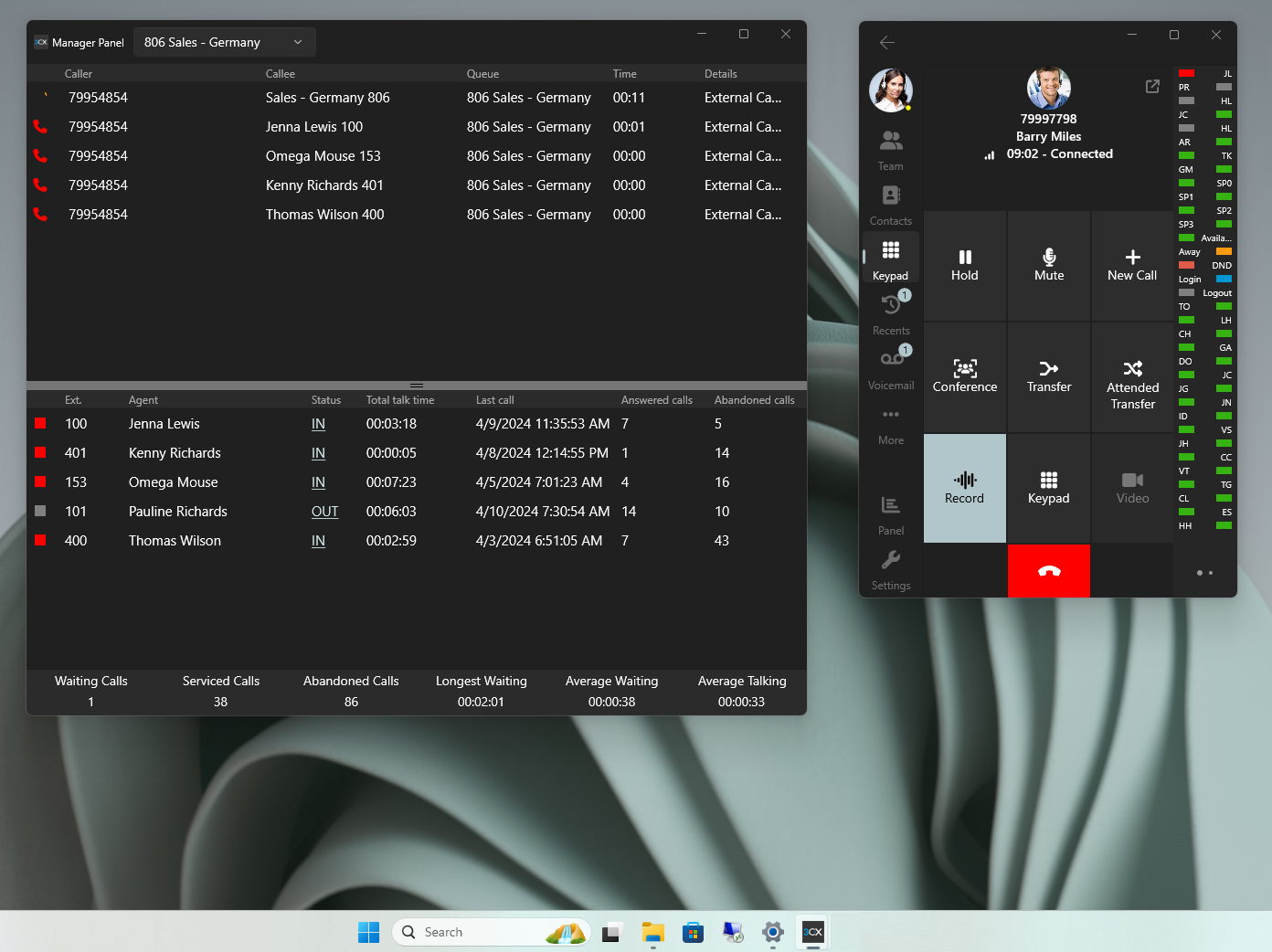
By selecting a specific queue you’re able to manage the queue’s agents as well as view statistics in regards to their answered calls, abandoned calls etc.
Drag and Drop that Call
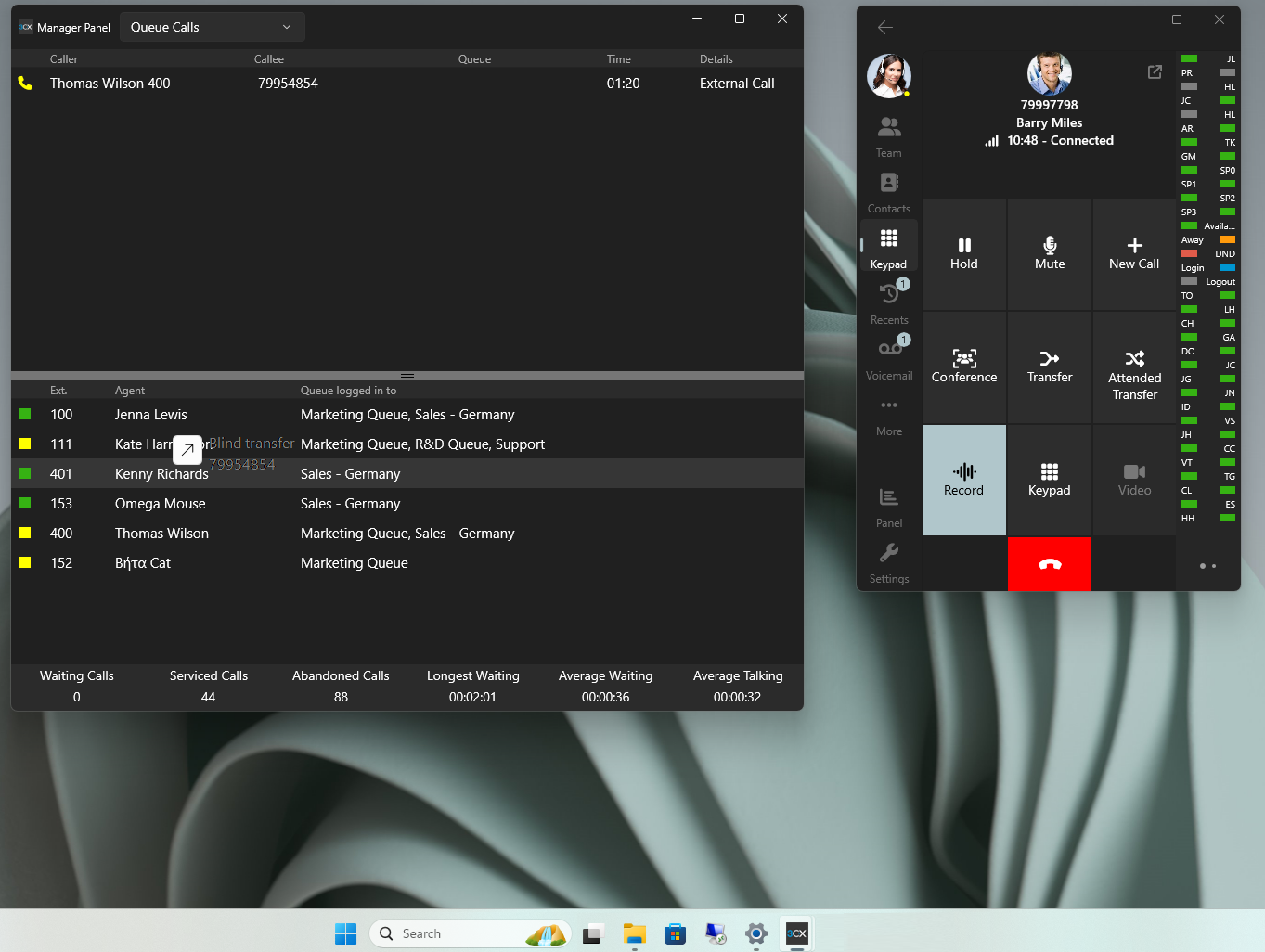
The drag and drop feature allows users to drag and drop a call onto a colleague’s extension and perform a blind transfer.
Other fixes:
- Fixed: Dialing letters or billing codes for reporting purposes
- Fixed: Blind transfer a connected call via the BLF panel
- Improvements to the User interface
Try the Beta - Join our Beta Program
Become a Beta tester and get early access to new features, provide valuable feedback, and help shape the future of our product. Before signing up, take note of the steps below and the timelines involved. We recommend you only join the program if you have a second machine to use for testing. Do not run the production version of the 3CX Softphone alongside the BETA app, as this may cause conflicts.
Future Softphone Beta releases will be available via the Microsoft Store. Search for '3CX BETA” to find future Softphone BETA releases. No form submission or account creation is required.
For instructions on how to install and provision the 3CX Windows Softphone refer to our User Manual.
Head over to the dedicated Windows Softphone Forum to let us know what you think.









 Copyright © 2026